NV200 Family User Manual
<< Back to Contents
Copyright © Innovative Technology Ltd 2016 Doc: NV200 Family Manual
Version: 1.0
Page 50 of 119
7 ROUTINE MAINTENANCE
7.1 Introduction
Depending upon the environment the NV200 is running in it may require cleaning,
belt changing or note path clearing.
7.2 Cleaning the NV200
Disconnect the power BEFORE carrying out any cleaning operations to avoid the
risk of causing damage to the validator.
7.2.1 Recommended Cleaning Intervals
Clean the optical lenses every 6 months or more if the unit is in a particularly harsh
environment. Dirt, dust or other residue leads to bad note acceptance and other
performance degradation. Please refer to the section below for comprehensive
cleaning instructions.
7.2.2 Cleaning the Validator
Do not use solvent based
cleaners on any part of the
NV200 unit.
Do not use solvent based cleaners such as
alcohol, petrol, methylated spirits, white spirit or
PCB cleaner. Using these solvents can cause
permanent damage to the units; only use a mild
detergent solution as directed below.
The NV200 note path can be cleaned with the head still fitted to the chassis,
although it may be easier to remove the head from the chassis assembly.
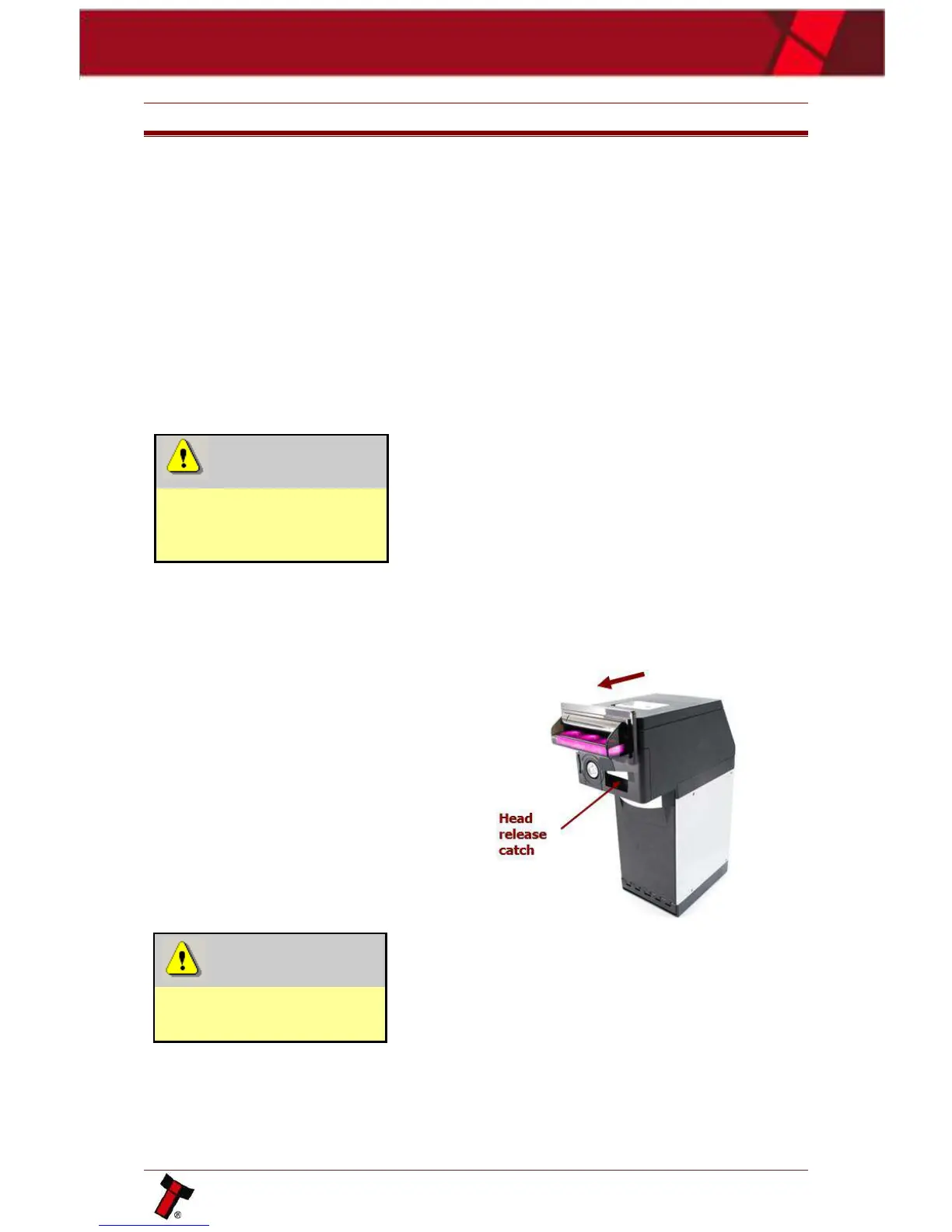
To remove the NV200 head unit, first
lift the silver head release catch
located on the front of the NV200
Finally, slide the head unit forward
and lift it off the chassis
Disconnect power BEFORE
any cleaning operation















 To Next Page