NV200 Family User Manual
<< Back to Contents
Copyright © Innovative Technology Ltd 2016 Doc: NV200 Family Manual
Version: 1.0
Page 58 of 119
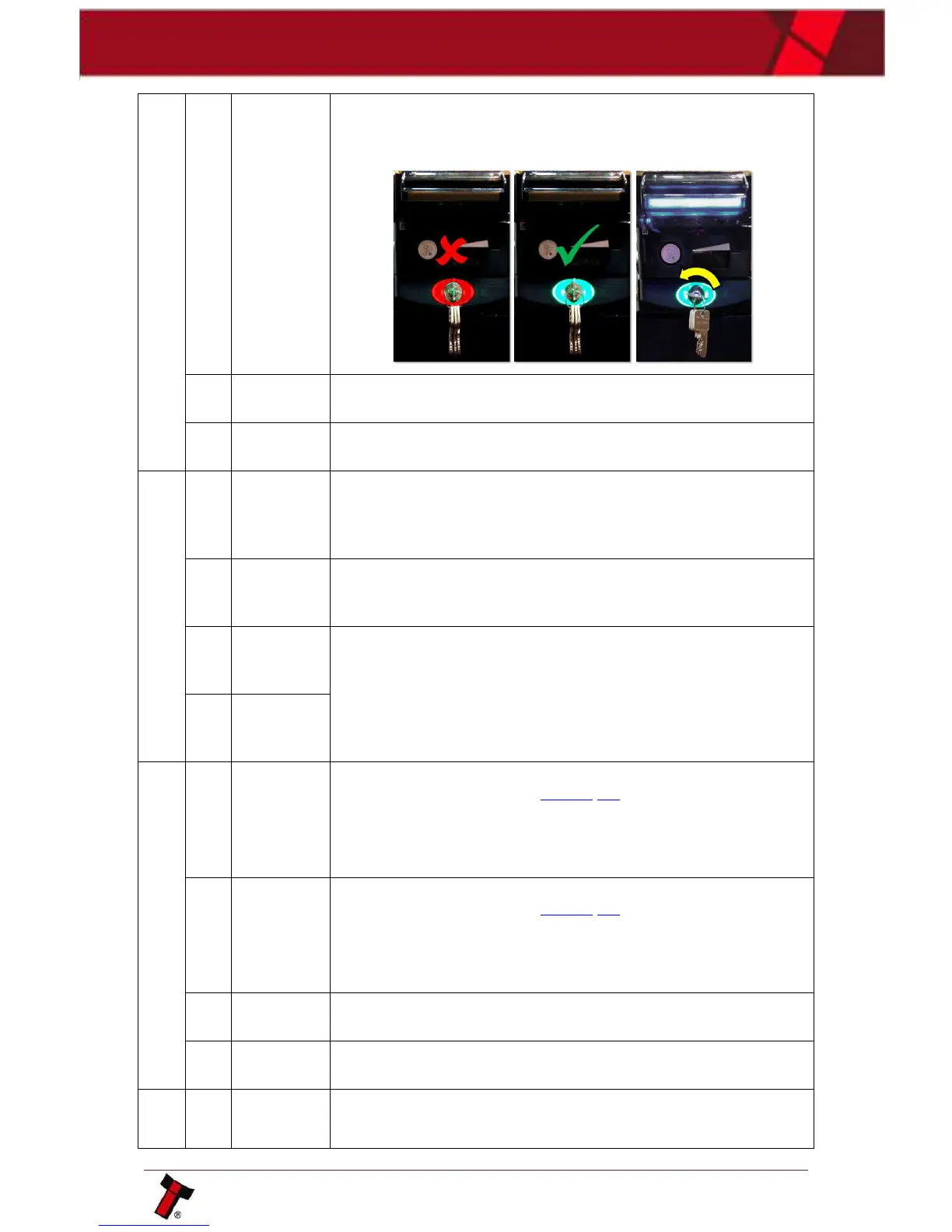
Issue an unlock command to the TEBS, physically unlock and
relock the unit ensuring the lock has been completely turned.
Remove the current TEBS bag and reinsert a new bag.
Please contact ITL support.
There has been an issue with the attempted download, retry the
download with the recovery section on validator manager, if this
fails arrange for the unit to be returned to the nearest repair
centre; details of which can be found on our website.
The firmware loaded doesn’t contain the primary interface from
the previous firmware. Download with the IF file containing the
correct protocol.
There has been an issue with the attempted download, retry the
download with the recovery section on validator manager, if this
fails arrange for the unit to be returned to the nearest repair
centre; details of which can be found on our website.
Check the voltage on your power supply is within the specified
voltage range as outlined in Section 3.4.
If the voltage appears to be correct, please check to ensure the
power supply voltage doesn’t vary by more than 10% under
maximum current draw.
Check the voltage on your power supply is within the specified
voltage range as outlined in Section 3.4.
If the voltage appears to be correct, please check to ensure the
power supply voltage doesn’t vary by more than 10% under
maximum current draw.
The data card inserted is incorrect, format the card using the
latest NVCardUtilities.
The Smart Payout is in the process of resetting, wait for it to
recover.
The Firmware on the device connected doesn’t match the
firmware on the NV200. Ensure the Firmware supports the
connected device. If a payout is connected, ensure Dipswitch 7 is















 To Next Page