VIAFLO 96/384 – Operating instructions V11 Operation
www.integra-biosciences.com 27
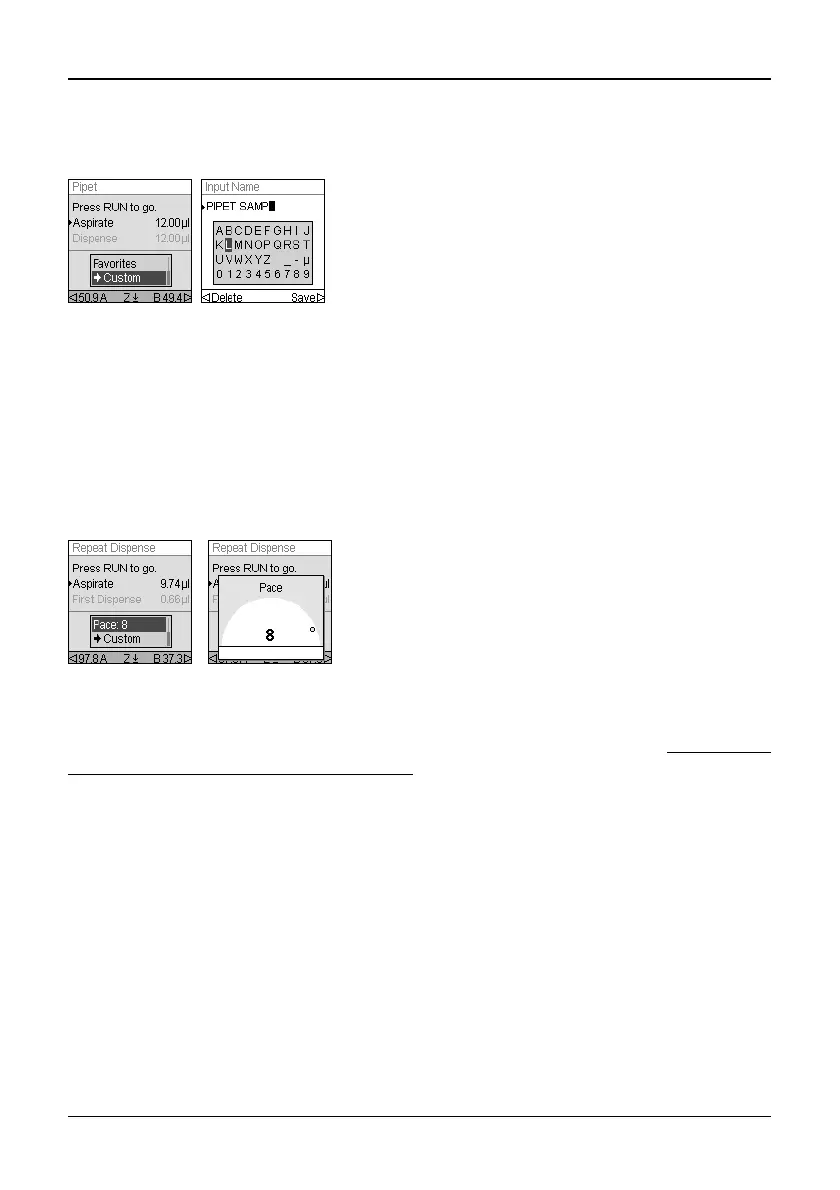
4.4.4 Custom
You can convert any predefined pipetting mode into a Custom program.
The program is now stored in the Custom program section.
4.4.5 Pace
The Pace option sets the time gap between dispenses in repeat pipetting. Pace is used in
the Repeat Dispense and Variable Dispense modes. While you press and hold the RUN
key, the pipette will dispense multiple programmed volumes with the selected pace.
Release the RUN key to stop the paced dispense. Press the RUN key to continue
dispensing.
4.4.6 Count, Mix Cycle and Rows
The Count, Mix Cycle, and Rows steps are used in various modes, see “5.2
Detailed
description of pipetting modes” on page 32. Each is accessed with the Edit option. Use
the Touch wheel to highlight the step and press OK.
Count sets the number of dispensing steps. Mix Cycle sets the number of mixes. In serial
dilution mode, Rows sets the number of rows. A row indicator will notify the number of
dilutions performed. Rows (first number) and Mix Cycles (second number) are tracked on
the display. Mix Cycles are shown in red when mixing. A green dot on the row number
indicates the active program step.
Select a desired value. Press OK and then press to save your setting(s).
After setting up a pipetting mode with your
parameters, use the Touch wheel to select
Custom.
You are prompted to enter an name. Use the Touch
Wheel to select characters and press OK. Once
finished, press to save the name.
Use the Touch wheel to select the desired Pace
option and press OK.
Select the pace, from None, 1 (slowest) to 9 (fastest).
Press OK to save your setting.



 To Next Page