36 323094 Dev Kit Manual
Note: A maximum of two displays can be active at a time.
Note: Display connectors DP/HDMI are on Port D of Chipset, Port B and C can be used through PCI
graphics add-in-card.
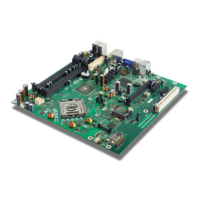
6. One DP and one HDMI Connector have been provided on board on the motherboard.
Port D of Digital Display Interface on PCH is mapped to on board DP and HDMI connectors.
DP is the default configuration. To select HDMI rework is required on the motherboards.
For HDMI:
a. No stuff – C5A1, C5A2, C5A13, C5A14, C5A5, C5A6, C5A9, C5A10
b. Stuff – C5A3, C5A4, C5A15, C5A16, C5A7, C5A8, C5A11, C5A12 with 0402 0.1 µF
capacitor
c. The same capacitors no stuffed in Step A can be used in Step B
i. R2M2 and R2M5 are the 2.2k pull-ups on SMBus. These should be changed to
4.4 k
ii.
3.7.3.1.1 Digital Display Interface Configuration Modes
1. 3x DisplayPorts
2. 3x HDMI/DVI Ports
3. 2x DP + 1x SDVO
4. 2x DP + 1x HDMI/DVI
5. 2x HDMI/DVI + 1x SDVO
6. 2x HDMI/DVI + 1x DP
7. 1x DP + 1x HDMI/DVI + 1x SDVO






 To Next Page