51
Operating Install Wizard
ü
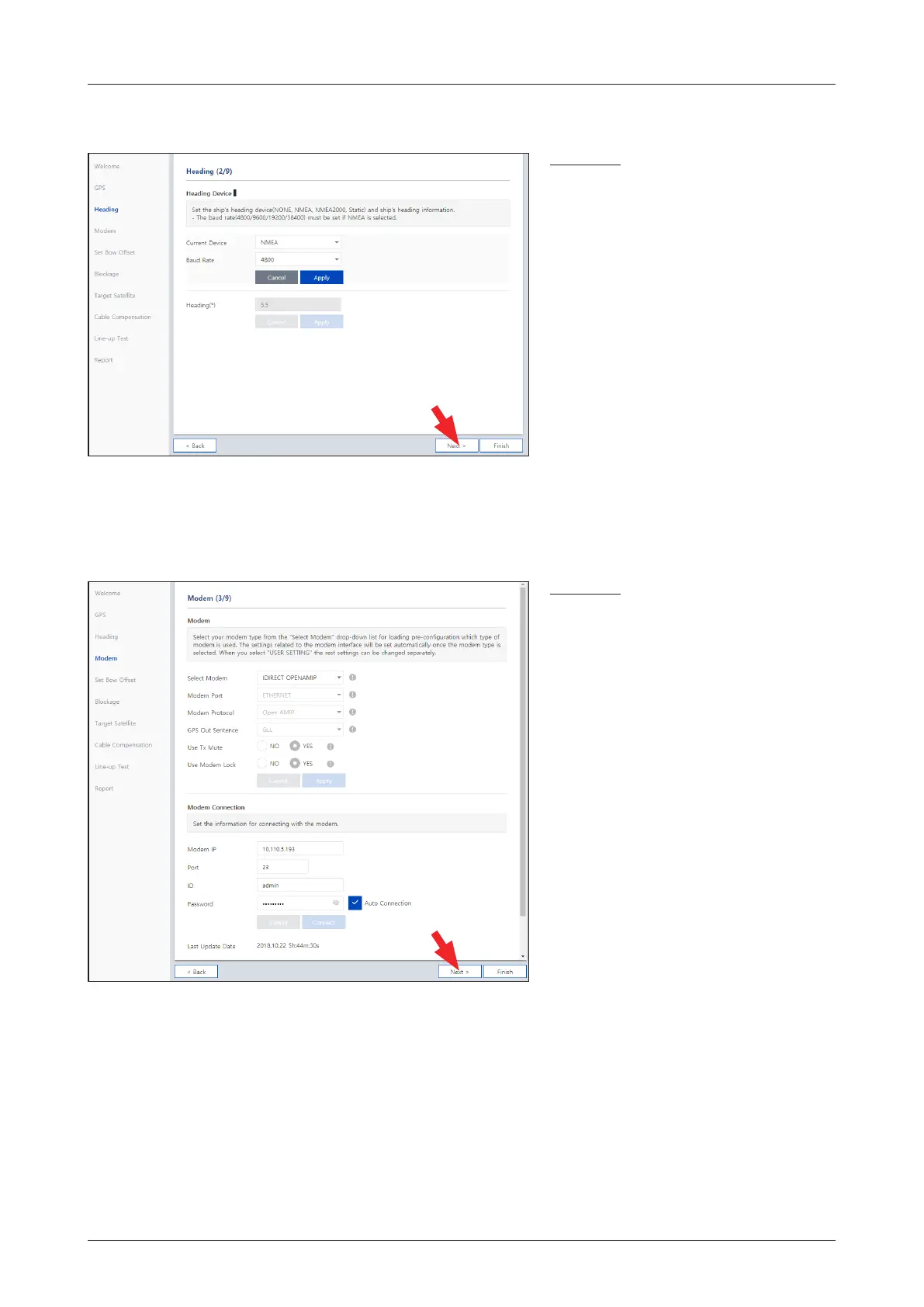
Step 2: Heading
Description
Set the ship's heading device. Choose
the device type from the "Current Device"
drop-down list. The indicator right of the
title shows the device connection status.
• Blue: a ship's heading device is
connected.
• Black: a ship's heading device is not
connected.
If you have no problems, click the "Next"
button.
ü
Step 3: Modem
Description
Select your modem type from the "Select
Modem" drop-down list for loading a
pre-conguration for the type of modem
used. The settings related to the modem
interface will be set automatically once the
modem type is selected. When you select
"USER SETTING" the other settings can
be changed independently.
If you have no problems, click the "Next"
button.



 To Next Page
 Loading...










