80
Using AptusNX
Remov
ing Panels
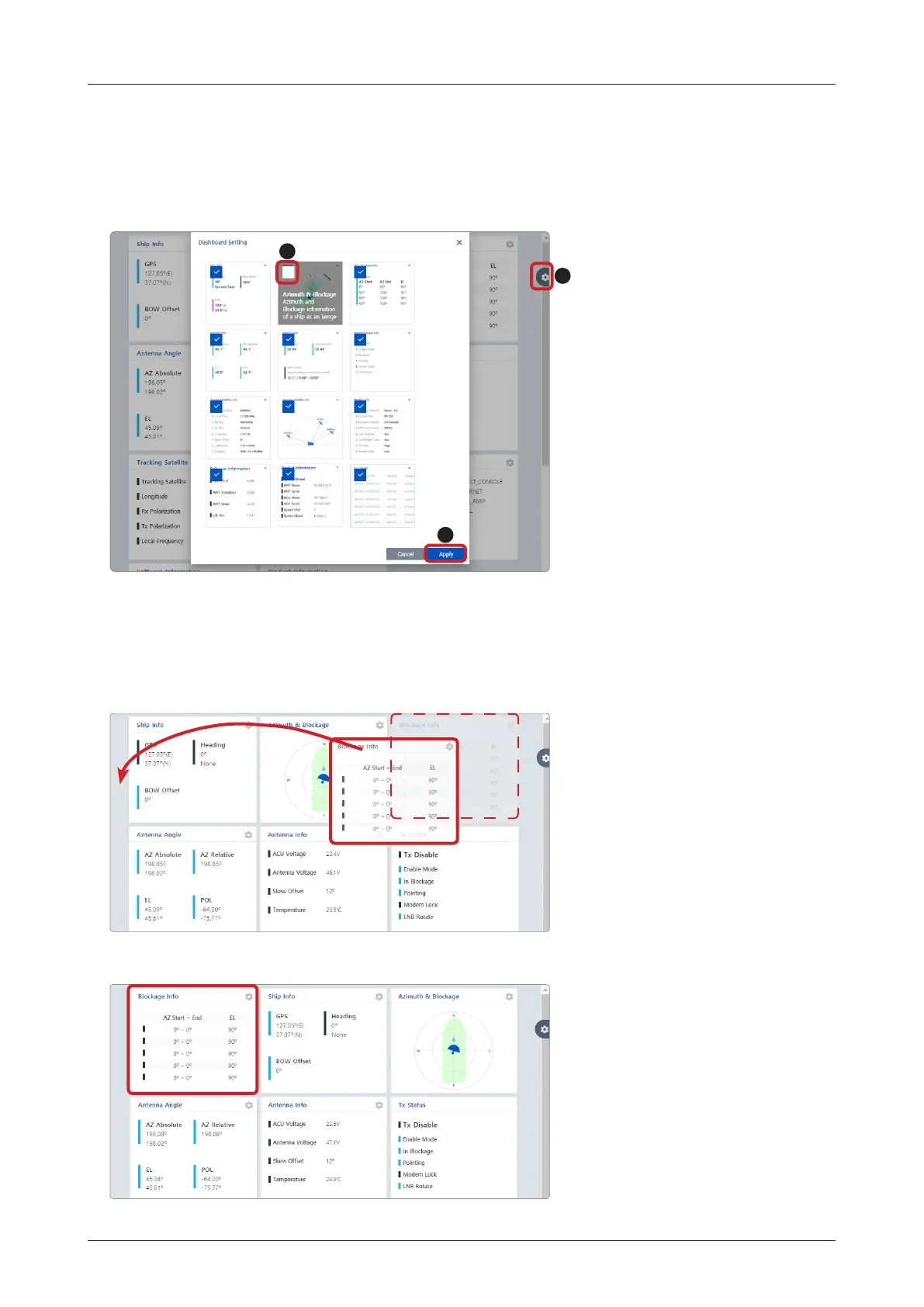
1. On the right side of the page, you will see the
gear
icon to edit your dashboard. To start editing, click on the
gear
icon indicated by the red mark.
2. Uncheck the box of the panel that you wish to remove from the dashboard.
3. Click the "Apply" button to apply the settings to the system.
1
3
2
How to Arrange Dashboard Layout
You can customize the dashboard by rearranging panels as you wish.
1. Click and hold the left mouse button on a panel's title and then drag-and-drop in the desired position.
2. This time, the selected panel will be moved to the desired position. You can also move multiple panels into
a customized layout in the same manner.



 To Next Page
 Loading...










