15 Programming — Controller Setup
Chapter 2:
Programming — Controller Setup
NOTE TO USERS: If the Pool & Spa Control System is already programmed, proceed to
Chapter 13.
Follow the instructions in this chapter to set up the controller:
¸ Installing Batteries in Controller
¸ Programming Overview
¸ Creating a Network
¸ Testing Z-Wave Reception
¸ Remoting the Antenna
¸ Verifying Software Revision Level
¸ Setting Time of Day
NOTE: If the controller is idle for 1 minute, the display deactivates to save battery life. Press any
button to remove the controller from idle. If you leave the controller idle for 1 minute after you
started conguring the controller, it will deactivate and not return to the place you left off. Restart
the conguration from the beginning.
Installing Batteries in Controller
1. Follow this procedure to install batteries in the controller.
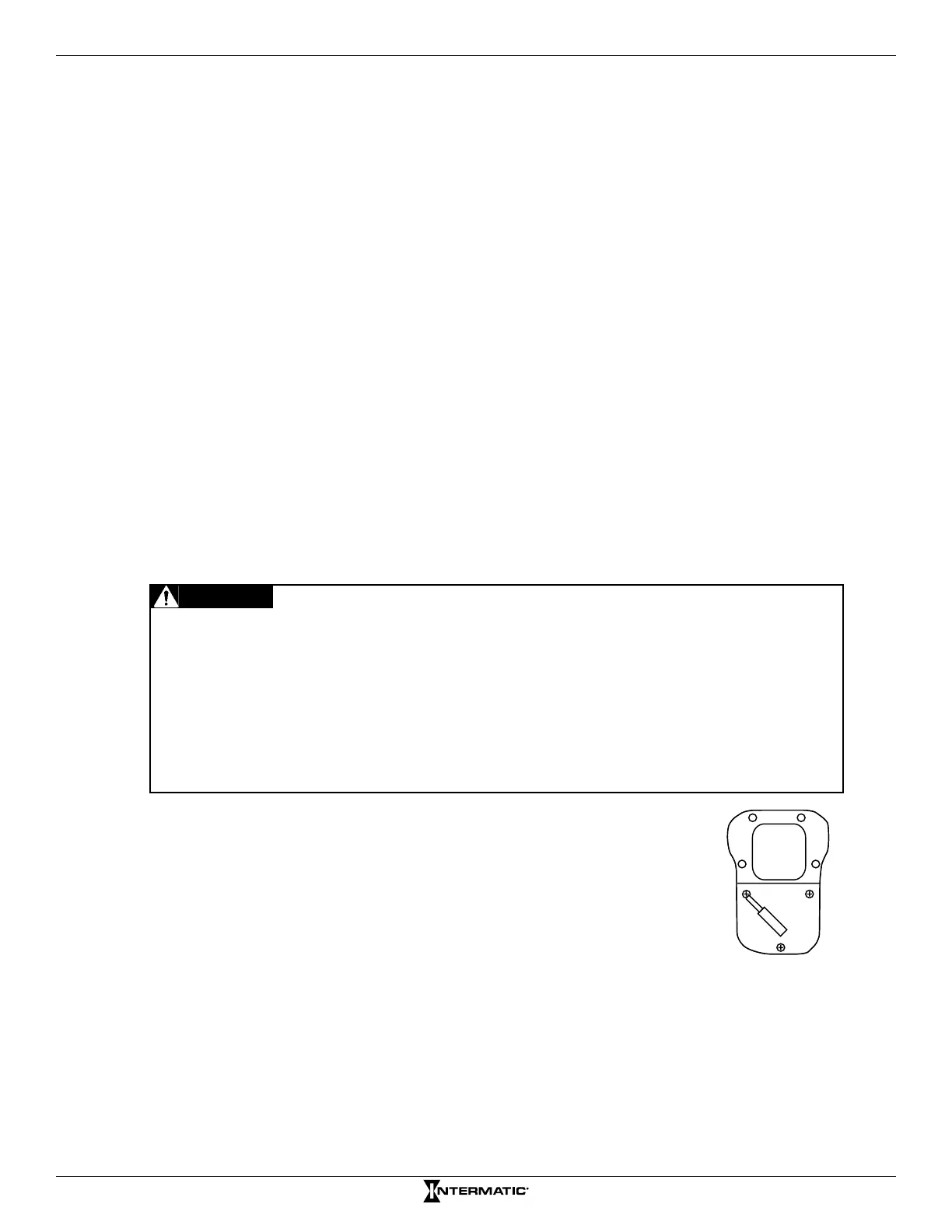
2. With a small Phillips screwdriver, remove the three screws from
the back cover of the controller.
3. Install three AA batteries in the controller. Observe proper
polarity.
4. Return the cover to the controller and secure with the screws.
NOTE: Be sure to align the gasket correctly to maintain the
water-tight seal.
3X
Figure 2-1. Removing screws from
controller back cover.
• Non-rechargeable batteries are not to be recharged.
• Rechargeable batteries are to be removed before being recharged.
• Rechargeable batteries are only to be charged under adult supervision.
• Different types of batteries or new and used batteries are not to be mixed.
• Only batteries of the same or equivalent type as recommended are to be used.
• Batteries are to be inserted with correct polarity.
• The supply terminals are not to be short-circuited.
• Do not mix alkaline, standard (carbon-zinc) or rechargeable (nickel-cadmium) batteries.
WARNING
Risk of Fire or Explosion










 To Next Page