www.intermatic.com
26
MultiWave Control System Programming and User Guide
Chapter 4:
Programming — P5043ME Configuration Screen
NOTE: These procedures apply only to pool/spa systems with P5043ME Expansion Modules.
The P5043ME Expansion Module is added to the MultiWave Pool/Spa system to accommodate
a water feature (waterfall, fountain, slide, etc.), second heater/solar temperature system, remote
switch and/or non-Pentair brand of variable speed pump. Use the P5043ME Conguration
Screenfor:
¸ Conguring a Water Feature
¸ Setting Up a Remote Switch
¸ Conguring a Variable Speed Pump
&RQÀJXULQJD:DWHU)HDWXUH
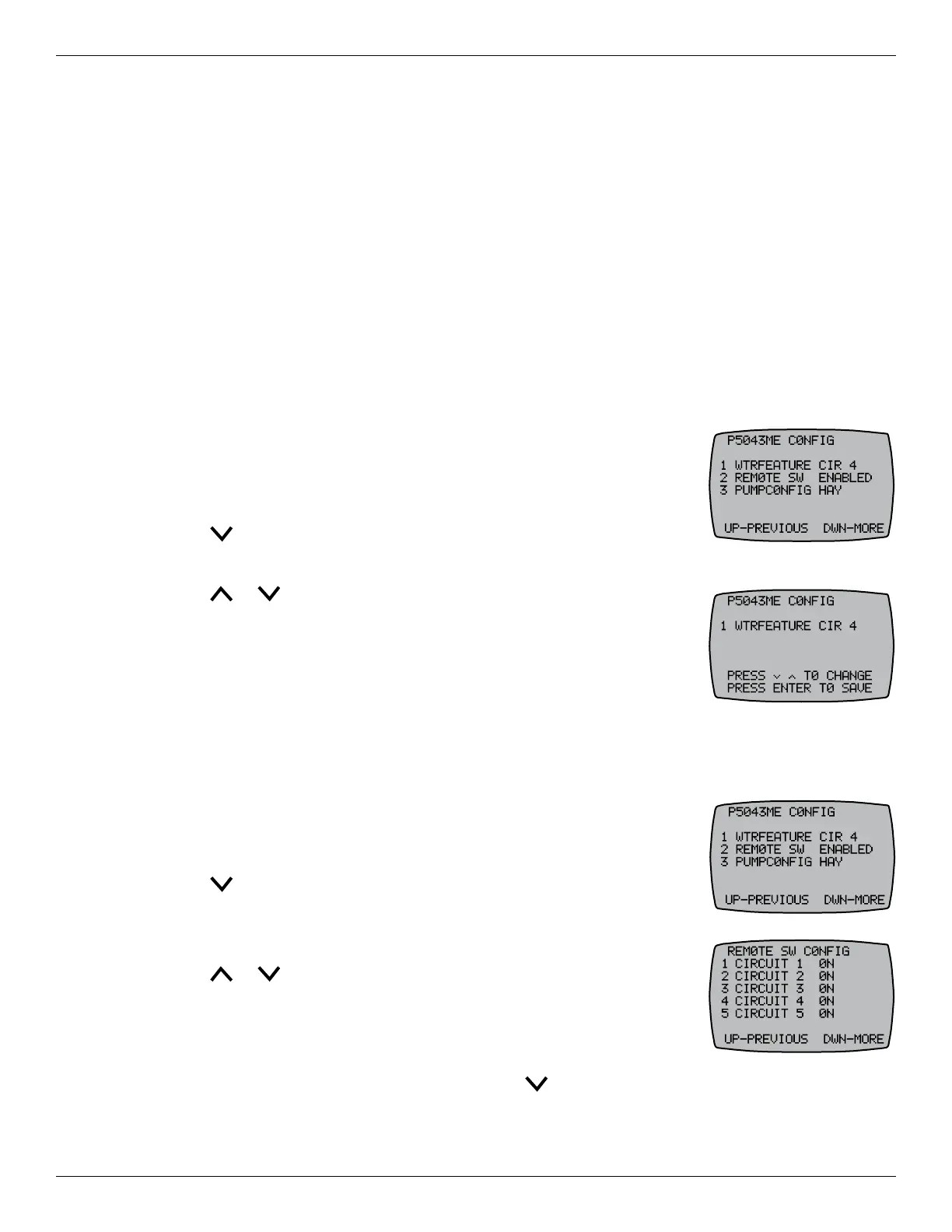
Follow this procedure to congure an actuator and circuit for a water
feature. NOTE: Water feature is tied to CIR4 and will only be active
when CIR4 is energized.
1. Press P/S and ENTER simultaneously to access LEARN MODE.
2. Press to scroll to the P5043ME CONFIG screen.
3. Press 1 to select WTRFEATURE.
4. Press or to choose between CIR 4 or DISABLED.
5. Press ENTER to save.
6HWWLQJ8SD5HPRWH6ZLWFK
A remote switch may be included in the system as a way of simply using a wall switch to initiate a
whole series of activities: turning several circuits and actuators on/off.
Follow this procedure to dene a scene that activates from an external
remote switching device.
1. Press P/S and ENTER simultaneously to access LEARN MODE.
2. Press to scroll to the P5043ME CONFIG screen.
3. Press 2 to select REMOTE SW.
4. Press a button, 1 through 5, to select a circuit.
5. Press or to choose between ON, OFF, or DISABLED.
6. Press ENTER to save and return to the P5043ME CONFIG screen.
7. To continue setting up the circuits, repeat steps 4 through 6 for each
circuit desired.
8. From the REMOTE SW CONFIG screen, press to access more
choices for the remote switch.










 To Next Page