27 Programming — P5043ME Conguration Screen
Chapter 4:
Programming — P5043ME Configuration Screen
NOTE: These procedures apply only to pool/spa systems with P5043ME Expansion Modules.
The P5043ME Expansion Module is added to the MultiWave Pool/Spa system to accommodate
a water feature (waterfall, fountain, slide, etc.), second heater/solar temperature system, remote
switch and/or non-Pentair brand of variable speed pump. Use the P5043ME Conguration
Screenfor:
¸ Conguring a Water Feature
¸ Setting Up a Remote Switch
¸ Conguring a Variable Speed Pump
&RQÀJXULQJD:DWHU)HDWXUH
Follow this procedure to congure an actuator and circuit for a water
feature. NOTE: Water feature is tied to CIR4 and will only be active
when CIR4 is energized.
1. Press P/S and ENTER simultaneously to access LEARN MODE.
2. Press to scroll to the P5043ME CONFIG screen.
3. Press 1 to select WTRFEATURE.
4. Press or to choose between CIR 4 or DISABLED.
5. Press ENTER to save.
6HWWLQJ8SD5HPRWH6ZLWFK
A remote switch may be included in the system as a way of simply using a wall switch to initiate a
whole series of activities: turning several circuits and actuators on/off.
Follow this procedure to dene a scene that activates from an external
remote switching device.
1. Press P/S and ENTER simultaneously to access LEARN MODE.
2. Press to scroll to the P5043ME CONFIG screen.
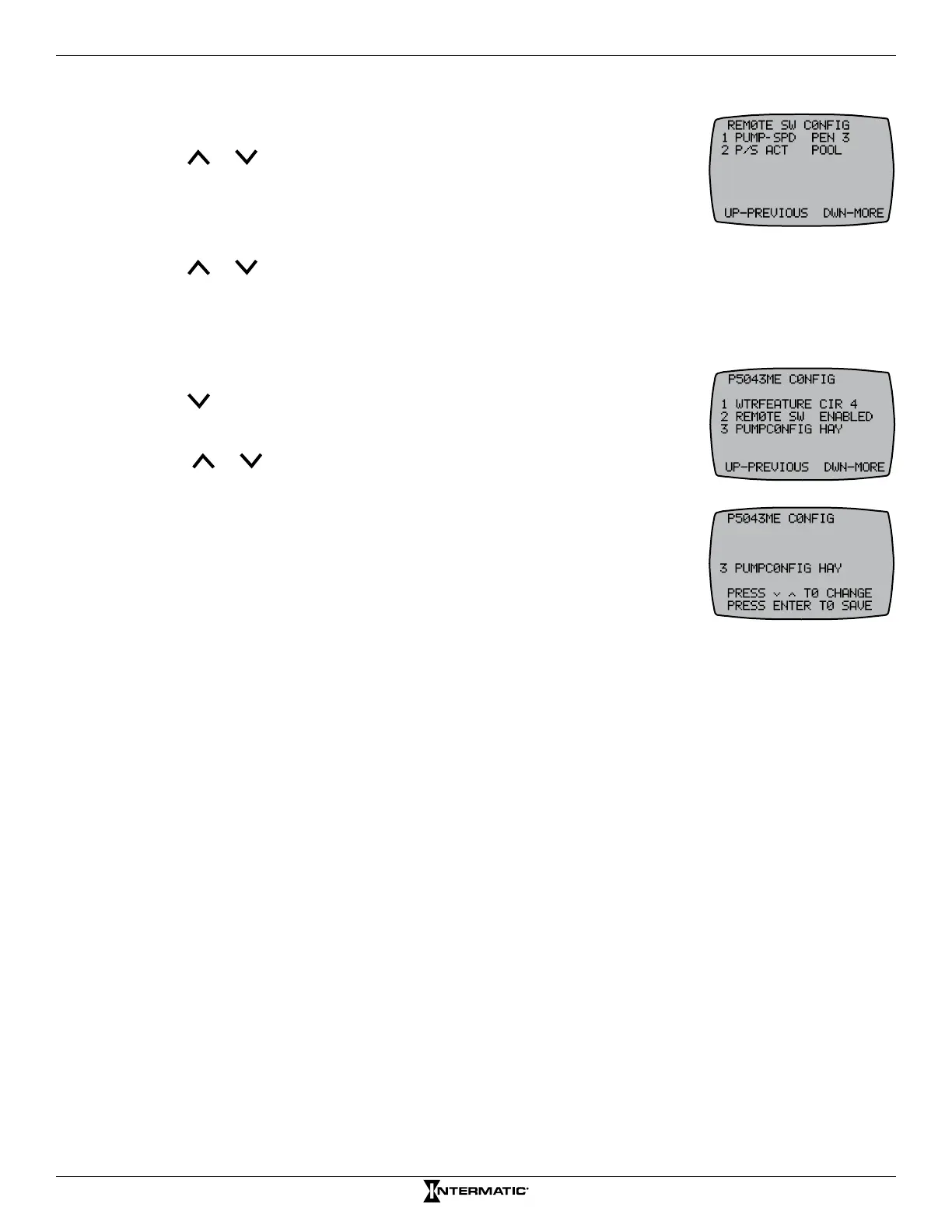
3. Press 2 to select REMOTE SW.
4. Press a button, 1 through 5, to select a circuit.
5. Press or to choose between ON, OFF, or DISABLED.
6. Press ENTER to save and return to the P5043ME CONFIG screen.
7. To continue setting up the circuits, repeat steps 4 through 6 for each
circuit desired.
8. From the REMOTE SW CONFIG screen, press to access more
choices for the remote switch.
To include the pump speed:
9. Press 1 to choose PUMP SPD.
10. Press or to choose between the pump speed name (VSP 1,
PEN 1, etc.) or DISABLED, and then press ENTER.
To include the P/S actuator:
11. Press 2 to choose P/S ACT.
12. Press or to choose between POOL, SPA, or DISABLED, and then press ENTER.
&RQÀJXULQJD9DULDEOH6SHHG3XPS
Follow this procedure to congure a pump on the expansion module.
1. Press P/S and ENTER simultaneously to access LEARN MODE.
2. Press to scroll to the P5043ME CONFIG screen.
3. Press 3 to select PUMPCONFIG.
4. Press or to choose between HAY (Hayward), CEN (Century), SPK
(Speck), MAR (Marathon), JAN (Jandy), or DISABLED.
5. Press ENTER to save and return to the P5043ME CONFIG screen.










 To Next Page