www.intermatic.com
48
MultiWave Control System Programming and User Guide
Viewing and Controlling Pool and Spa Temperatures
&KDQJLQJ%HWZHHQ3RRO6SDRU%RWKLQ&RQWUROOHU
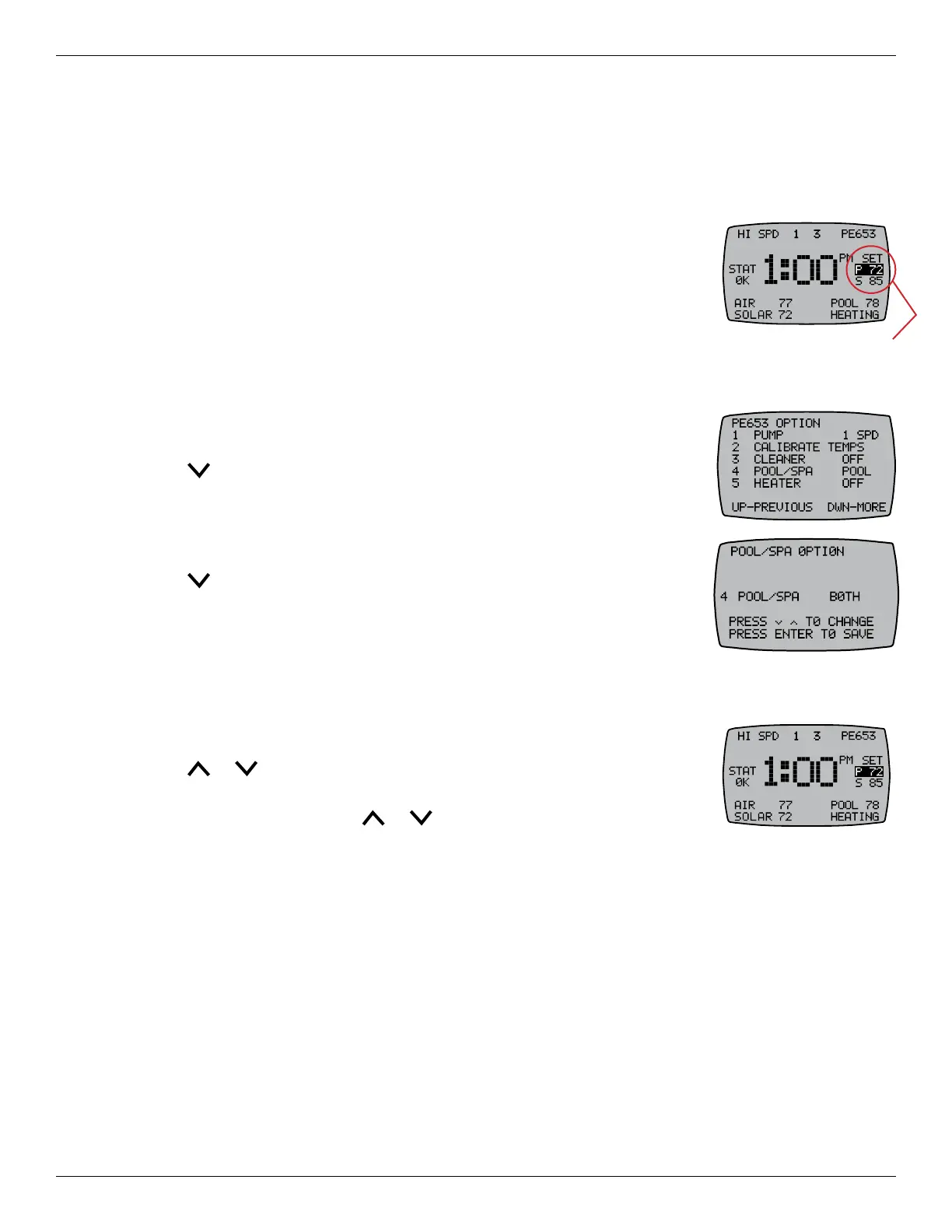
Check to see if the controller is displaying Pool, Spa, or both Pool and Spa in the Target Temps area
of the controller’s main display screen. If you want to control both the pool
and spa temperatures, both Pool and Spa should be shown. If, for example,
you want to control only the pool or spa because the other is not being used
seasonally, only Pool or Spa should be shown.
Follow this procedure to change the controller’s conguration for Pool, Spa, or
Both.
1. If necessary, press and release any button on the controller to wake it from sleep.
2. If the main display screen (shown above) is not displayed, press the ENTER button until you see it.
3. Press P/S and ENTER simultaneously to access LEARN MODE
(programming mode).
4. Press to scroll to the PE653 OPTION screen.
5. Press 4 to select POOL/SPA.
6. Press 4 again, if necessary, to show the on-screen instructions for
changing this setting.
7. Press until your preference (POOL, SPA, or BOTH) displays.
8. Press ENTER to save.
6HWWLQJ3RRO6SD:DWHU7HPSHUDWXUH
The heater thermostat temperature can be set to OFF or any temperature between 40°F and 104°F.
Follow this procedure to set the water temperature for your pool or spa.
1. If necessary, press ENTER to access the main display screen.
2. Press or to adjust the highlighted temperature.
3. If you have a pool and spa combination system, press P/S to highlight the
other temperature and press
or to adjust.
Target
Temps










 To Next Page