www.intermatic.com
42
MultiWave Control System Programming and User Guide
Chapter 12:
Advanced Features
The Multi-Wave components can be congured to t your pool/spa system needs. Follow the
instructions in these sections as needed to congure these settings.
¸ Setting the Controller Main Screen
¸ Conguring Two or More Controllers
¸ Changing a Secondary Controller to Primary
¸ Including a Controller into a Third-Party Network
¸ Excluding a Controller from a Third-Party Network
¸ Including Receiver into a Non-MultiWave Controller
¸ Setting Up Z-Wave Associations with Capable Devices
¸ Excluding Receiver from a Manufacturer Controller
¸ Deleting Any Existing Programming
¸ Removing Z-Wave Devices from an Association
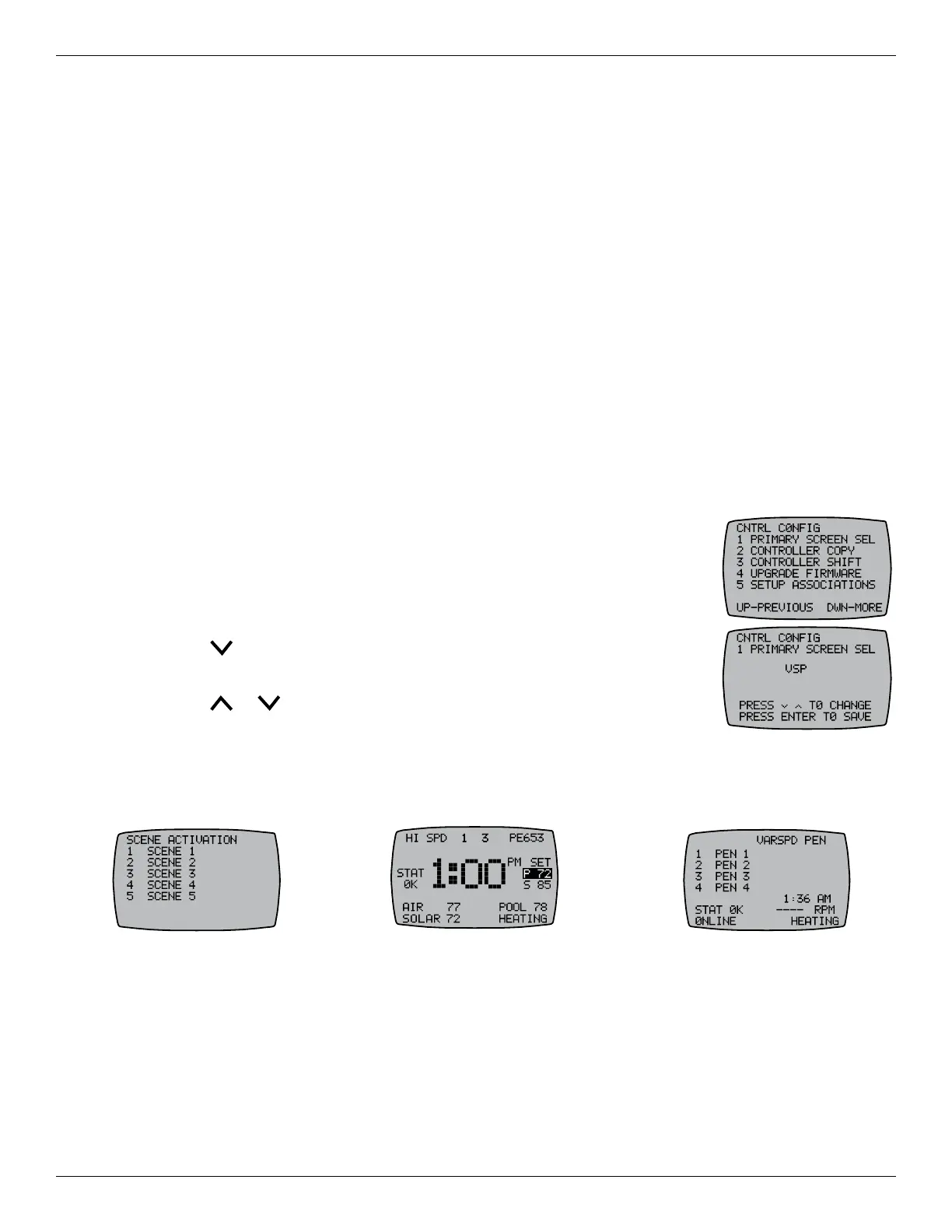
6HWWLQJWKH&RQWUROOHU0DLQ6FUHHQ
Depending on which components have been congured in the controller,
there are multiple screen options to designate as the main screen. Follow
this procedure to set the main screen.
1. Press P/S and ENTER simultaneously to access LEARN MODE.
2. Press to scroll to the CONTROL CONFIG screen.
3. Press 1 to select the PRIMARY SCREEN SEL screen.
4. Press or to select a main screen. See Figure 12-1 through
Figure 12-3 for some of the main screen options.
5. Press ENTER to save.
NOTE: In order for the congured main screen to take effect, allow the controller to move to
idle and then re-activate the controller. The new main screen appears.
Figure 12-1. Z-Wave Main Screen. Figure 12-2. PE653 Main Screen. Figure 12-3. Variable Speed Main Screen.










 To Next Page