www.intermatic.com
24
MultiWave Control System Programming and User Guide
Configuring a Gas/Electric Heater and/or Solar Temperature
System
NOTE: Having both a Gas/Electric Heater and a Solar Heating System will only be available in
pool/spa systems with an expansion module.
'HÀQLQJWKH&RRO'RZQ3HULRGIRUWKH+HDWHU
The cool down period is the additional time that the pump runs after the heater circuit is turned
off to ensure the heater is cooled down properly before the pump shuts down. Refer to the heater
manufacturer’s recommendations on specic time intervals. Follow this procedure to set the cool
down period.
1. Press P/S and ENTER simultaneously to access LEARN MODE.
2. Press to scroll to the PE653 OPTION screen.
3. Press 5 to select HEATER.
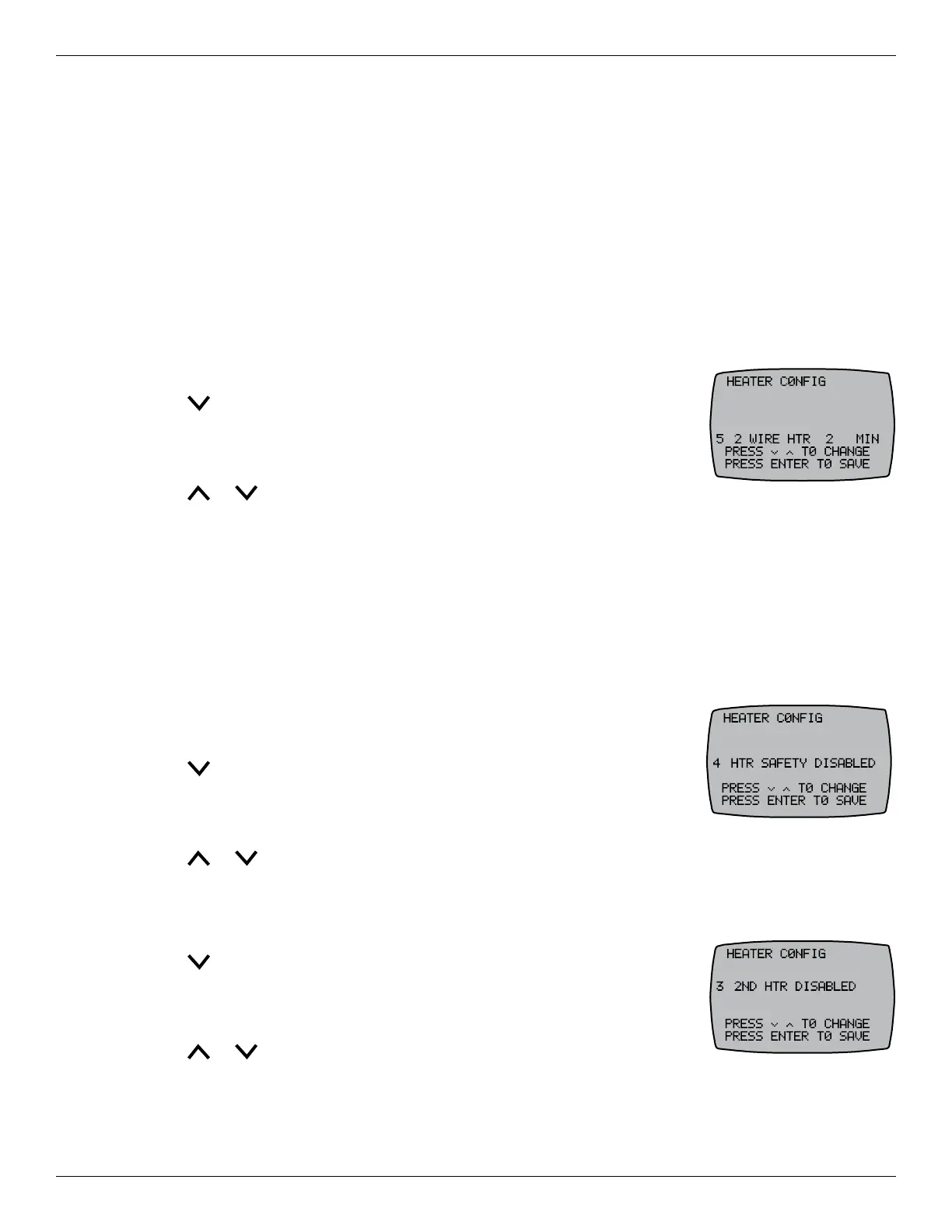
4. Press 5 again to select 2WIRE HTR.
5. Press or to set the desired heater cool down period and press
ENTER. The screen displays SUCCESSFUL and returns to the PE653 OPTION screen.
NOTE: The HEATER must be set to ENABLED and the cool down period set to 0 for heat pump
applications. Otherwise the control connections on the receiver will not be assigned for heater control
and pool and spa setpoints will not be available on the controller.
(QDEOLQJ'LVDEOLQJWKH+HDWHU6DIHW\)HDWXUH
The heater safety feature can be disabled to allow the heater to turn ON without a pump running. This
feature is used for heater circulation pumps that are controlled by a non-MultiWave controller.
Follow this procedure to enable or disable the heater safety feature.
1. Press P/S and ENTER simultaneously to access LEARN MODE.
2. Press to scroll to the PE653 OPTION screen.
3. Press 5 to select HEATER.
4. Press 4 to select HTR SAFETY.
5. Press or to choose to enable or disable the feature, and then press ENTER.
(QDEOLQJD6HFRQG+HDWHUDQG7KHUPRVWDW&RQWURO
1. Press P/S and ENTER simultaneously to access LEARN MODE.
2. Press to scroll to the PE653 OPTION screen.
3. Press 5 to select HEATER.
4. Press 3 to select 2ND HTR.
5. Press or to enable or disable a second heater and then press
ENTER.










 To Next Page