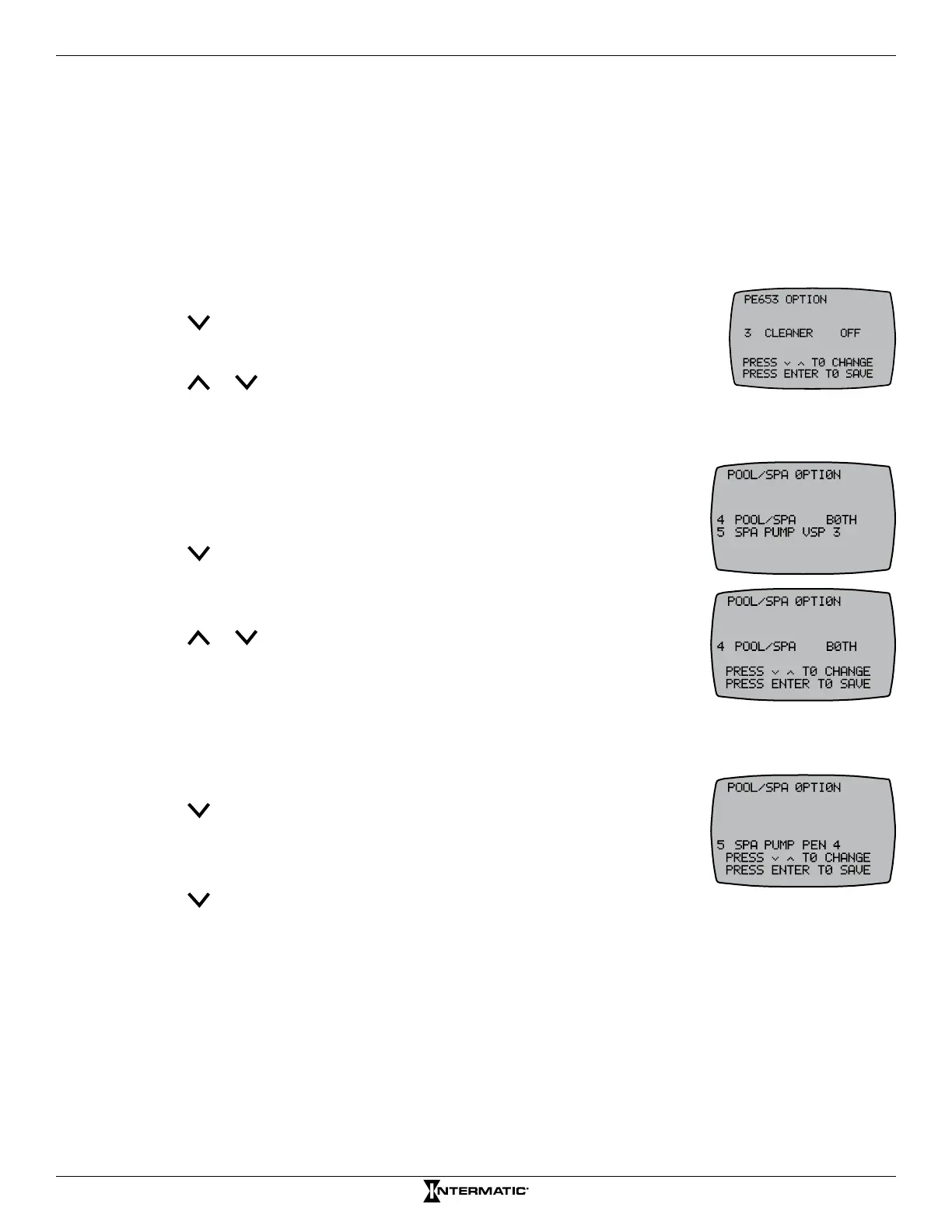
23 Programming — PE653 Option Screen
6. Press ENTER to return to the main screen.
7. If necessary, repeat steps 2 through 5 to calibrate another temperature.
&RQÀJXULQJWKH&OHDQHU%RRVWHU3XPS
If your pool/spa system includes a booster pump, follow this procedure to congure the booster pump
and, if applicable, the pump speed (for VSP) that must be active for the pump to operate.
NOTE: Programming a booster pump into the system ensures the booster pump will not run unless
the lter pump is running. This protects your booster pump from running dry.
1. Press P/S and ENTER simultaneously to access LEARN MODE.
2. Press to scroll to the to the PE653 OPTION screen.
3. Press 3 to select CLEANER.
4. Press or to change from OFF to CIR1 (circuit or button 1) and press
ENTER. The screen displays SUCCESSFUL, then returns to the programming screen.
NOTE: If you have a variable speed pump, select one of four variable speeds for this function.
&RQÀJXULQJ3RRO6SDRU%RWKLQ&RQWUROOHU
NOTE: The “BOTH” option will only be available in pool/spa systems.
1. Press P/S and ENTER simultaneously to access LEARN MODE.
2. Press to scroll to the PE653 OPTION screen.
3. Press 4 to select POOL/SPA.
4. Press 4 again to select POOL/SPA.
5. Press or to select POOL, SPA, or BOTH (for pool/spa systems) and
press ENTER. The controller displays SUCCESSFUL and then returns to
the PE653 OPTION screen.
6HOHFWLQJD6SD3XPS'HIDXOW6SHHG
Follow this procedure to set a default speed to turn on when actuators switch to SPA.
1. Press P/S and ENTER simultaneously to access LEARN MODE.
2. Press to scroll to the PE653 OPTION screen.
3. Press 4 to select POOL/SPA.
4. Press 5 to select SPA PUMP.
5. Press to choose the pump speed.
6. Press ENTER to save.










 To Next Page