49 User Operation
Setting Schedules
6HWWLQJ6FKHGXOHVIRU&LUFXLWV
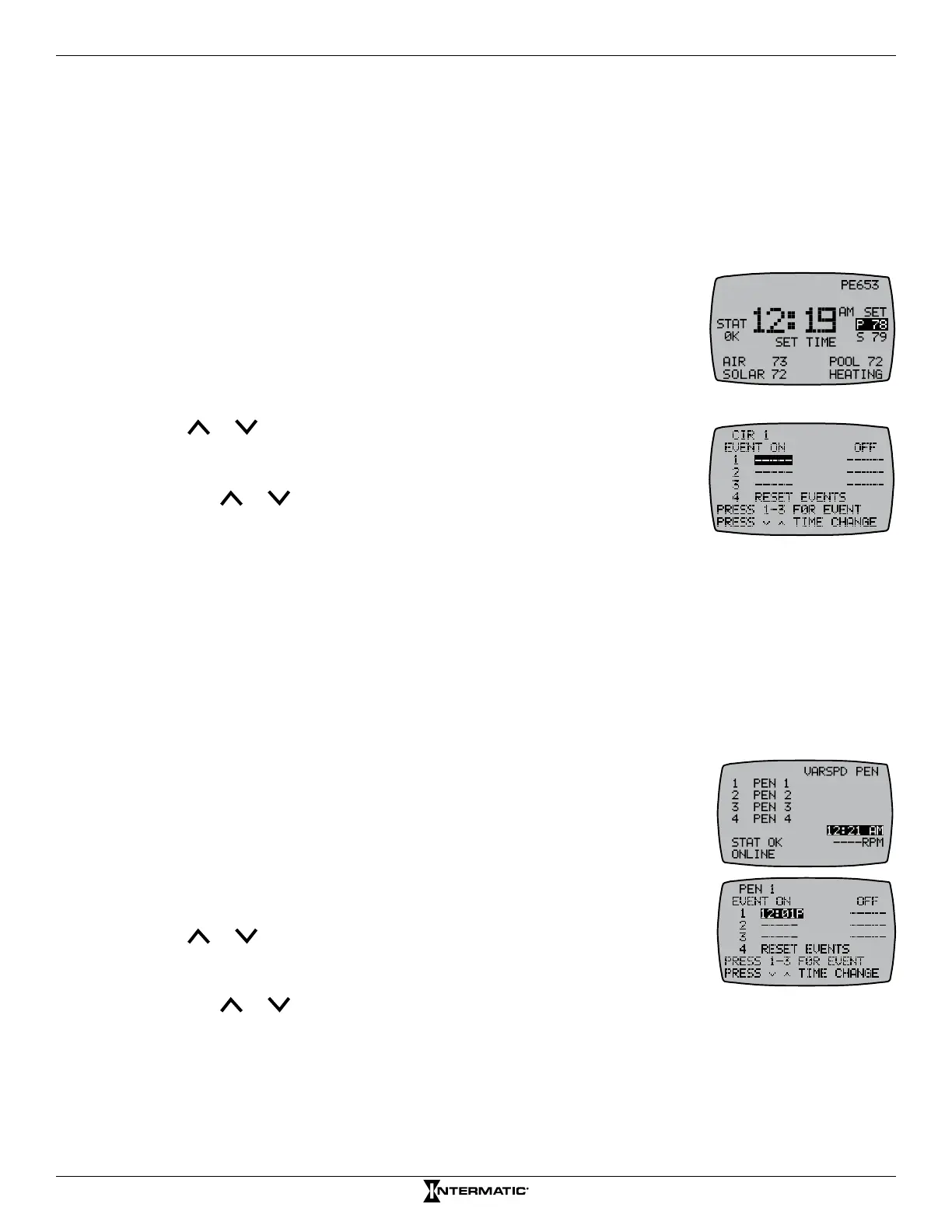
Schedules are time-based events that can be set to turn a circuit on the receiver ON/OFF or OFF only.
The MultiWave enables up to three schedules for each circuit.
1. Press ENTER to access the main display screen.
2. Press and hold P/S. When controller displays SET TIME under the
time, release P/S.
3. Press P/S. The screen displays the schedules screen.
4. Press P/S again to scroll to the desired circuit.
5. Press 1 to select the ON time for the rst schedule or press 1 again to
set an OFF time only for the event.
6. Press or to set the starting time for the schedule.
NOTE: A = AM and P = PM.
7. If applicable, press 1 to advance to the OFF time for the rst schedule,
and press or to set the ending time.
8. If you want to set another schedule for the same circuit, press (2 or 3) and
repeat steps 5 through 7. If all of the schedules for this circuit are set, go
to step 4 to program schedules for other circuits.
NOTE: If you need to delete/reset all events for a circuit, press 4.
Follow the instructions on the controller display to delete the schedule.
9. When all schedules are congured, press ENTER to return to the main screen.
6HWWLQJ6FKHGXOHVIRU9DULDEOH6SHHGV
Schedules are time-based events that can be set to turn a speed ON/OFF or OFF for the variable
speed pump at a specied time. The MultiWave enables up to 3 schedules for each speed.
1. Press ENTER to access the VARSPD screen.
2. Press and hold P/S. When controller highlights the time of day, release
P/S.
3. Press P/S. The screen displays the variable speed schedule screen.
4. Press P/S again to scroll to the desired speed.
5. Press 1 to select the ON time for the rst schedule or press 1 again to set
an OFF time only.
6. Press or to set the starting time for the schedule.
NOTE: A = AM and P = PM.
7. If applicable, press 1 to advance to the OFF time for the rst schedule,
and press or to set the ending time.
8. If you want to set another schedule, press (2 or 3) and repeat steps 5 through 7. If all of the
schedules for this speed are set, go to step 9.
9. Repeat steps 4 through 7 to set schedules for another speed.
10. When all schedules are congured, press ENTER to return to main screen.










 To Next Page