www.intermatic.com
50
MultiWave Control System Programming and User Guide
Navigating to Other Controls
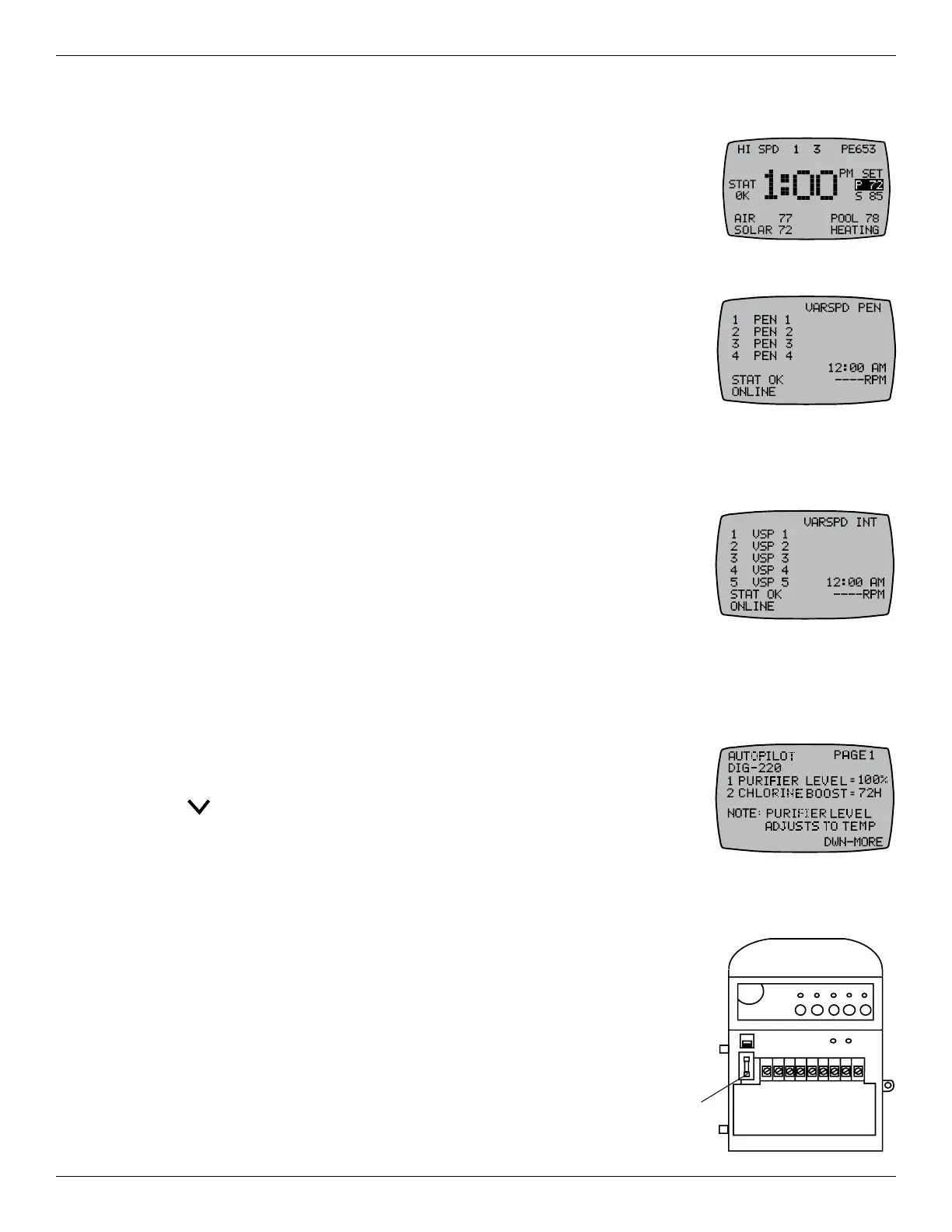
From the main display screen, press the ENTER button until you see the
screen for the variable speed pump or AutoPilot Salt Chlorine Generator (SCG)
congured in your system that you would like to view/control.
$GYDQFLQJWRWKH3HQWDLU9DULDEOH6SHHG3XPS6FUHHQ
1. Press and release any button to activate the controller.
2. Press the ENTER button until you see the Pentair Variable Pump screen.
3. Press 1 through 4 to activate the desired speed.
NOTE: Instructions for conguring Pentair Variable Speed Pumps are in
Chapter 6.
$GYDQFLQJWRWKH&RQÀJXUHG9DULDEOH6SHHG3XPS6FUHHQ
1. Press and release any button to activate the controller.
2. Press the ENTER button until you see the Variable Pump screen
congured in your system.
3. Press 1 through 5 to activate the desired speed.
NOTE: Instructions for conguring Jandy, Hayward, Century, Marathon, and
Speck Variable Speed Pumps are in Chapter 6.
Advancing to the AutoPilot
®
6&*6FUHHQ
1. Press and release any button to activate the controller.
2. Press the ENTER button until you see the AUTOPILOT PAGE 1 screen.
3. Press to view more AutoPilot SCG settings.
NOTE: Instructions for conguring an AutoPilot SCG are in Chapter 7.
5HSODFLQJ)XVH)RQWKH5HFHLYHU
Follow this procedure to replace the 250 VAC, 0.1 amp fuse on the
receiver.
1. Shut off the power at the breaker.
2. Remove the F1 fuse from the receiver and dispose of the fuse.
3. Install the new F1 fuse in the receiver.
4. Return power at the breaker.
INCLUDE
120 V
240 V
12345678 9
F1 Fuse










 To Next Page