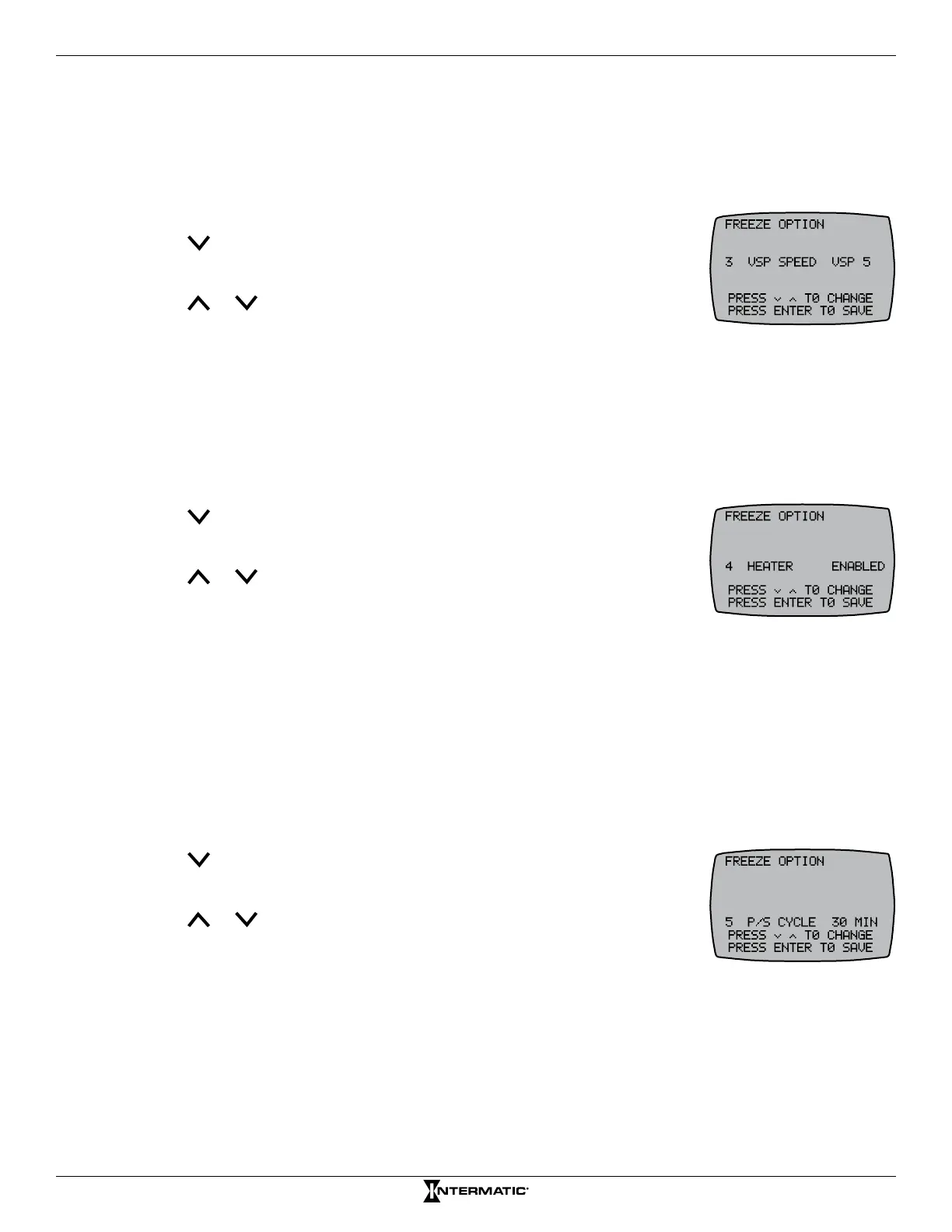
29 Programming — Freeze Option Screen
'HWHUPLQLQJ6SHHG'XULQJ)UHH]H&RQGLWLRQ
NOTE: This procedure applies only to systems with a variable speed pump congured.
Follow this procedure to dene the speed a variable pump will run when activated for a freeze
condition.
1. Press P/S and ENTER simultaneously to access LEARN MODE.
2. Press to scroll to the FREEZE OPTION screen.
3. Press 3 to select VSP SPEED.
4. Press or to choose the pump speed names (VSP 1, PEN 1, etc.) or
DISABLED.
5. Press ENTER to save.
(QDEOLQJ'LVDEOLQJ+HDWHU'XULQJ)UHH]H&RQGLWLRQ
NOTE: This procedure applies only to systems with a heater congured and a water probe installed.
Follow this procedure to enable/disable the heater during a freeze condition.
1. Press P/S and ENTER simultaneously to access LEARN MODE.
2. Press to scroll to the FREEZE OPTION screen.
3. Press 4 to select HEATER.
4. Press or to choose between ENABLED and DISABLED.
5. Press ENTER to save.
'HÀQLQJ$FWXDWRU3RRO6SD&\FOH
NOTE: This procedure applies only to pool/spa systems with an actuator control (or an expansion
module) and an air sensor installed. The controller must be set to BOTH — see Conguring Pool, Spa,
or Both in Controller in Chapter 3.
Actuators can be cycled between pool and spa on a cycle timed basis (0 to 30 minutes) to protect
both pool and spa plumbing. Follow this procedure to congure an actuator cycle time.
1. Press P/S and ENTER simultaneously to access LEARN MODE.
2. Press to scroll to the FREEZE OPTION screen.
3. Press 5 to select P/S CYCLE.
4. Press or to choose the cycle time (between 0 and 30 minutes).
5. Press ENTER to save.










 To Next Page