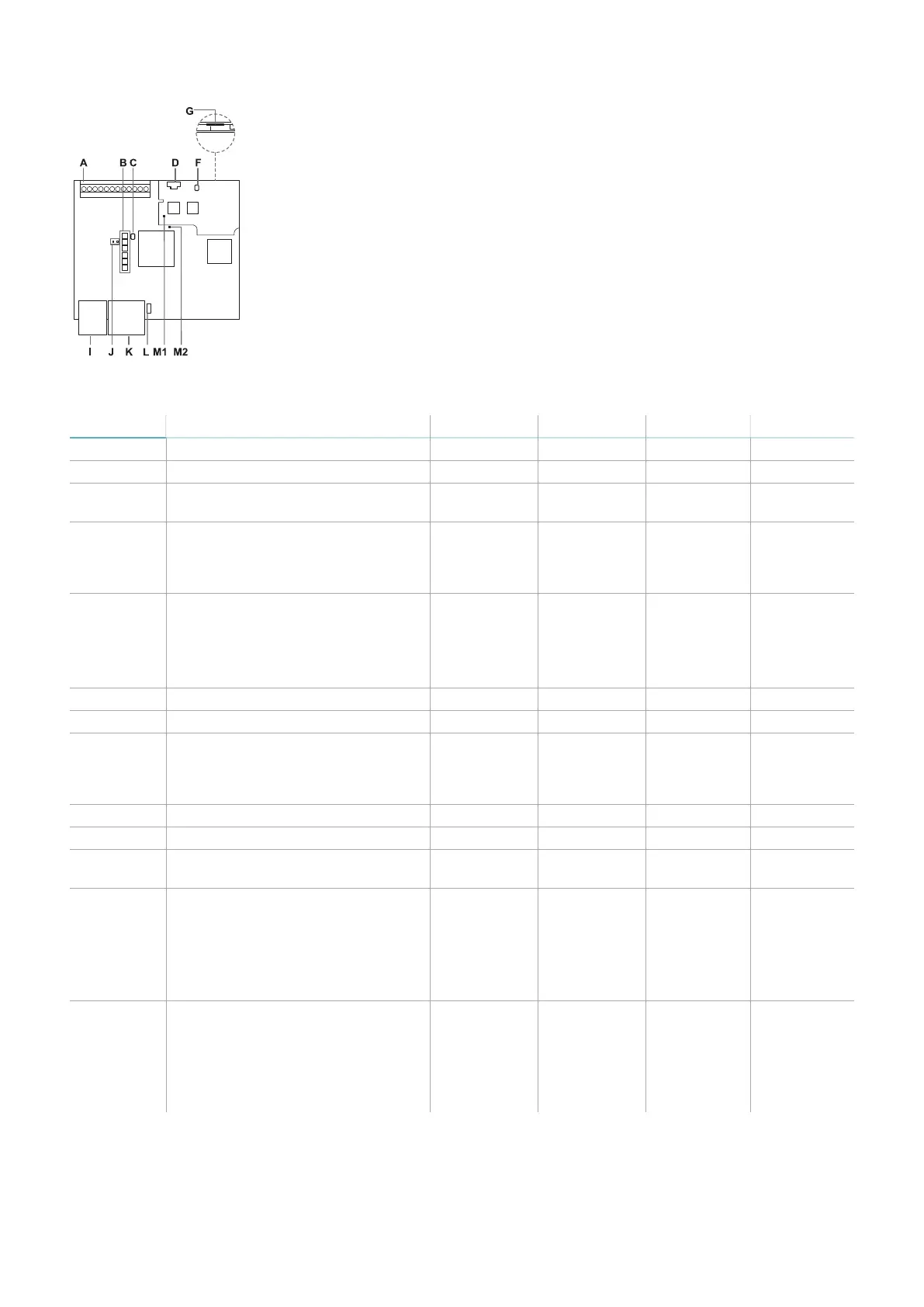
C203B
Part Description C201B-P C201B-F C202B C203B
A I/O terminal block x x x x
B System status LEDs x x x x
C Network parameter reset button /
Factory reset button
x x x x
D Micro-USB port (micro-B type) for
connecting the PC and
communicating with the Inxpect
Safety application
x x x x
E Fieldbus status LEDs
See "PROFIsafe Fieldbus status
LEDs" on the next page or "FSoE
Fieldbus status LEDs" on the next
page.
x x - -
F SD Restore button x x x x
G MicroSD slot x x x x
H Ethernet port with LEDs for
connecting the PC, communicating
with the Inxpect Safety application,
and for MODBUS communication
x x x -
I Power supply terminal block x x x x
J Power supply LEDs (steady green) x x x x
K CAN bus terminal block for
connecting the first sensor
x x x x
L DIP switch to turn on/off the bus
termination resistance:
l
On (top position, default)
=resistance included
l
Off (bottom position) =
resistance excluded
x x x x
M1 Status LED of hardware functions of
the secondary micro-controller:
l
slow flashing orange: normal
behavior
l
other status: contact Technical
Support
x x x x
3. Get to know Inxpect SRE 200 Series
Inxpect SRE 200 Series | Instruction manual v1.5 DEC 2023|Inxpect SAF-IM-200S_5m_7_00047_en_v1.5|© 2021-2023 Inxpect SpA
19


 To Next Page