l
safety working mode (Access detection and restart prevention or Always-on access detection) (see
"Safety working modes and safety functions" on page42)
l
only for 5.x sensors: classic and corridor shapes (see "Advanced field of view (5.x sensorsonly)" on
page57)
l
static object detection option (see "Restart prevention function: static object detection option" on page44)
l
restart timeout
All the remaining system parameters cannot be changed dynamically and are considered static.
3.10.4 Dynamic system configuration switch
One of the preset configurations can be activated dynamically either through the digital inputs (Dynamic
configuration switch) or through the safety Fieldbus (if available).
WARNING! If one or more digital inputs are configured as "Dynamic configuration switch", a switch
through the safety Fieldbus is not considered.
3.10.5 Dynamic configuration through the digital inputs
To activate one of the preset configurations dynamically, one or both the digital inputs of the control unit can be
used. The result is the following:
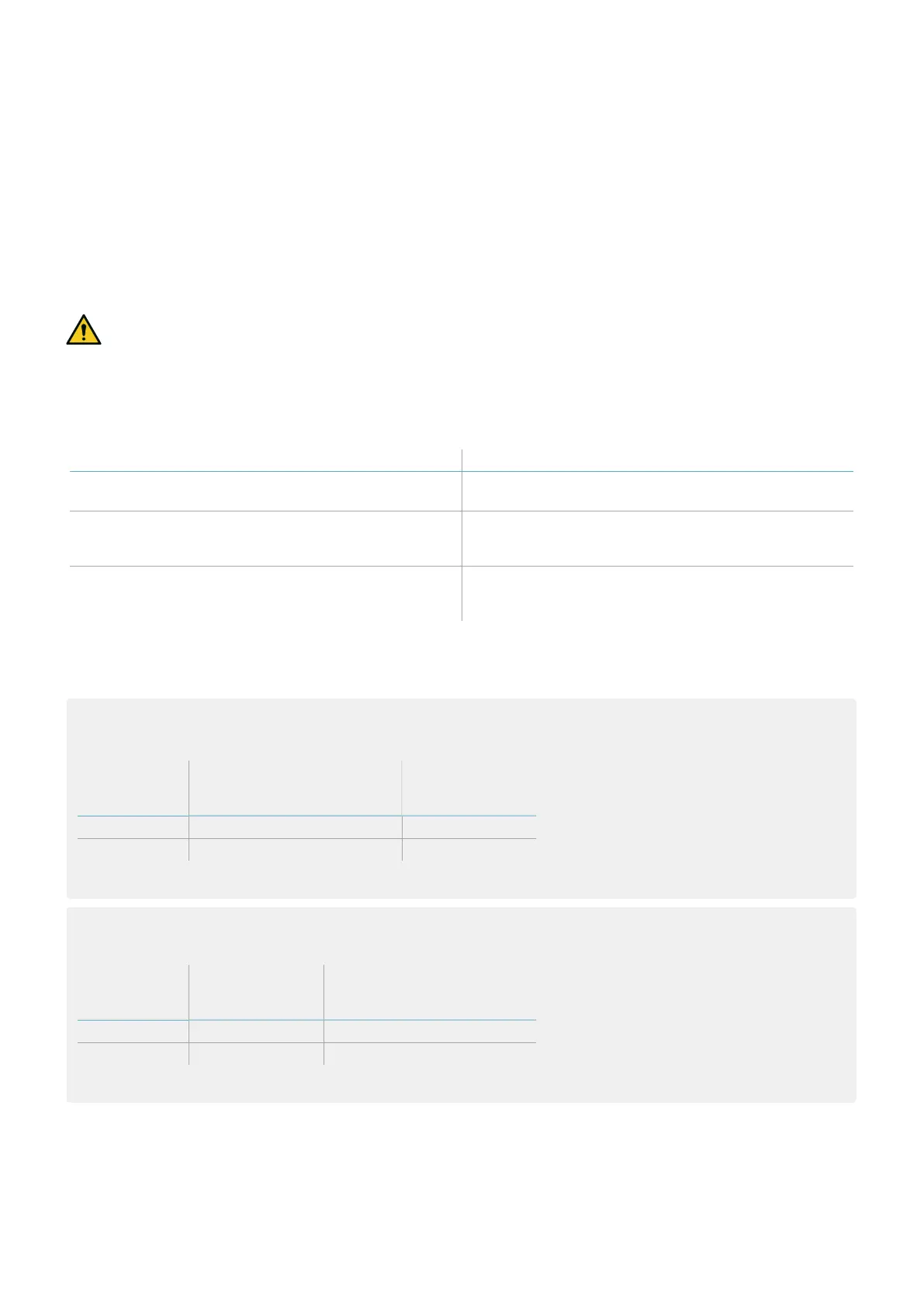
If... Then it is possible to switch dynamically between...
only one digital input is configured as Dynamic
configuration switch
two preset configurations (see "Case 1" below and
"Case 2" below)
both digital inputs are configured as Dynamic
configuration switch and the encoded channel option
is disabled
four preset configurations (see "Case 3" on the next
page)
both digital inputs are configured as Dynamic
configuration switch and the encoded channel option
is enabled
eight preset configurations (see "Case 4" on the next
page)
Note: the configuration change is safe because two-channel inputs are used.
Note: if the encoded channel option is enabled, any invalid combination that lasts more than 33 ms results in a
fault on the inputs that brings the system to a safe state.
Case 1
The first digital input has been configured as Dynamic configuration switch.
Dynamic
configuration
number
Input 1 (CH1 and CH2) Input 2
#1 0 -
#2 1 -
0 = signal deactivated; 1 = signal activated
Case 2
The second digital input has been configured as Dynamic configuration switch.
Dynamic
configuration
number
Input 1 Input 2 (CH1 and CH2)
#1 - 0
#2 - 1
0 = signal deactivated; 1 = signal activated
3. Get to know Inxpect SRE 200 Series
Inxpect SRE 200 Series | Instruction manual v1.5 DEC 2023|Inxpect SAF-IM-200S_5m_7_00047_en_v1.5|© 2021-2023 Inxpect SpA
35


 To Next Page