PASCAL
®
Synthesis Ophthalmic Scanning Laser Systems Page 42 of 141
88292-EN, Rev D
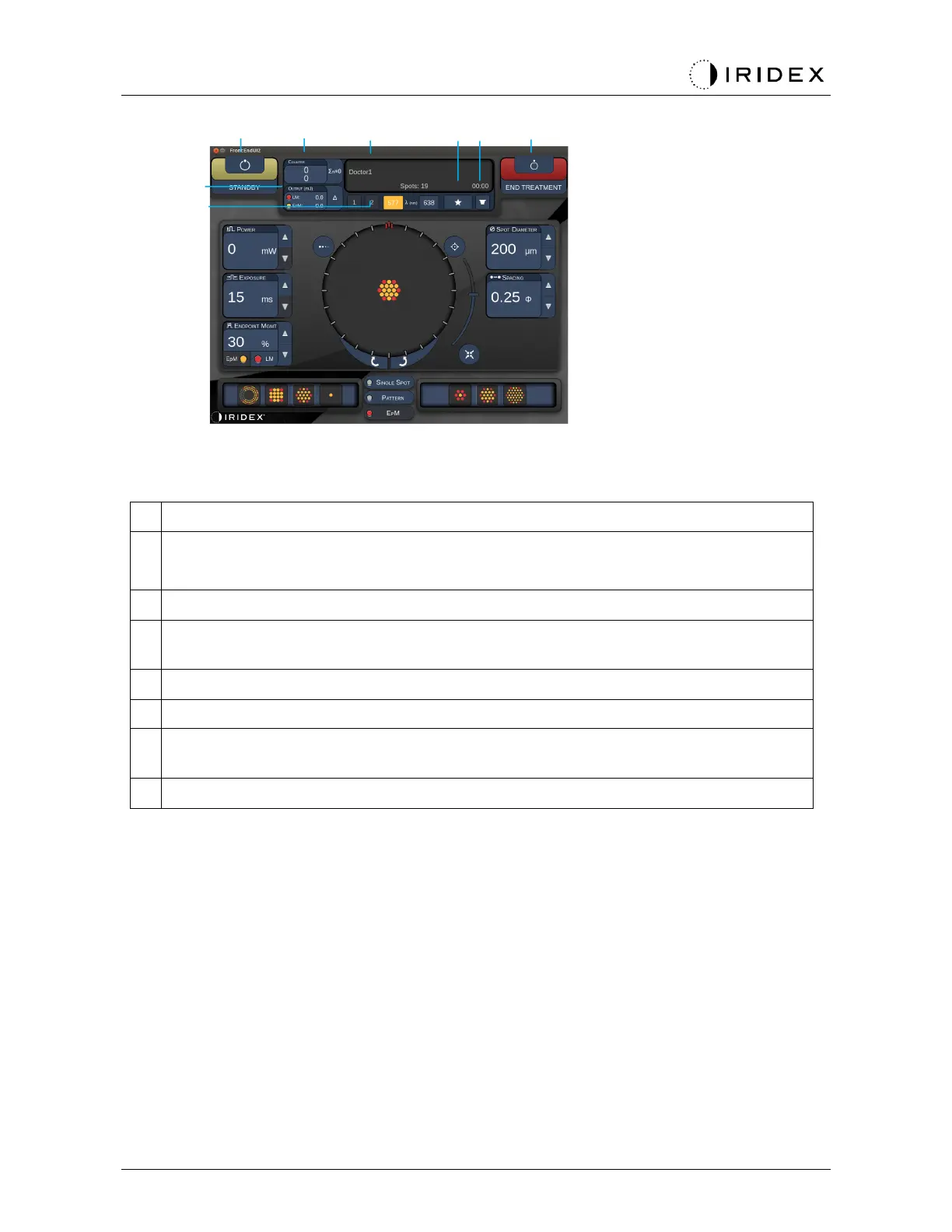
Status - press to select system status (STANDBY or READY mode)
<Counter> - displays number of applications during treatment
<Σn=0> - press to reset counter (Enable in preferences)
Information - displays optional information and warning messages
<Favorites> - press to open <Favorites> window, see the section “Favorites Window”
<LENS> - press to open <Contact Lens> menu
<END> - press to end treatment
<Output> - displays laser output value
<∆> - press to toggle units
<PORT 1 or 2> - press to select output device (only Style 1.0 available)



 To Next Page