Digital Network Public Address & Voice Alarm System
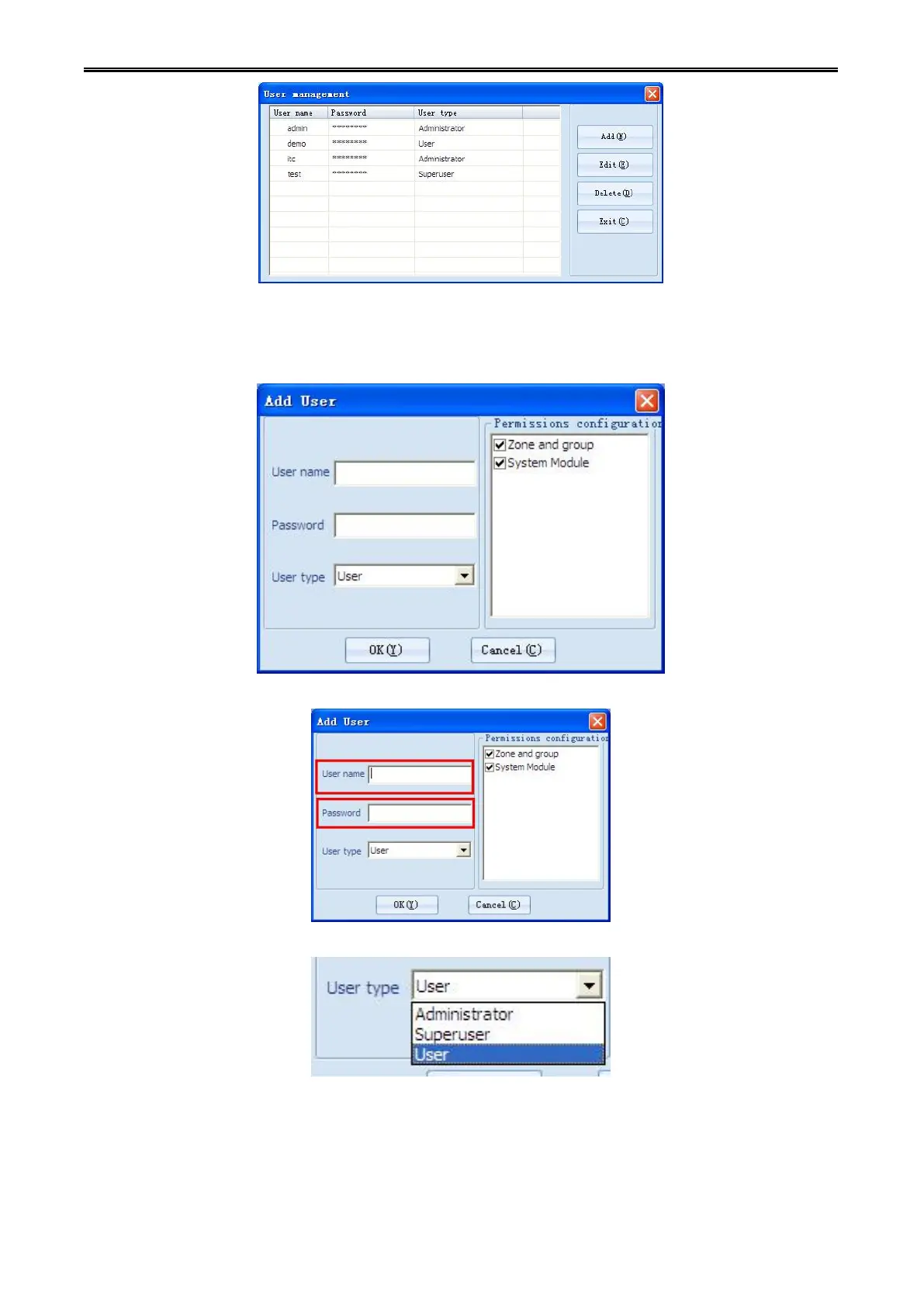
1) Adding new user
Step1:Click the [New] button on the pop-up dialog box of "User Management". The dialog box of “new
user” will pop up.
Step 2: Input the user name and password on the box of "User Name" and "Password".
Step 3: In the "User type" drop-down selection box, select the type of user.
Step 4: In the "privileges profile" box, the privileges of user are assigned. (According to the user type, the
privileges distribution will be different.)

 To Next Page
 Loading...