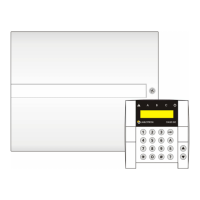
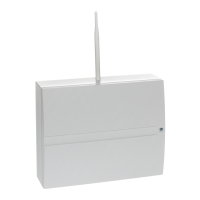
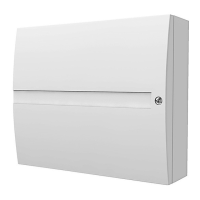
JA-101K(-LAN)(-LAN3G) and JA-106K(-3G)
Security System Control Panels 10 / 110 MLJ51410
J-Link (user) software available in the control panel disk unit (it appears when you connect a USB cable)
or F-Link (service technician) software which can be downloaded from www.myjablotron.com
MyJABLOTRON application (from version 3.5)
When the option „Code with a prefix“ is disabled then the control panel allows the combination of a 4 – 8-digit
code for every user, but the control panel restricts using the same code value for another user which has
already been used in the system. Only system Administrator(s) is/are fully responsible for editing already
existing user codes and assigning new codes.
Access codes can only be changed by an Administrator:
LCD keypad (PC has to be disconnected from the control panel, no remote or local connection)
J-Link (administrator) software available in the control panel disk unit (it appears when you connect a
USB cable) or F-Link (service technician) software which can be downloaded from www.myjablotron.com
MyJABLOTRON application (version 3.5 and higher)
1.2.2 Security access codes and RFID devices
The control panel allows you to assign one 4,6 or 8-digit code and up to two RFID tags to every user to be
authorised. Authorisation is required when the system is operated with a keypad, voice menu, by PC, web or
smart app. The security level is adequate for this fact and it can be represented by numbers.
Calculating code combinations according to 1 user is shown in the following examples:
Control panel parameters 4-digit 6-digit 8-digit
„Code with a prefix“ enabled = 10
4
= (10.000) = 10
6
= (1.000.000) = 10
8
= (100.000.000)
„Code with a prefix“ and
„Duress access control“
disabled
= 10
4
– (no. of users in
the system – 1)
= 10
6
– (no. of users in
the system – 1)
= 10
8
– (no. of users in
the system – 1)
„Code with a prefix“ disabled
and „Duress access control“
enabled
10
4
- ((no. of users in
the system – 1) * 3)
10
6
- ((no. of users in
the system – 1) * 3)
10
8
- ((no. of users in
the system – 1) * 3)
Using an RFID card
with 14 characters only
(6 fixed + 8 variable)
=10
8
= (100,000,000) =10
8
= (100,000,000) =10
8
= (100,000,000)
„Code with prefix“ and „Card
confirmation with a code“
enabled
= (10
8
* 10
4
) = 10
12
=
(1,000,000,000,000)
= ( 10
8
* 10
6
) = 10
14
=
(100,000,000,000,000)
= (10
8
* 10
8
) = 10
16
=
(1,000,000,000,000,00
0)
„Code with a prefix“ disabled
and „Card confirmation with a
code“ enabled
= 10
8
* (10
4
– (no. of
users in the system – 1))
= 10
8
* (10
6
– (no. of
users in the system –
1))
= 10
8
* (10
8
– (no. of
users in the system –
1))
Example: Using a standard 4-digit access code with an enabled function called “Codes with a prefix” it reaches
10
4
(10.000) code combinations for every user. The number of combinations is reduced by disabling prefixes
and with increasing the number of users. It also depends on the “Duress access control” parameter because
it adds one more code to the user.
A solution to how to reduce the risk of code breaking can be the following:
Using 6 or 8-digit code(s)
Select a higher level of authorization such as “Card confirmation with a code” or “Double authorization”
Using Jablotron contactless RFID cards / tags (JA-19xJ)
The control panel counts the attempts at wrongly entered codes and if the 10
th
attempt is reached, the system
triggers the tamper event “Code breaking attempt” and reports this event to predefined numbers. No additional
blocking of entering other codes into the system is applied. After a valid code entry, the counter of wrongly
entered codes is reset and the triggered alarm terminated. This counter is pre-set to 10 attempts and it cannot
be changed.
1.2.3 Regular system check (maintenance)
The whole security system requires periodical testing of its correct functioning and that of all its parts but also
cleaning, external visual checks (dust and dirt, usually performed by the system user) and internally (spider
webs, insects, battery status, etc… performed by service technician). Some specific parts of the system are able
to perform a self-test and a possible fault report to the control panel and it informs about this status according to


 To Next Page