JA-101K(-LAN)(-LAN3G) and JA-106K(-3G)
Security System Control Panels 30 / 110 MLJ51410
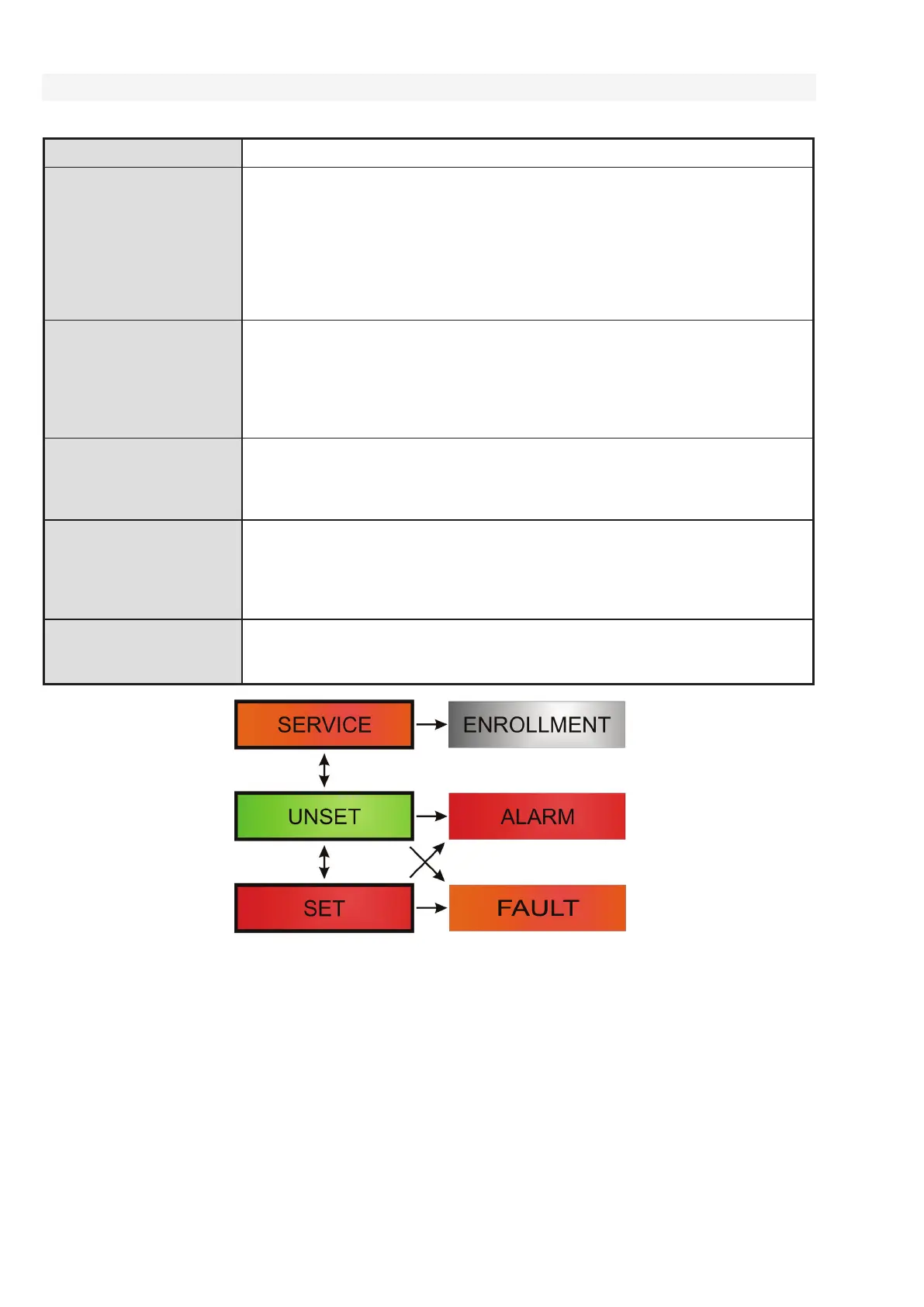
8.2 Control panel operation modes
Security system has a few operation modes. Switching between modes depends on users authorisation levels.
MODE Description
SERVICE
(+ Enrollment mode)
A mode in which no alarm can be triggered. It is only meant for a service
technician or an ARC technician and it is for enrolling new devices and system
configuration. No control is available in this mode (locally nor remotely).
Segments on keypads are switched off and the mode is indicated by yellow
flashing of the backlit button (2x flashes every 2 sec) and signals from remote
controls or other devices are ignored. Entering or leaving service mode can be
performed from an LCD keypad or from a PC using F-Link software. When a PC
is connected online, service mode cannot be entered or left from the keypad.
UNSET
A normal mode in which intrusion detectors don´t guard. Free movement
is possible through the premises, opening windows and doors is allowed.
Smoke / temperature detectors, gas leak detectors, flood det
ectors or panic
buttons can trigger an alarm all the time. Also tamper contacts of all devices
always protect and when they are activated the system triggers a tamper alarm.
Unset mode is indicated on the keypad by a green light on the specific segment.
SET
(fully or partially)
All detectors are active and guard (except Internal detectors when partially set)
and when they are activated then an alarm is triggered (next point). Set mode
is indicated on the keypad by a red light (yellow light when partially set)
on the specific segment.
ALARM
Alarm is a state when for a pre-set time (alarm length) the IW and EW outputs
are activated and the internal and external sirens sound. The Alarm state
is indicated on the keypad by rapid flashing of the red backlit button.
For a description of differences in EW and IW output behaviour read the chapter
8.5 Types of alarms.
FAULT
Fault is a warning signal of the system which indicates some abnormal state
of the control panel, communicators or devices and their power problems
(mains power or battery) or communication troubles.


 To Next Page