JABLOTRON ALARMS a.s.
Pod Skalkou 4567/33 46601 Jablonec n. Nisou
Czech Republic www.jablotron.com
||
|
JA-101K(-LAN)(-LAN3G) and JA-106K(-3G)
Security System Control Panels 67 / 110 MLJ51410
Display on the LCD:
1
st
line Allows you to enter a text that will be displayed on the 1st line of the LCD screen
of the keypad if no other more important information is displayed, e.g. the company name etc.
2nd line Allows you to enter a text that will be displayed on the 2nd line of the LCD screen
of the keypad if no other more important information is displayed, e.g. the name of a building
part, section, office or a description of a thermometer temperature etc.
Date and time Possibility to display a clock and date on the LCD screen of the keypad.
Temperature Possibility to display the temperature of the 1st thermometer on screen (JA-111TH
/ JA-151TH)
Temperature Possibility to display the temperature of the 2nd thermometer on screen (JA-111TH
/ JA-151TH)
Backlight intensity:
Segments Adjustment of the LED illumination on the segments
Keypad Adjustment of the keypad backlighting
Display Setting of the LCD display backlighting
Acoustic indication for sections – allows you to select sections for which acoustic indication will be active
(of alarms, exit and entry delays, control of PG output etc.)
Sections control from menu – in a keyboard that contains an LCD screen you can define which sections can
be enabled and disabled from the menu. This way you can e.g. create a keypad that normally controls
2 sections with the use of segments, but if necessary it can use the menu to control other parts of the house for
which it does not have any installed segments.
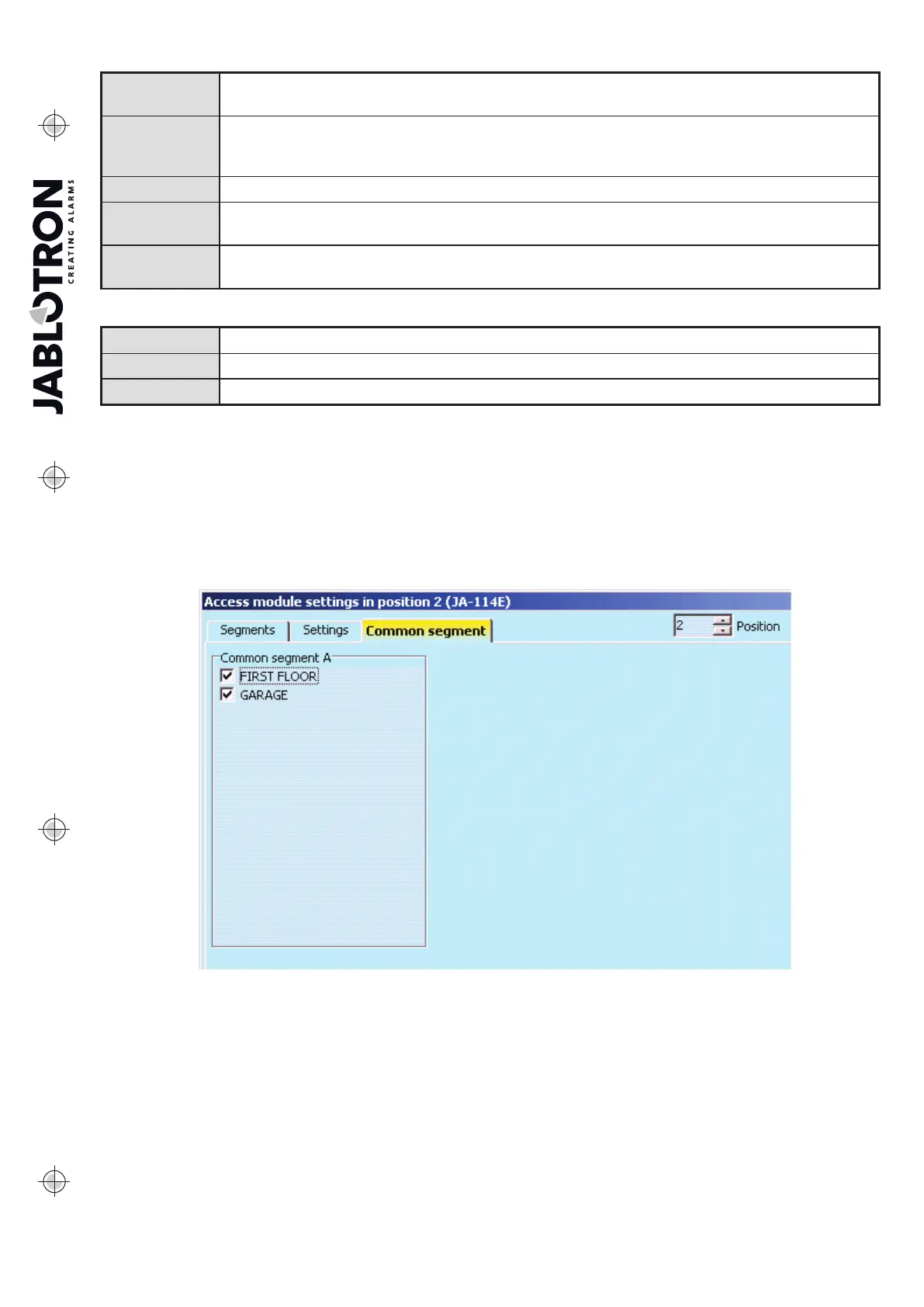
10.5.1.3 Common segment tab:
Enables the simultaneous control of several sections that have their individual segments on the keypad
combined as one segment. After pressing the button on the same segment the Unset / Set command
is executed collectively for selected section segments. If some sections controlled from the Common Segment
are set and the others unset, after using of the Common Segment the remaining segments will be Unset/Set.
If Partial Setting is enabled for one of the selected segments (details see 9.2 Partial setting), the Common
Segment will behave as follows: 1st pressing of Set = partial setting, 2nd pressing of Set = full setting.
The Common Segment makes it possible to bypass an active detector in a section if its setting mode is “Sets
with warning” or “Sets after confirmation” without influencing the other segments set to “Sets partly with one
pressing and completely with the second one” with its second pressing.
Common Segment indication: All sections unset = green, all sections fully set = red, any section set (party set)
= yellow. Sections are assigned to the Common Segment in the top Common Segment tab.



 To Next Page