JABLOTRON ALARMS a.s.
Pod Skalkou 4567/33 46601 Jablonec n. Nisou
Czech Republic www.jablotron.com
||
|
JA-101K(-LAN)(-LAN3G) and JA-106K(-3G)
Security System Control Panels 97 / 110 MLJ51410
11.5 Building map
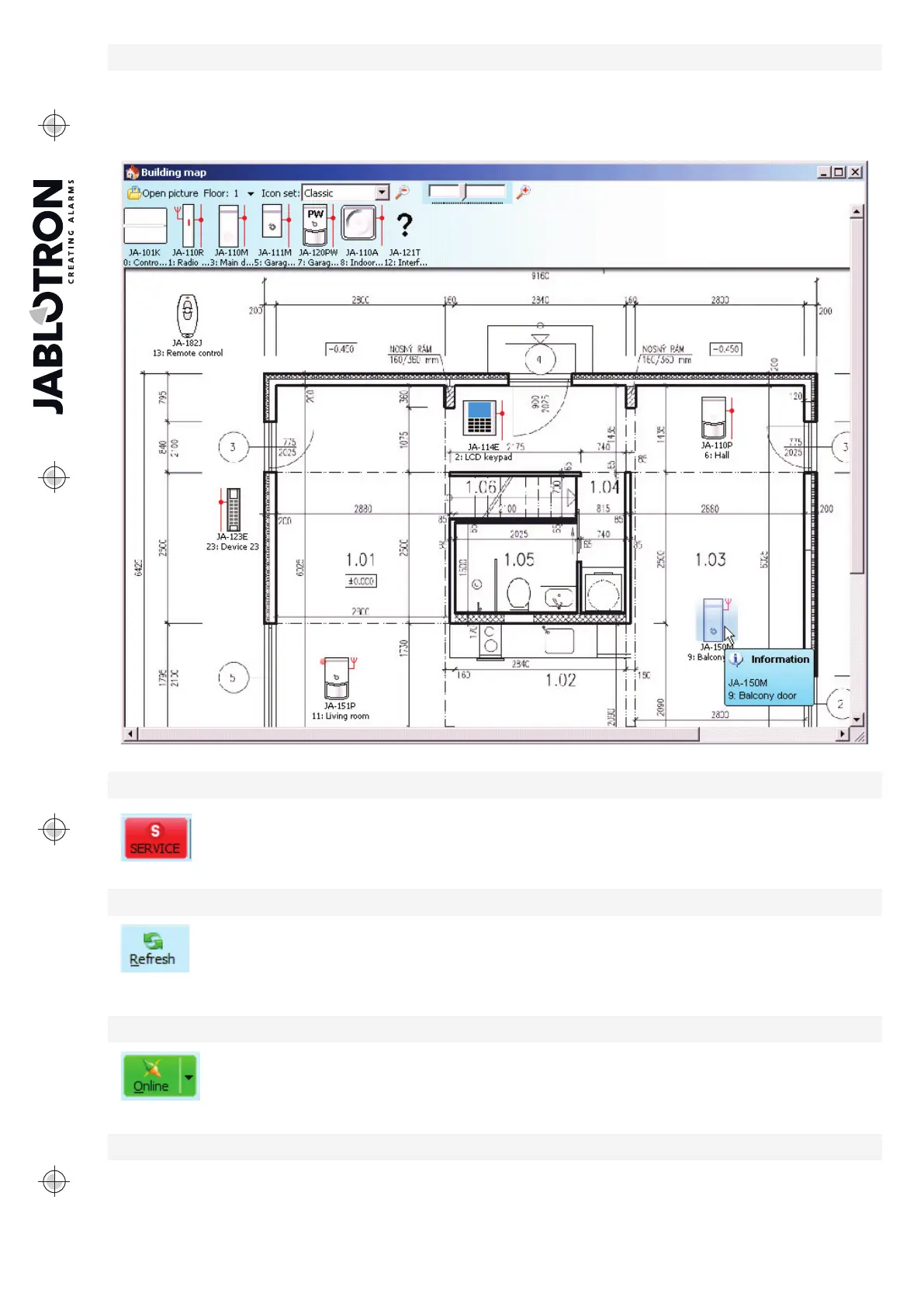
You can insert a top view (jpg, gif, bmp, tif, png etc.) into the building map for each floor separately or you can
use simple lines to draw your own plan. In each floor you can only insert icons of the enrolled devices from
the icon panel by Drag&Drop. You can print the building map with the icons or you can save it as a BMP image
using the Print or Export item in the main menu.
11.6 Service
Switching the control panel mode between the Unset status (when changes of setting
can be done in all tabs except the Settings tab) and the Service mode (changes can be done
in the Devices tab, incl. enrolling, changes of internal settings and deletion of devices).
11.7 Refresh
Updating the internal settings of devices after a hardware change, e.g. addition of segments
to access modules or keypads.
11.8 Online
Connection or disconnection of F-Link from the control panel using a USB cable.
After the connection the software will find the port the control panel uses for communication
automatically.
11.9 Internet
Remote connection or disconnection of F-Link from the control panel via the Internet. A precondition for
establishing the connection is the properly entered registration code (it is automatically pre-entered from
the database that was used to program the control panel), phone number of the SIM card in the control panel


 To Next Page