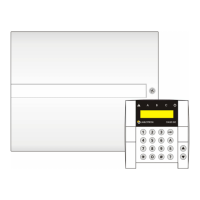
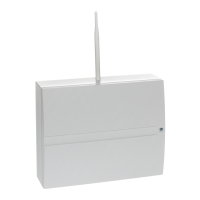
JA-101K(-LAN)(-LAN3G) and JA-106K(-3G)
Security System Control Panels 2 / 110 MLJ51410
8.5.1 Intrusion alarm .......................................................................................................................... 37
8.5.2 Tamper alarm ........................................................................................................................... 37
8.5.3 Fire alarm ................................................................................................................................. 38
8.5.4 Panic alarm .............................................................................................................................. 38
8.5.5 24hr alarm ................................................................................................................................ 38
8.5.6 Alarm cancelling ....................................................................................................................... 38
8.6 System faults .................................................................................................................................... 39
8.7 Fault caused by loss of a device ....................................................................................................... 39
9 System control options ............................................................................................................................. 40
9.1 Way of authorization ......................................................................................................................... 40
9.2 System control by keypad ................................................................................................................. 41
9.3 System control by remote control ...................................................................................................... 43
9.4 System control by a calendar ............................................................................................................ 44
9.5 System control via communicator voice menu (GSM / PSTN) ........................................................... 45
9.6 SMS commands ............................................................................................................................... 47
9.7 Controlling the system via F-Link or J-Link ........................................................................................ 49
9.8 Control from the MyJABLOTRON web app ....................................................................................... 50
9.9 Control via the MyJABLOTRON mobile app ...................................................................................... 50
9.10 Control by Duress access control...................................................................................................... 51
9.11 Obstacles preventing setting the system ........................................................................................... 51
9.12 Unsuccessful setting ......................................................................................................................... 52
9.13 Overview table of Groups of Events reported to users ....................................................................... 53
9.14 System acoustic indication................................................................................................................ 54
9.15 Time limited access for users............................................................................................................ 54
9.16 Disabling and blocking options...............................................................
........................................... 55
9.16.1 Disabling................................................................................................................................... 55
9.16.2 Blocking .................................................................................................................................... 55
9.17 Non-alarm functions – Functions of PG outputs ................................................................................ 56
10 Setting the system through F-Link SW ................................................................................................... 57
10.1 Starting the F-Link software and setting the system size ................................................................... 59
10.2 Starting the Wizard ........................................................................................................................... 59
10.3 Initial setup ....................................................................................................................................... 59
10.4 Sections tab ..................................................................................................................................... 61
10.5 Devices tab ...................................................................................................................................... 62
10.5.1 Keypad configuration ................................................................................................................ 63
10.5.1.1 Segments tab .................................................................................................................... 63
10.5.1.2 Settings tab: ...................................................................................................................... 65
10.5.1.3 Common segment tab: ...................................................................................................... 67
10.5.2 Example of settings of an internal siren: .................................................................................... 68
10.6 Users tab .......................................................................................................................................... 69
10.7 PG outputs tab ................................................................................................................................. 70
10.7.1 Activation Map of a PG outputs ................................................................................................. 71
10.8 Reports to users tab ......................................................................................................................... 73
10.9 Parameters tab ................................................................................................................................. 76
10.10 Calendars tab ............................................................................................................................... 81
10.11 Communication tab ....................................................................................................................... 83
10.11.1 GSM Settings........................................................................................................................ 84
10.11.2 LAN Settings ......................................................................................................................... 85
10.11.3 PSTN Settings ...................................................................................................................... 86
10.11.4 Restart GSM ...........................................
.............................................................................. 87
10.12 ARC tab........................................................................................................................................ 87
10.12.1 JABLOTRON 100 CID and SIA codes ................................................................................... 88
10.12.2 Setting the transmission of photos to external storage ........................................................... 90
10.13 Diagnostics tab ............................................................................................................................. 91
11 Other F-Link options .............................................................................................................................. 92
11.1 Keypad (virtual) ................................................................................................................................ 92
11.2 Event history: ................................................................................................................................... 93


 To Next Page