JAKA Zu MiniCab v1.1 21
Chapter 5 Definition of Interface
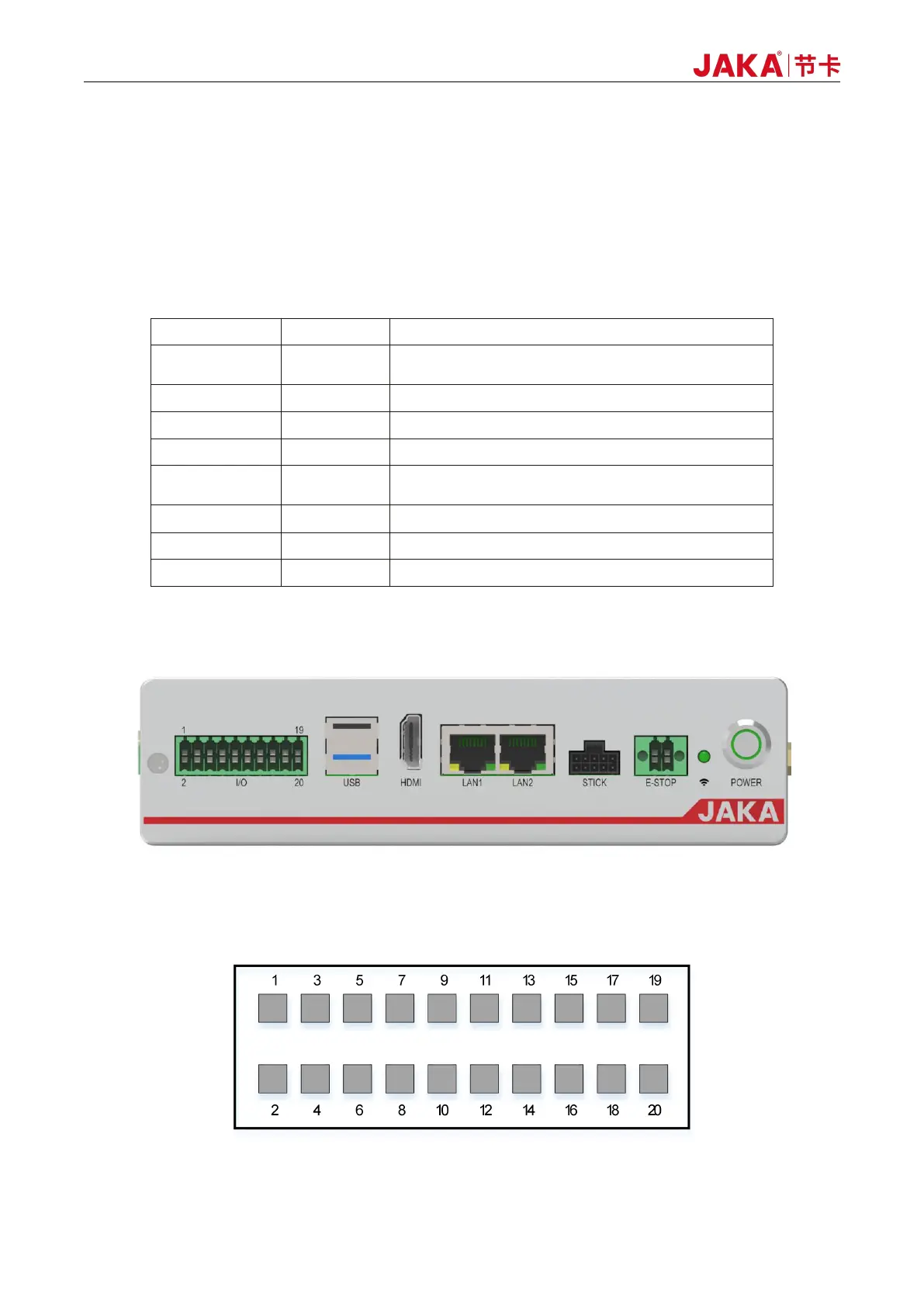
MiniCab has user interfaces on the front panel and side panel. The front panel includes 20PIN integrated
I/O, USB, HDMI, LAN, handle and E-STOP interface, Wi-Fi status indicator and On/Off button.
The side panel includes a power input interface, a robot body interface, 2.4G Wi-Fi antenna, and an
internal integrated routing reset button.
Table 5-1 Interface Definition Description
7-channel digital interface, NPN type I/O can be
configured
Used for external display devices
Internally integrated routing interface, 100 MB Ethernet
interface
10M/100M/1000M adaptive Ethernet interface
Logic & power DC power input interface
Robot power supply and CAN communication interface
5.1 Front Panel Interface
Figure 5-1 Diagram of Front Panel
5.1.1 Integrated Interface (I/O)
Figure 5-2 Diagram of Integration Interface



 To Next Page