JAKA Zu MiniCab v1.1 27
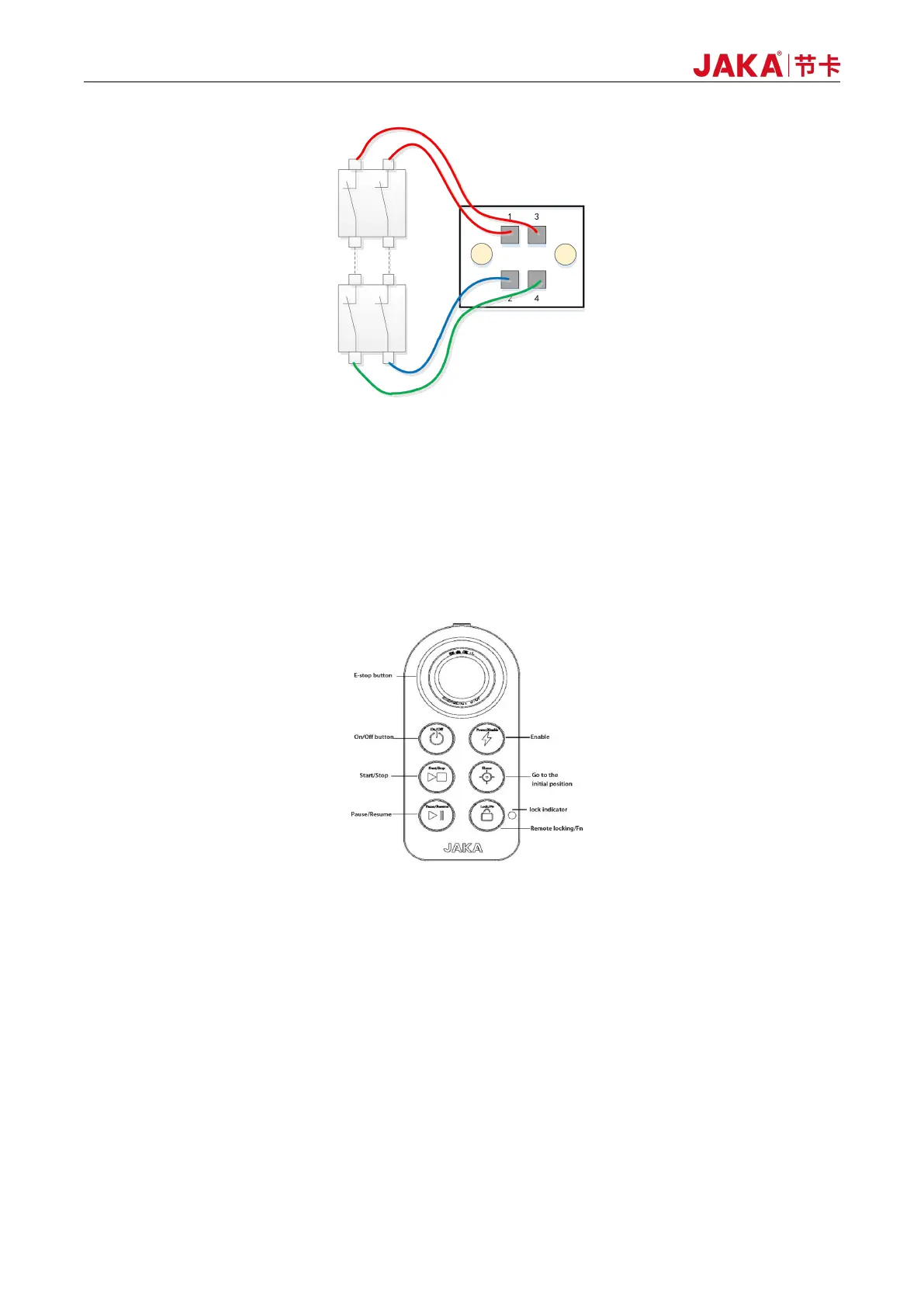
Figure 6-3 Emergency stop - multiple-circuit switch
6.2.3 Switch-on/off
After powering MiniCab for 4 seconds, MiniCab can be powered on. There are three ways to switch the
machine on and off:
1. Switch on and off via the user handle:
Figure 6-4 Handle Control Box
Power-on: Short press the power button for 1s and then release. The buzzer rings and the electric control
cabinet is turned on.
Shutdown: Long press the power button for more than 3s. The handle rings 6~7 times, and the electric
control cabinet is turned off.
For details, please refer to the handle operation method in the product user manual.
2. Front-panel POWER button:
Power-on: Short press the POWER button for 1s and release. The electric control cabinet is powered on.
Shutdown: Long press the POWER button for 3s. The electric control cabinet is powered off.



 To Next Page