32
JAKA Zu MiniCab v1.1
6.4.2 Wi-Fi
MiniCab has its own Wi-Fi hotspot, which is set to password-less by default. Users can connect to MiniCab
through wireless terminals. When the MiniCab is powered on, the Wi-Fi indicator on the right side of the panel
lights up and when connected to Wi-Fi, the Wi-Fi indicator flashes. MiniCab and the robot body can be
controlled through the JAKA Zu APP. The name of Wi-Fi hotspot is consistent with the MiniCab number. If you
need to change the Wi-Fi name, add the login password, etc., please contact the technical service personnel of
JAKA.
6.4.3 Network Configuration
a) LAN1 Configuration
LAN1 network port is 10M/100M adaptive network port, and the factory-default configuration is 10.5.5.x;
When connecting to the LAN1 port, the device IP address shall be configured within the range of
10.5.5.101~10.5.5.254;or configure the device to get the IP address dynamically.
Note: If the device does not support IP modification, it is recommended to connect the device to the LAN2
port and configure the LAN2 port IP address to the same network segment as the device. If LAN2 network port
is occupied and LAN1 network port has to be used, please contact JAKA technical service personnel to modify
LAN1 network.
b) LAN2 Configuration
LAN2 network port is 10M/100M/1000M adaptive network port. The factory-default configuration is to get
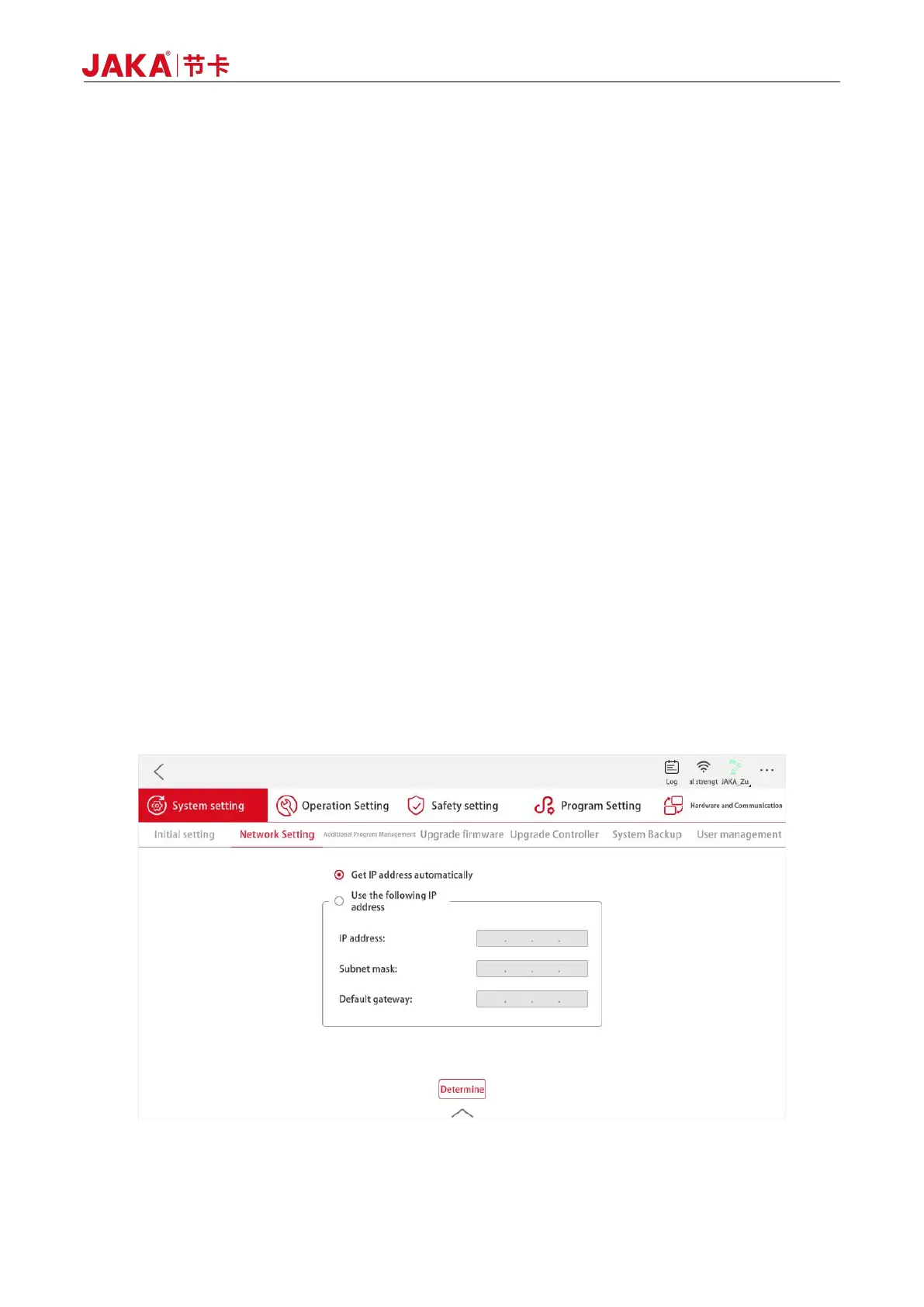
IP address dynamically. Users can login JAKA Zu APP and configure it with static IP with the path as follows:
Setting - System Setting - Network Setting for settings. The configuration interface is as follows:
Figure 6-12 LAN2 Network Configurations



 To Next Page