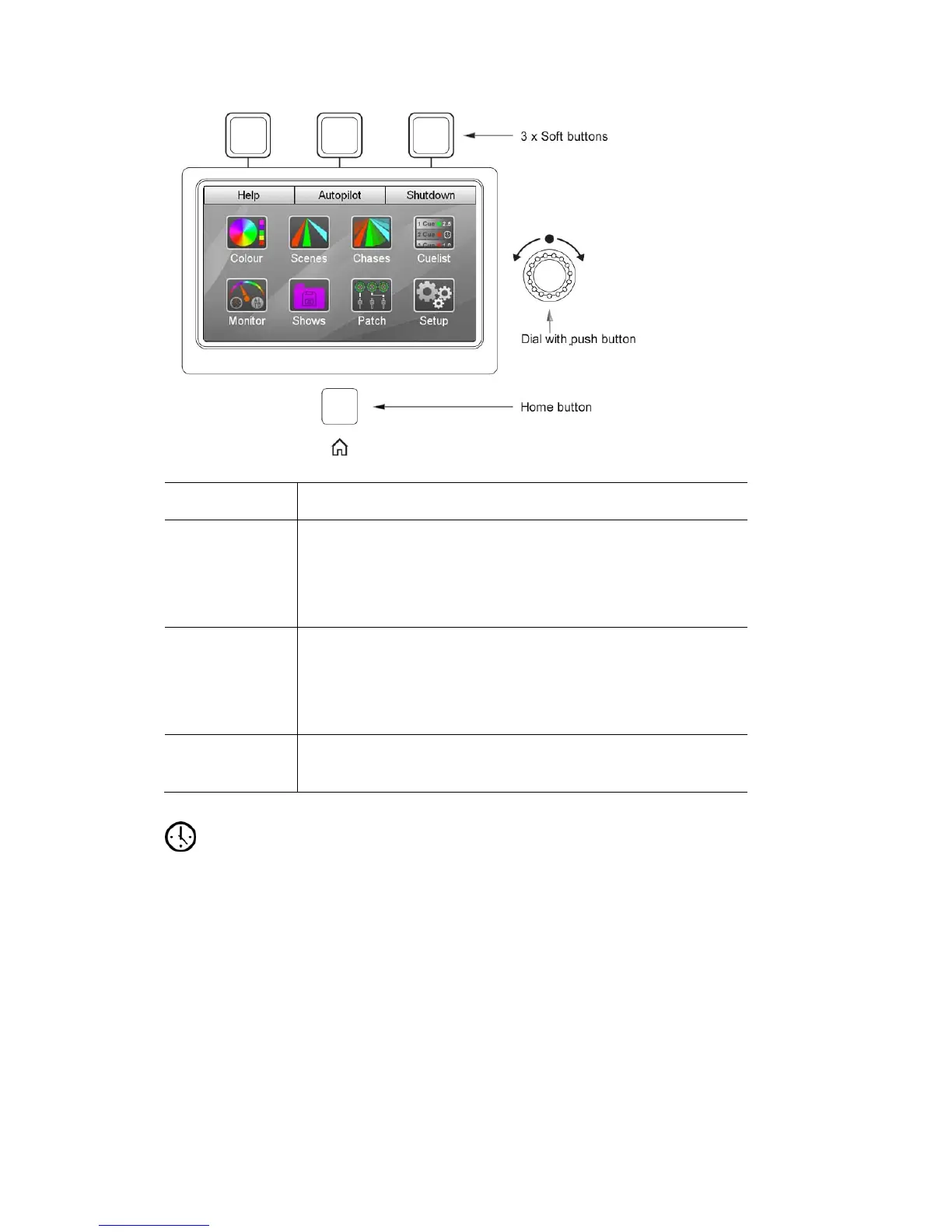
TheTouchscreen,DialandButtons Abouttheconsolecontrols
This control… Does this…
Home button The Home button is located underneath the screen. Press
this button at any time to return to the Home window.
Double press the button to go back to the previous screen
you used.
Dial Scrolls up and down lis
Press the dial
ts and between fields on the screen.
down to make a selection. Then rotate the dial
te.
Hold shift while rotating the dial to move left to right.
again to set a value. Press the dial down again to comple
Soft buttons Can be used in place of the onscreen buttons, when they are
displayed, at the top of the touchscreen.
Fadetime
e scene buttons) is used to adjust the Live Fade time.
d Cues will fade in over the Live fade time unless they have
times for:
• Scenes – see Setting the Scene Fade time on page 7-3
• Cues - see Setting a Cue Fade time on page 8-10
GrandMasterandDBO
The Grand Master fader scales the intensity of all output from the Stage CL
console.
This dial (located above th
All Scenes, Chases an
a specific fade time set. For more information on setting fade
5‐6 StageCLUserGuide,Version1.3



 To Next Page