Patchingyourlights Addingfixturestothepatchmanually
Addingfixturestothepatchmanually
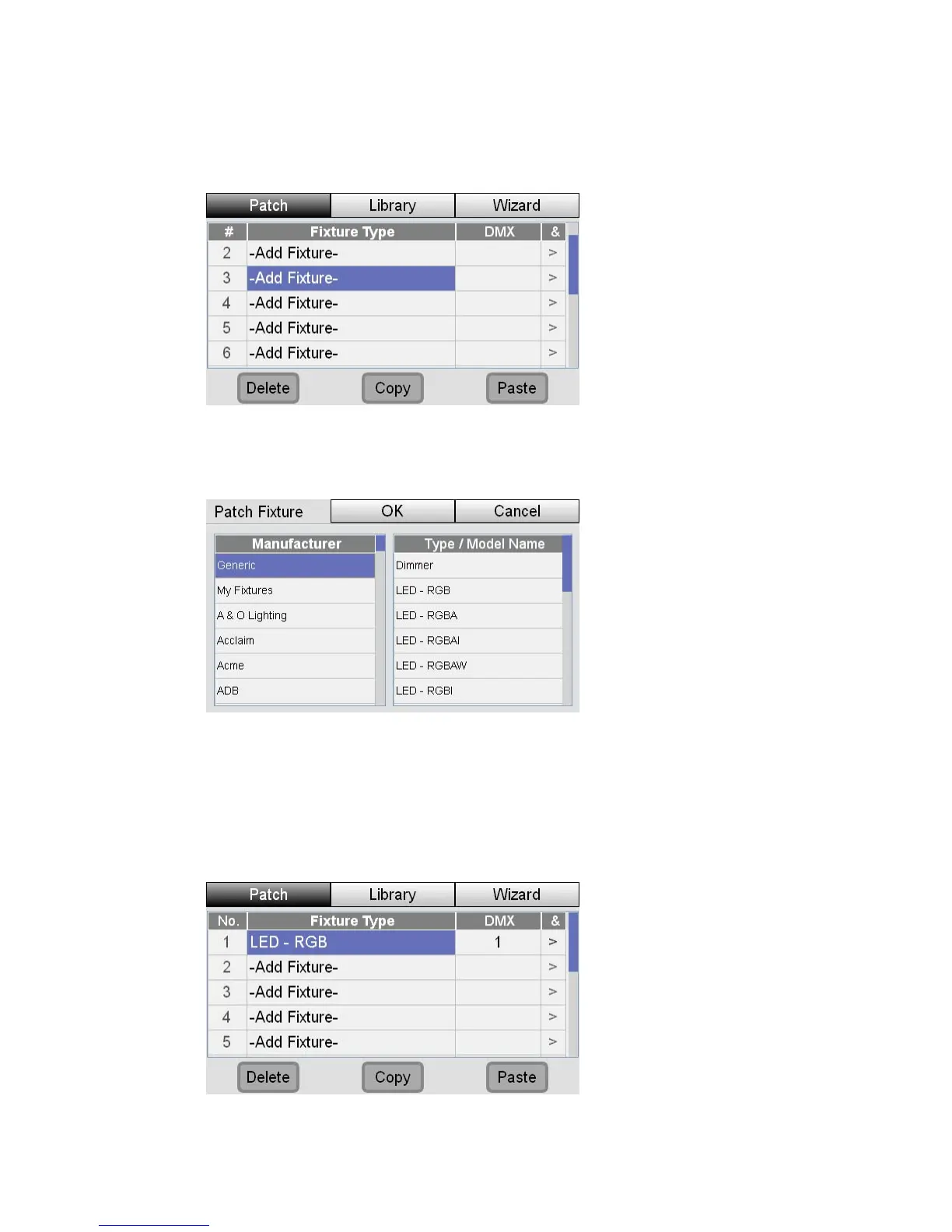
To add a fixture, without using the wizard, open the Patch window and if it’s not
already selected press the Patch tab button:
1. Use the touchscreen dial to scroll up or down the list to choose a fixture
number then press the dial button. Stage CL opens the Patch Fixture window
:
2. In the left column select from the Manufacturer folder and press the dial
button. Stage CL displays a list of fixtures for that manufacturer
3. In the right column choose the fixture you want to patch
4. Press the OK button. Stage CL patches the fixture at the first available DMX
address:
StageCLUserGuide,Version1.3 4‐3



 To Next Page