Saving&LoadingShowFiles Savingashow
12. Saving&LoadingShowFiles
Savingashow
Once you have patched your fixtures you should save your show. To do this:
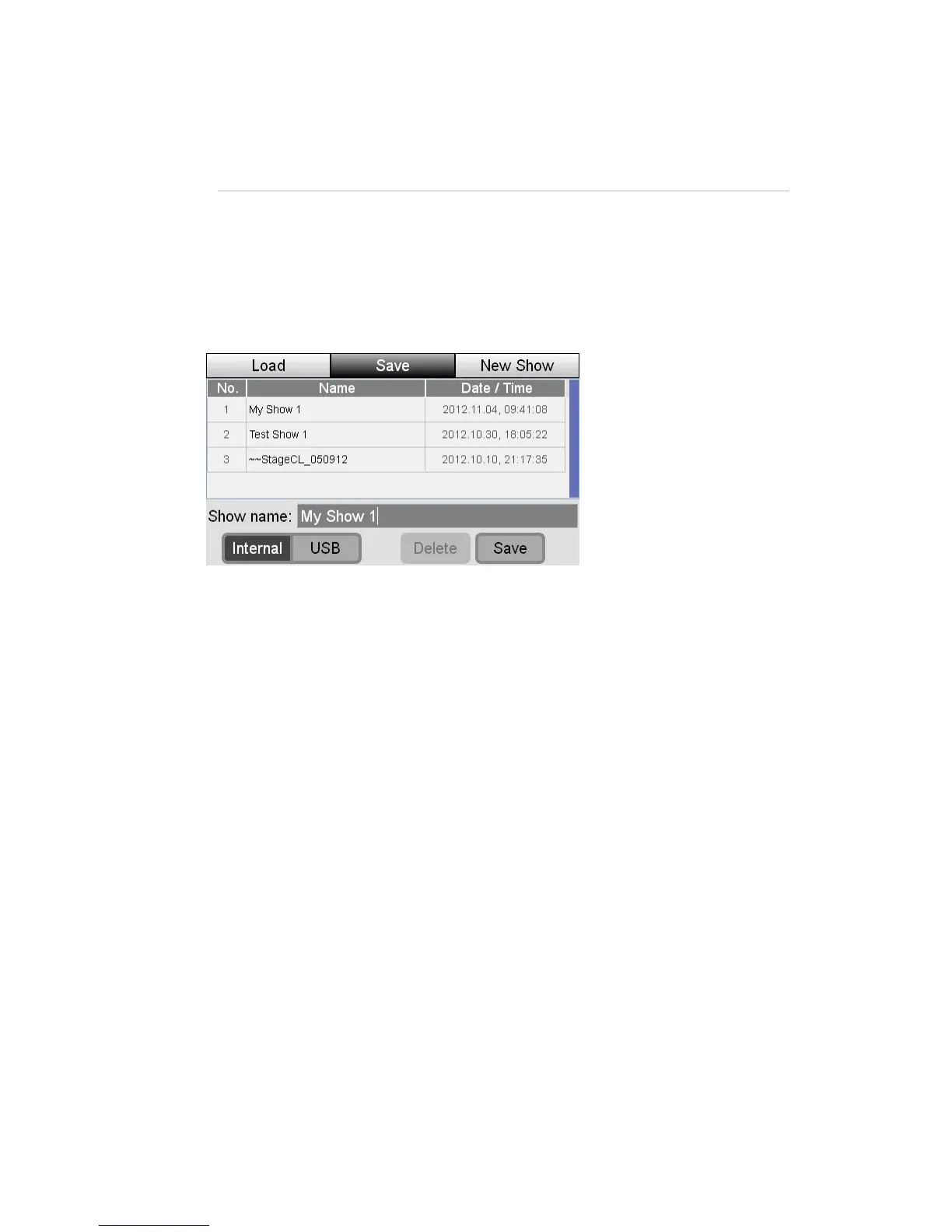
1. Touch the Shows button on the Home screen. Stage CL displays the Sho
files window, select the Save tab.
w
2. If this is the first time you’ve saved this show,
‘StageCL_Show.js1’. If you want to save the show
touch on the show name. Stage CL op
3. Type a name for the show and click OK. Stage C
the show name will show
with a different name
ens an on screen keyboard.
shows the File Save
window.
S dri
You can save a backup of your show file to a USB stick or portable drive. To do
t SB
Loadingas
To load a show that is saved on you console or a USB disk you do this:
the Show
f indow, s les
aved on the co
L
4. Touch the Save button at the bottom of the screen to complete the save.
avingtoaUSB ve
his, select the U checkbox before saving.
how
1. Touch
iles w
s button on the Home screen. Stage CL displays the Show
elect the Load tab. Stage CL displays a list of the show fi
s nsole.
StageCLUserGuide,Version1.3 12‐1


 To Next Page