Setup&Preferences Setup
11. Setup&Preferences
Setup
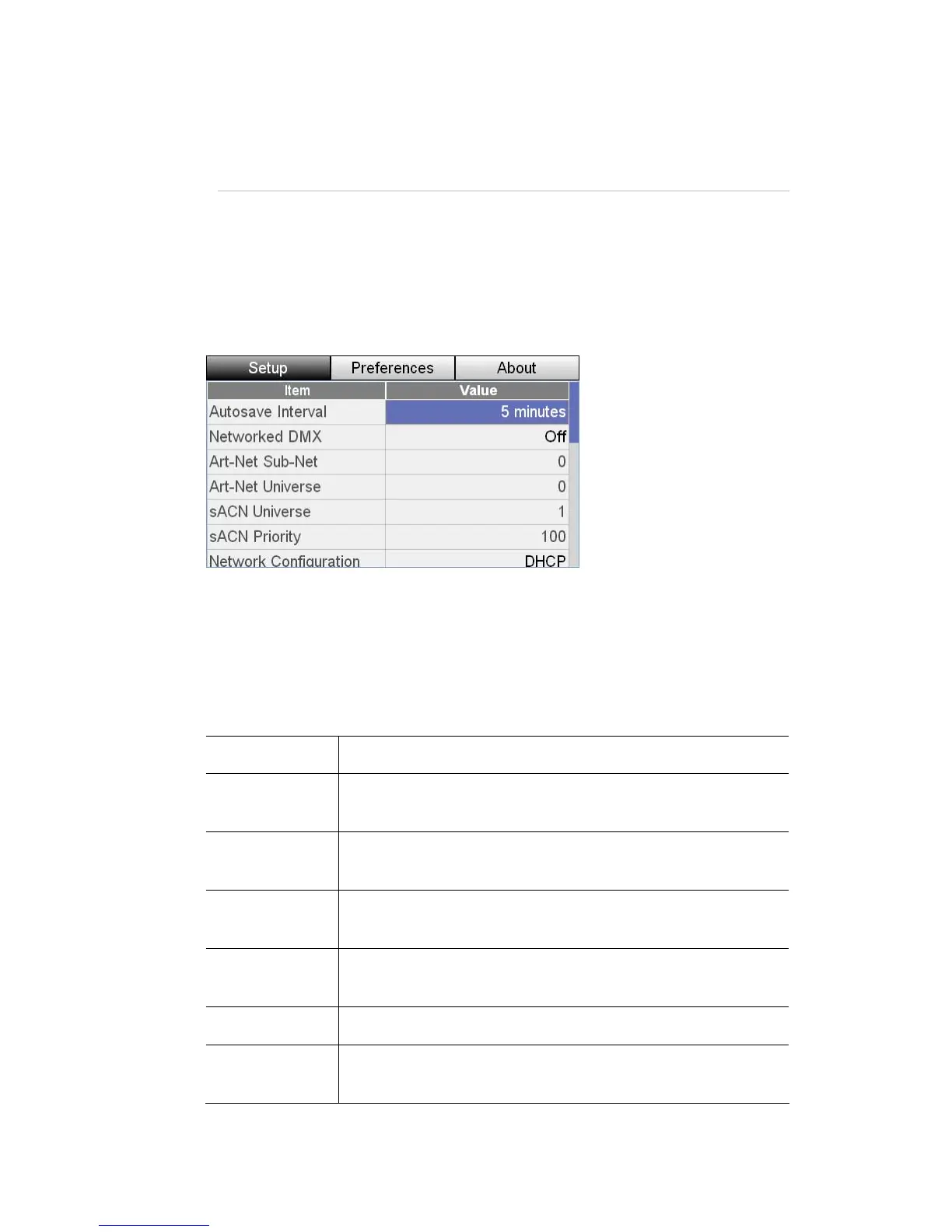
There are a number of system setup op
options include autosave, network, audio, screen brightness
To set these options, touch the Setup button on th
tions available on he Stage CL. These
, and date settings.
e Home screen. Stage CL
displays the Setup window:
To adjust a setting:
1. Use the touchscreen dial to scroll to the field you want to
2. Push the dial button down to select the field.
3. Use the touchscreen dial to set a new value.
This item… does this…
adjust
Autosave
Interval
Sets the time
to Off if you
before Stage CL saves the current show file. Set
don’t want to save automatically
Network
DMX
ed Turns DMX output over Ethernet off or on. The options are
Off, Artnet Broadcast or Streaming ACN (sACN)
Sets the Artnet Sub-Net (a group of 16 consecutive
universes). For universes 1-16 set this field to 0
Artnet Sub-Net
Sets the Artnet Universe (a group of 512 channels). For
universes 1 set this field to 0
Artnet Universe
sACN Universe e. Valid universes are 1 to 63999 Sets the sACN univers
sACN Priority
riority.
Sets the Artnet Priority. Valid settings range from 0 to 200,
with higher numbers representing a higher p
StageCLUserGuide,Version1.3 11‐1



 To Next Page