Monitoringtheconsole Monitoringplayback
10. Monitoringtheconsole
The Monitor windo
s
itorin
The Stage CL conso
colour. This means en a Scene, Chase or Cuelist sends colour information
to your lights that i
those lights before. if you play a Scene that turns a light on in Red
and then play another scene that sets that light to Blue the light will go Blue –
urple w
Highest Takes Precedence (HTP) principle.
If you ave a lot of w
what played last an
s his:
uch the Mon
Monitor windo itor tab selected:
w lets you see quickly see what is being played back, the
ettings of the main console controls and the DMX output.
Mon gplayback
le works on the principle of ‘Last Takes Precedence’ for
that wh
nformation replaces whatever information was controlling
For example
instead of P hich is what would happen if the console operated on the
h Scenes, Chases and Cues playing it can be helpful to kno
d what else is playing and contributing to what you see on
tage. To do t
1. To itor button on the Home window. Stage CL displays the
w with the Mon
ow:
The Contro he
ad Time dial.
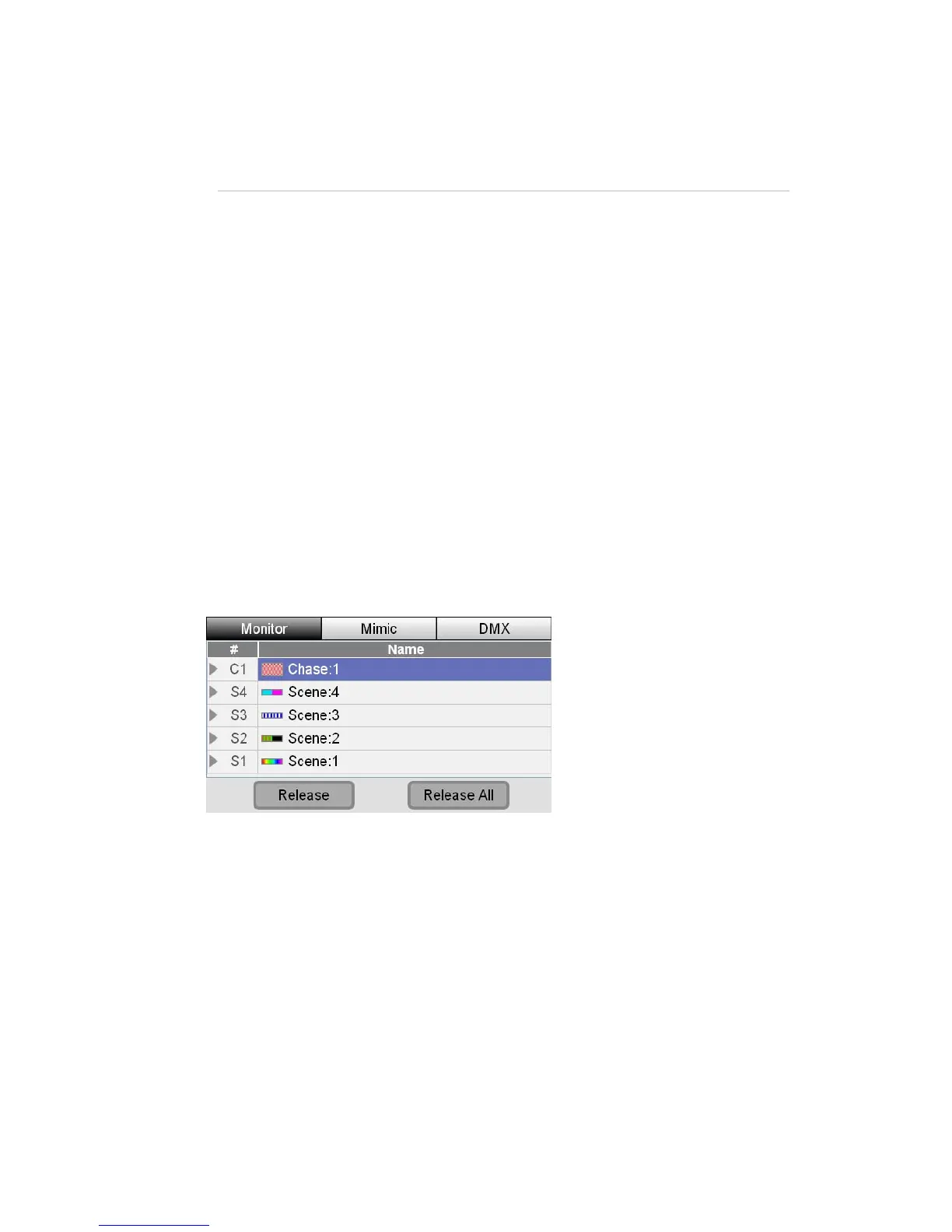
• The Play list shows all the Scenes, Chases and Cues that are contributing
to the output from the console. This list fills from the top so the latest
thing that you have played is at the top of the list.
In this wind
• ls section shows you the level (0% – Full (100%) of all t
ers and the current setting for the Fade
master f
StageCLUserGuide,Version1.3 10‐1



 To Next Page