EditingaChase Chases
This option… does this…
Full – the fixtures spend
crossfading.
the full time between steps
-
Filter
Sets the chase to only play Inte
colour settings will come from any other active scenes or
channel settings.
nsity. In this mode the fixture
Audio
threshold to suit different sound levels and dynamic range.
See Setup on page 11-1
Sets the chase to be triggered by audio, from the inbuilt
microphone. You can adjust the audio sensitivity and
EditingaChase
this:
4. From the Home page, press the Chase button on the touchscreen then select
s tab. ases you have recorded:
To edit a Chase or view it’s settings you do
the Chase Stage CL displays a list of the Ch
.
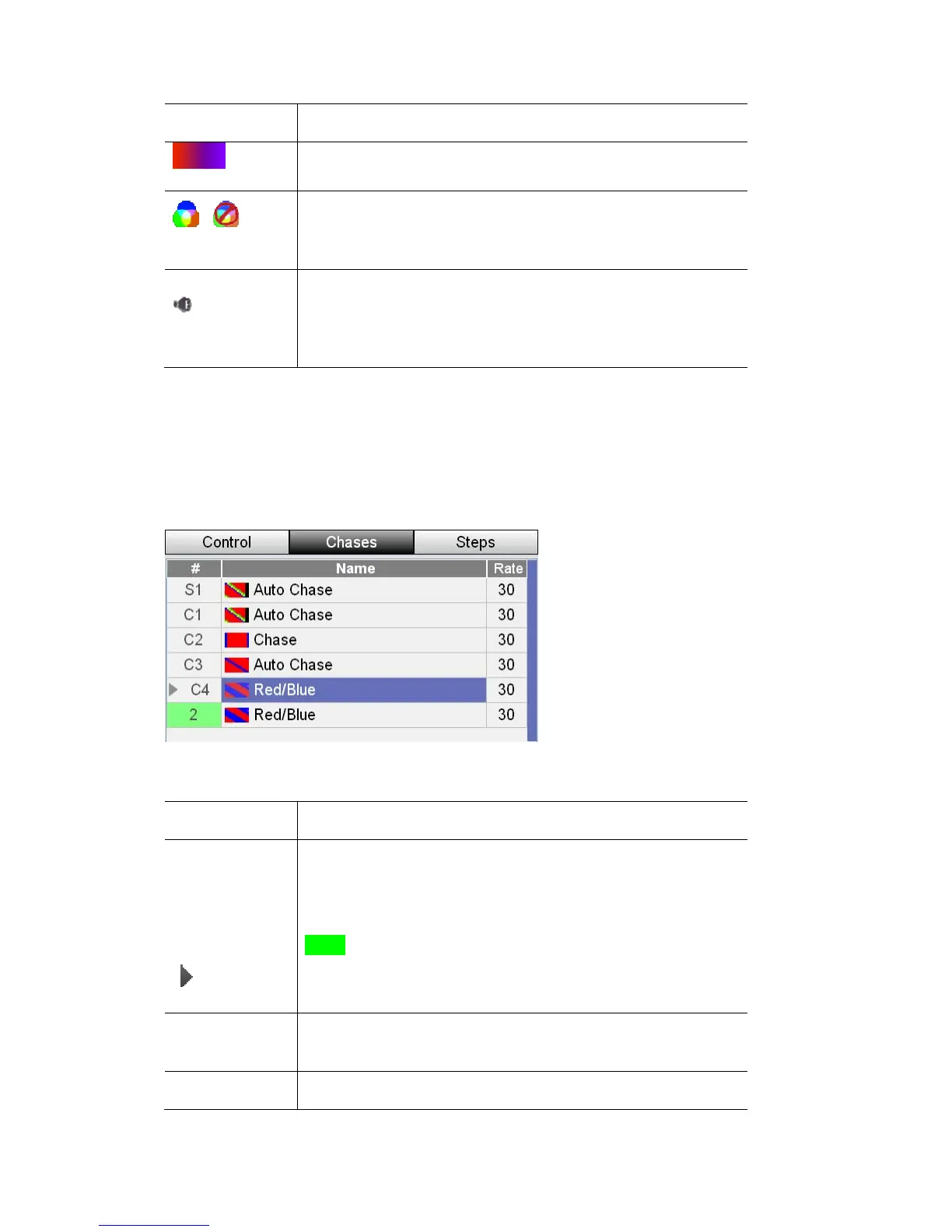
ow shows a table of all the chases you have recorded:
…
The Chases wind
This column does this…
#
(Chase number)
mple above:
1
C1, C2, C3 – are chases on the main Chase buttons
The # field shows the chase location. In the exa
S1 – is a Chase on Scene playback button
2 - is a chase on the green scene page fader 2
Chases that are playing have a play indicator beside the
number
Name
e Cue name. Press the touchscreen dial to edit the
name of the selected Cue.
Shows th
BPM (Rate)
Shows the speed of the chase. Select the field and press the
9‐16 StageCLUserGuide,Version1.3



 To Next Page