Chases PlayingaChase
2. You can control the overall level of the chase by raising or lowering the
ial located
To a n the
touchscreen:
Chases fader.
3. You can scale the speed of the chase by adjusting the chase rate d
above the 4 chase buttons.
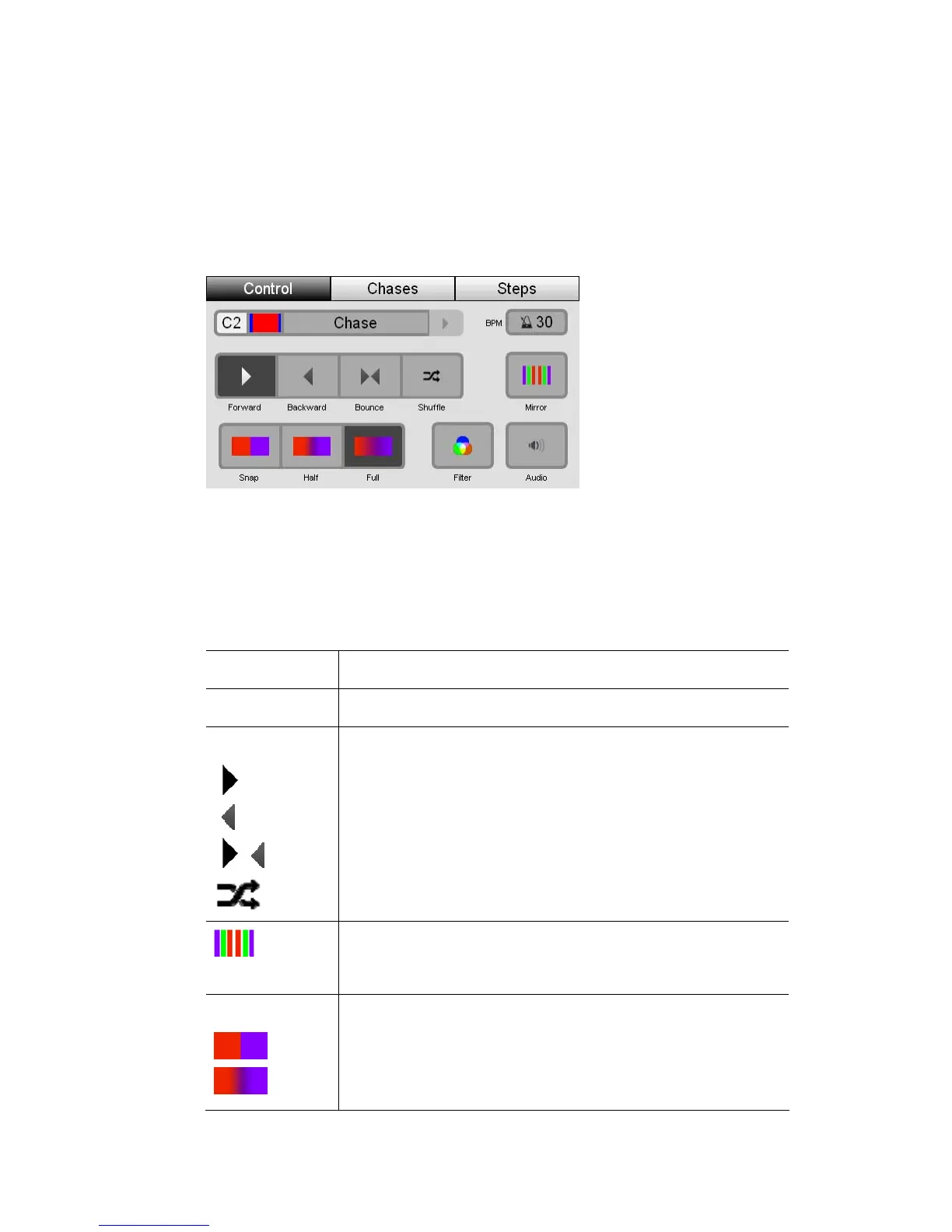
djust other chase settings, while it’s running, open the Chase window o
 If you don’t see the name and icon of the chase y
window:
• either tap on the right arrow beside the chas
active chase or,
• switch to the Chases tab and select it from the list.
ou want to adjust in this
e name to select another
Th
is option… does this…
BPM Sets the speed of the chase
Direction
Sets the chase direction. The options are:
Forwards
Backwards
Bounce
Shuffle (aka Random)
Mirror
Selecting the mirror option, splits the chase into two groups
of fixtures which mirror the chase pattern of each other.
Crossfade
Snap – The fixtures snap between steps of the chase
Half – The fixtures spend half the time between steps
crossfading
StageCLUserGuide,Version1.3 9‐15



 To Next Page