SM-18006
4-3
MAINTENANCE
Tool Phillips Screwdriver
TURN OFF all POWER supply switches.
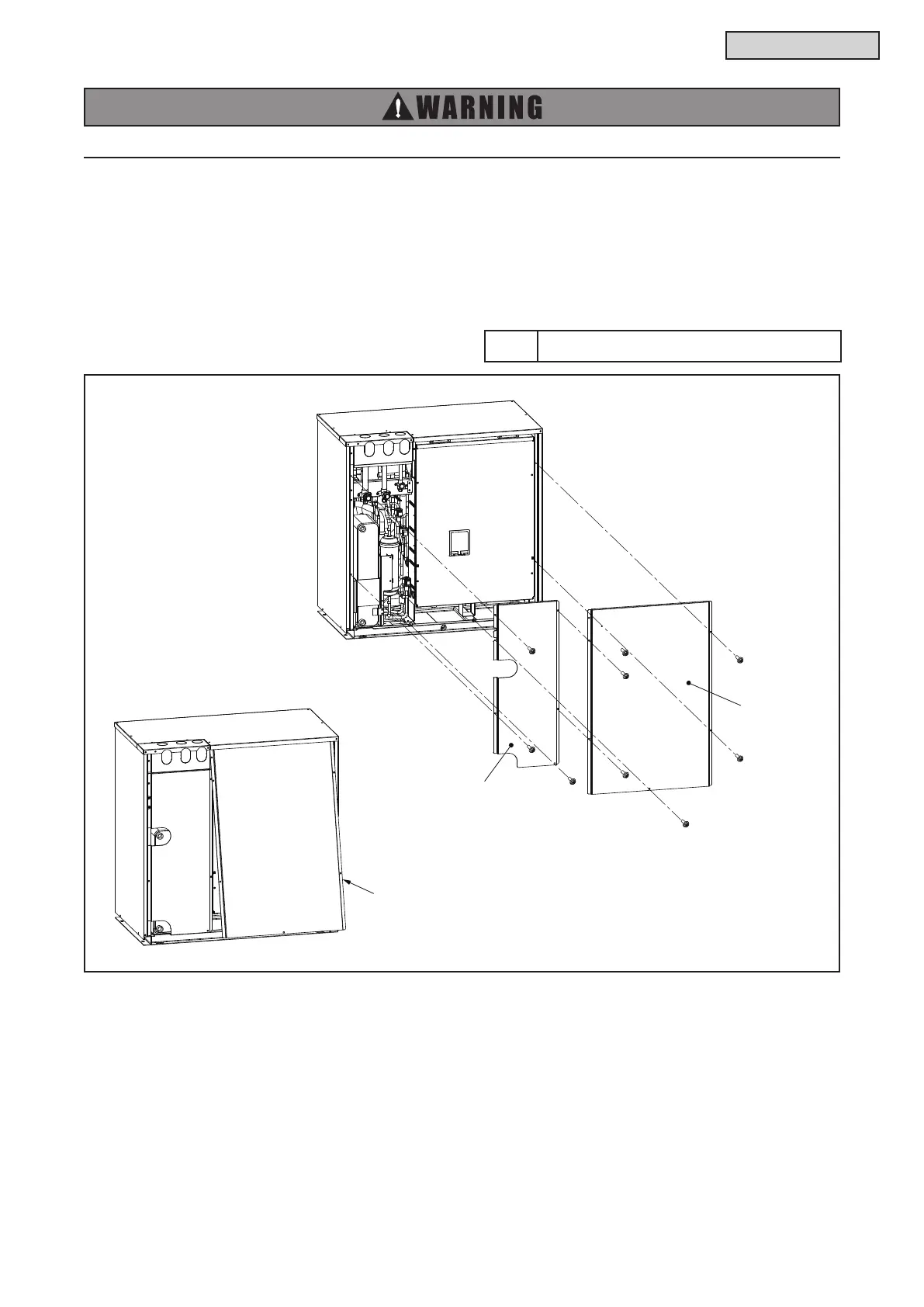
4.1.2 Attaching Service Cover and Front Cover
(1) Attaching Front Cover
Attach the front cover with the screws.
(2) Attaching Service Cover
(a) First attach the front cover, then attach the service cover.
(b) Insert the front top part of service cover when attaching.
(c) Attach the service cover with the screws.
Front Cover
Tilt the service cover and
insert at the front top part first.



 To Next Page