4-66
SM-18006
MAINTENANCE
TURN OFF all power source switches.
4.1.16.2 Removing Electrical Components
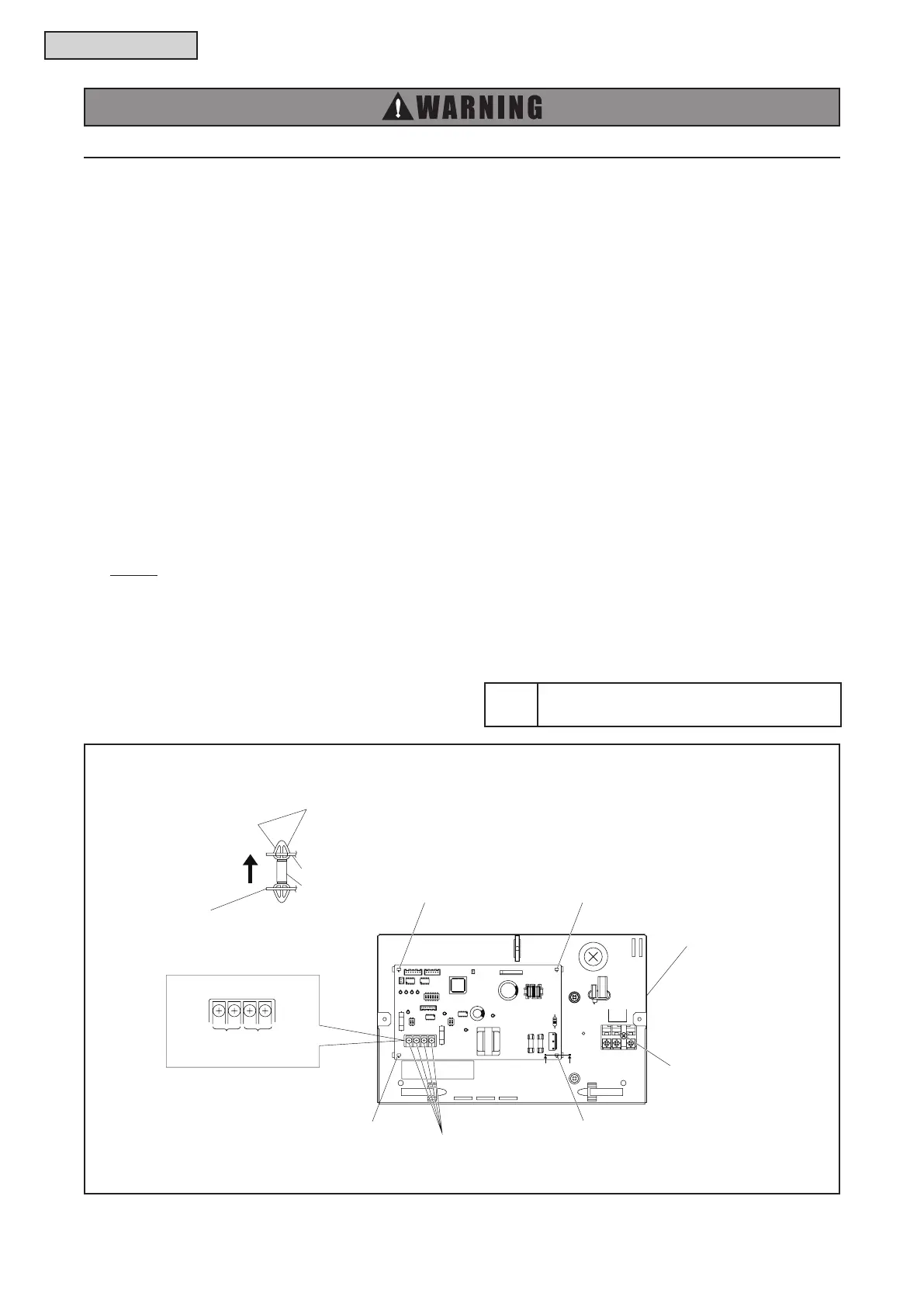
Removing Change-Over Box PCB
(1) Remove all the connectors for wiring connected to the Change-Over Box PCB.
(2) Remove the communication wirings connected to the Change-Over Box PCB. Do not touch the
electrical components on the Change-Over Box PCBs during the work. Otherwise, the Change-Over
Box PCB may be damaged.
(3) Hold the convex part of the holders securing the Change-Over Box PCB with a long nose pliers and
pull it out to remove.
Removing Electrical Components (Terminal Block for Power Source)
COBS048, 096B22S
(1) Remove all the wirings connected to the electrical components.
(2) Remove the screws securing the electrical components.
COB04M132B22S, COB08M264B22S, COB12M264B22S
(1) Remove all the wirings connected to the electrical components.
(2) Remove the communication wirings connected to the Terminal Block (TB2).
(3) Remove the screws securing the electrical components.
NOTE:
When reassembling the electrical components, match the terminal numbers with the mark band numbers
and also match the colors of the connectors on the Change-Over Box PCB with the colors of the connector
for wiring. If they are incorrectly connected, malfunction may occur or the electrical components may be
damaged.
Tool
Phillips Screwdriver,
Long Nose Pliers, Wire Cutter
COBS048, 096B22S
R/L1 S/L2
Terminal Block (TB1)
Securing Screws (M4) for
Wiring of Terminal Block (TB2)
Board Holder
Board HolderBoard Holder
Board Holder
Board Holder
Change-Over Box PCB
PP
Cross Section P-P
Pinch here with long nose pliers
to remove the change-over box PCB.
Electrical Box
Electrical Box
Water Source
Transmission
Indoor
Transmission
TB
1
DM201
CN12
CN2CN1
TP
IC11 IC13
LED10
LED11
LED12
LED13
3
ON
56412
DSW1
IC1
C208
L1
LED2
C231
IC101
DSW5
1
ON
2
LED4
CN11
IC301
DSW4
1
ON
2
LED3
EF301
TB2
EF101
LED1
TR1
EFS1
EFR1
PCN1
DSA
TB2
12 43



 To Next Page