SM-18006
4-5
MAINTENANCE
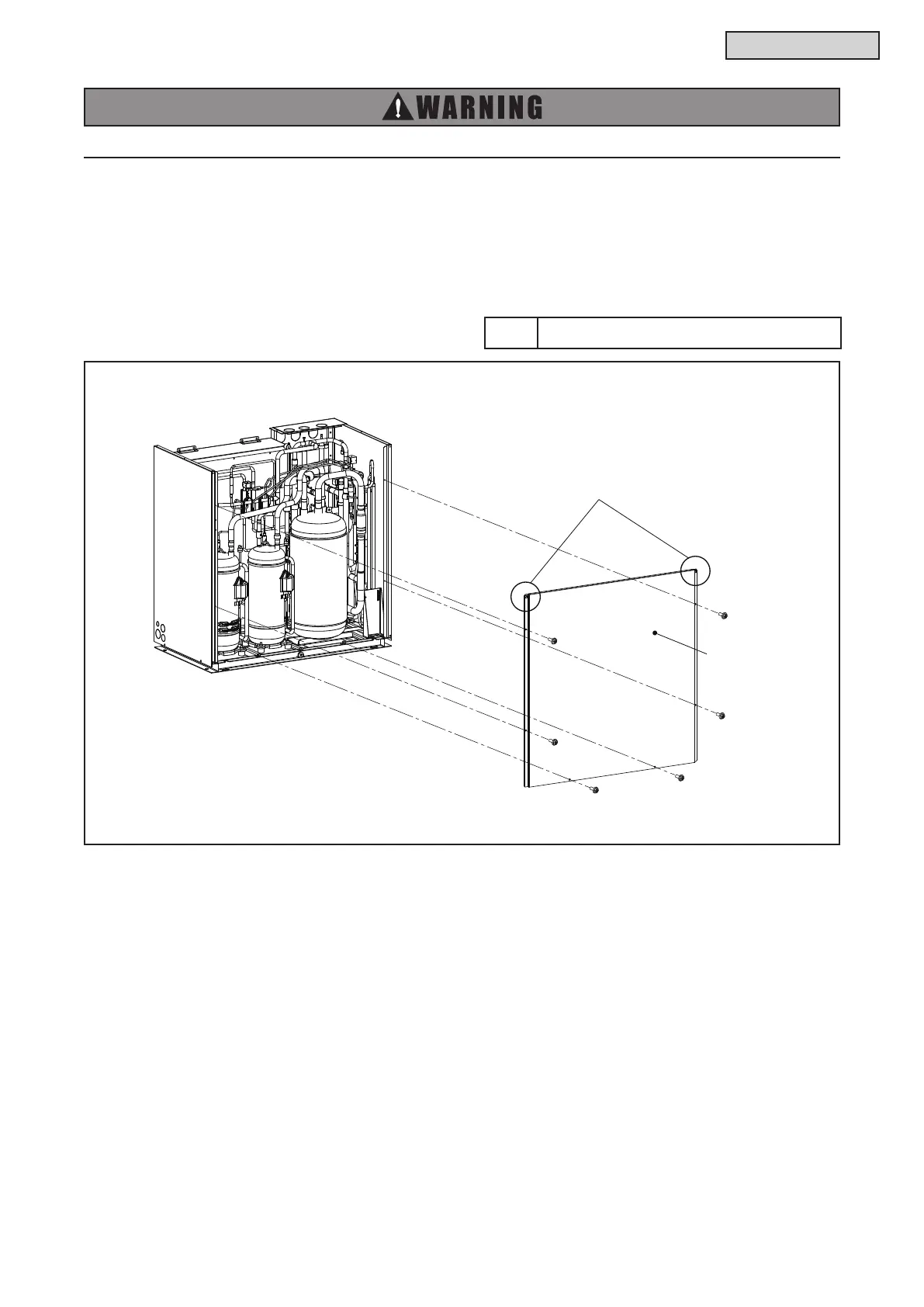
4.1.4 Removing Rear Cover
(1) Remove the service cover and front cover according to Section 4.1.1 “Removing Service Cover and
Front Cover”.
(2) Remove the upper cover according to Section 4.1.3 “Removing Upper Cover”.
(3) Remove six screws attaching rear cover.
(4) Lift the rear cover upward to release the hooks and remove it.
TURN OFF all POWER supply switches.
Tool Phillips Screwdriver
Hooks



 To Next Page