SM-18006
4-69
MAINTENANCE
TURN OFF all power source switches.
4.1.16.3 Removing Electric Expansion Valve Coil
(1) Remove the front service cover according to Section 2.18.1 “Removing Service Cover for Electrical
Box and Electronic Expansion Valve”.
(2) Removing Electronic Expansion Valve (MVD1~4, MVS1~4)
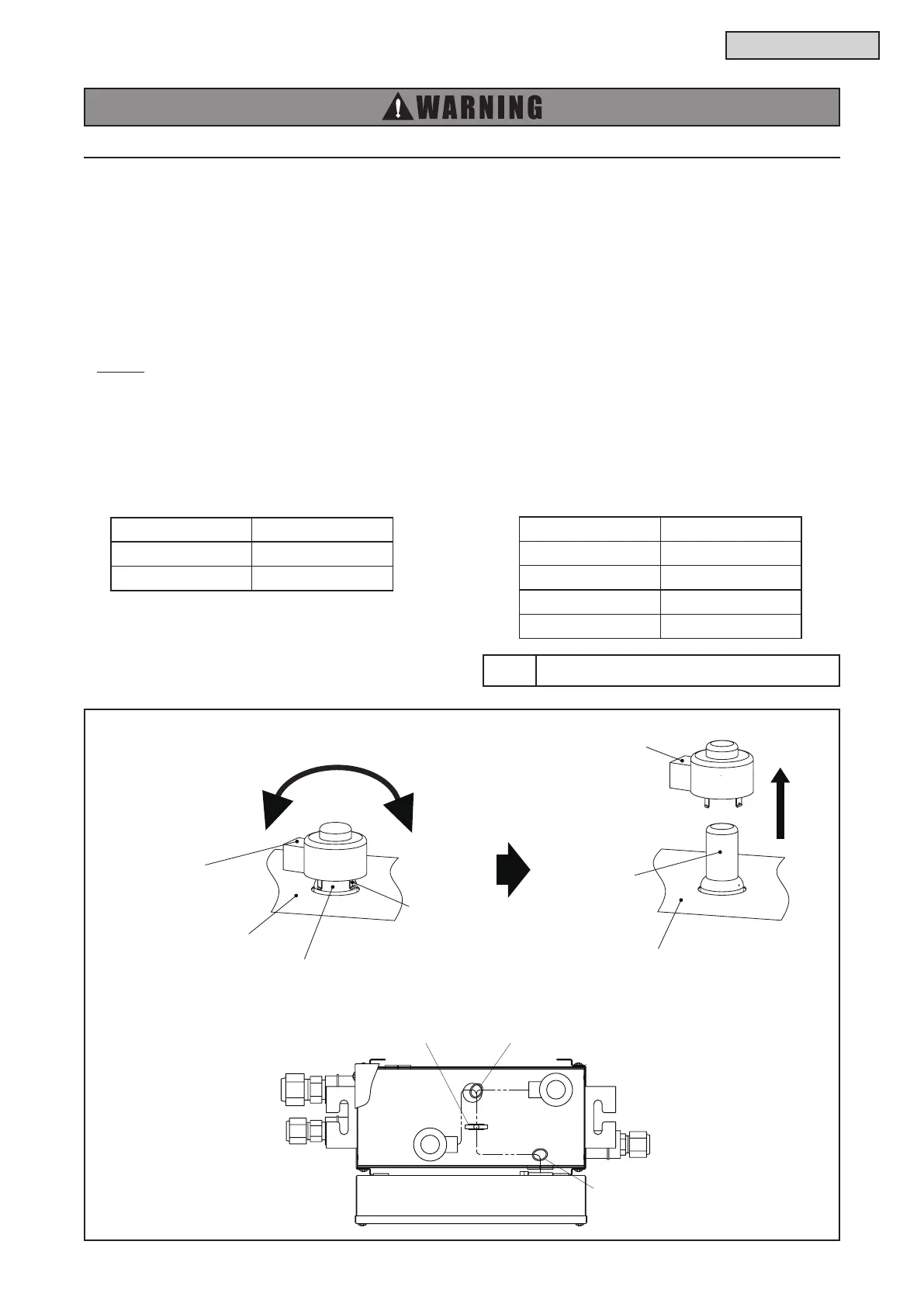
(a) Turn the electronic expansion valve coil. Remove the electronic expansion valve coil bracket from
the electronic expansion valve slot.
Then, pull the coil upward and remove it.
(b) When replacing the electronic expansion valve coil, turn the coil bracket and press the coil into the
electronic expansion valve slot.
NOTE:
● When replacing the electronic expansion valve, bind up the wirings with a cable band indicated in the
gure. Make sure to bind up extra wirings and secure them with a wire clip. If not, water may enter the
electrical box.
● When attaching Electronic Expansion Valve Coil to Electronic Expansion Valve, match the marking color in
the table below.
Tool Wire Cutter
Electrical Box
MVD1
MVS1
COBS048, 096B22S
COBS048, 09622S COB04M132, 08M264, 12M264B22S
Mark Marking Color
MVS1 White
MVD1 Blue
Mark Marking Color
MVD1, MVS1 White
MVD2, MVS2 Red
MVD3, MVS3 Blue
MVD4, MVS4 Black
Electronic Expansion Valve
Coil Bracket
Electronic
Expansion Valve Coil
Electronic
Expansion Valve
Electronic
Expansion Valve Coil
Plate
Plate



 To Next Page