3-20
SM-18006
TROUBLESHOOTING
3.1.5 Checking Using 7-Segment Display
Only an authorized person can check using this method.
● Before Checking
1) Turn ON the main power supply. Wait for more than 20 seconds to start checking.
2) Checking Items
* Expansion Valve Opening
* Temperature Readings from Thermistors
* Number of Indoor Units Connected in the Same System
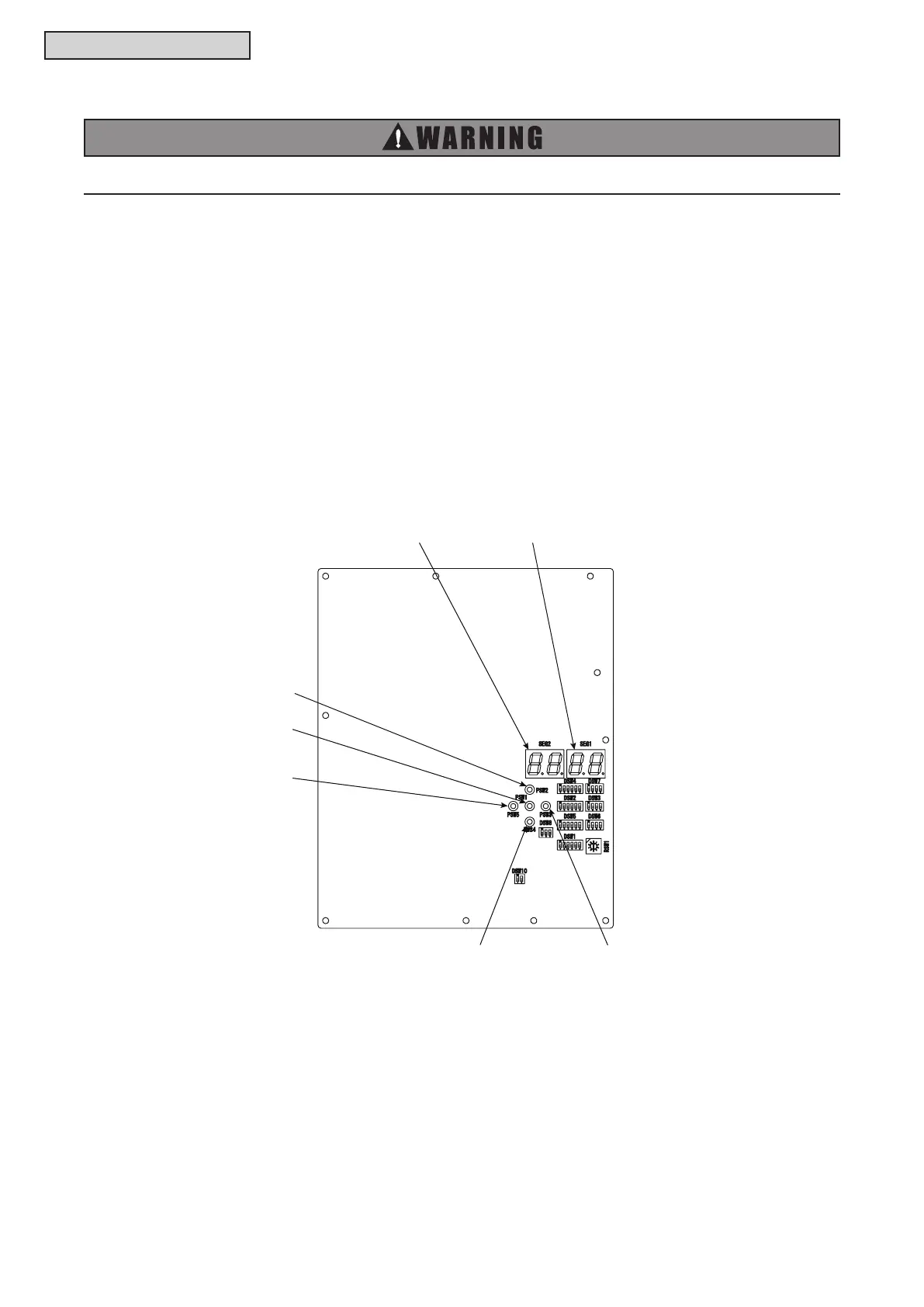
3) Check the locations of 7-segment and push switches.
4) AC208-230V is applied to the PCB and electrical parts. When checking never touch electrical parts
and wires without appropriate personal protective equipment (PPE).
● Location of Push Switches and 7-Segment Display
The push switches and 7-segment display are located on the PCB1.
2
1
5



 To Next Page