SM-18006
3-19
TROUBLESHOOTING
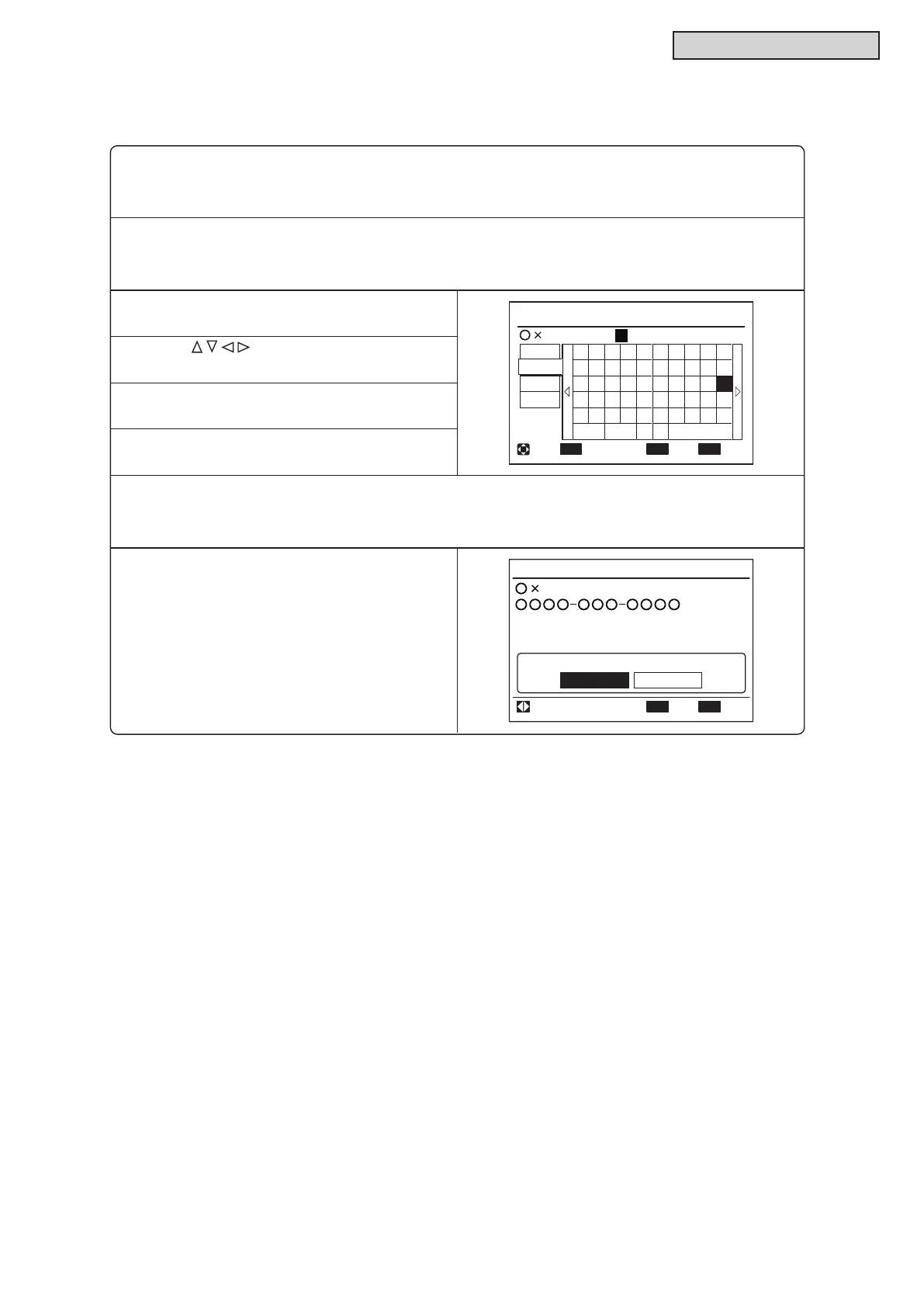
(5) Contact Information Registration
Contact information can be registered from “Contact Information”.
(1) Press and hold “Menu” and “Back/Help” simultaneously for at least three seconds during the normal
mode (when unit is not operating). The Test Run Menu is displayed.
(2) Select “Contact Information” from the Test Run Menu and press “OK”.
Contact Information 1 is displayed.
(3) Press “Back/Help” to change font types.
Contact Information 1
OK
ECO
'
1
q
€
<
+
2
w
a
>
*
3
e
s
z
;
4
r
d
x
.
5
t
f
c
?
6
y
g
v
←→
-
7
u
h
b
/
8
i
:
9
o
k
m
j
n
l
,
=
0
p
ABC
abc
Sym.1
Sym.2
Spce
Del. Fin.
Entr Fin.Sel. Letter
pElectric Cor
Menu
(4) Press “ ” to select letters.
(5) Press “OK” to conrm the letters. (Max.: 28
letters)
(6) Select “Fin.” and press “OK” (or simply press
“Menu”), and (7) is displayed.
(7) Repeat (3) through (5) to register contact information and continue.
Select “Fin.” and press “OK”. The conrmation screen is displayed.
(Also, press “Menu” and the conrmation screen is displayed.)
(8) Select “Yes” and press “OK”. The Test Run
Menu is displayed after the setting is conrmed.
If “No” is pressed, the screen returns to (3)
above.
OK
Register these contents?
Yes No
Electric Corp.
Contact Information
Sel. Entr Rtrn
Back



 To Next Page