SM-18006
4-11
MAINTENANCE
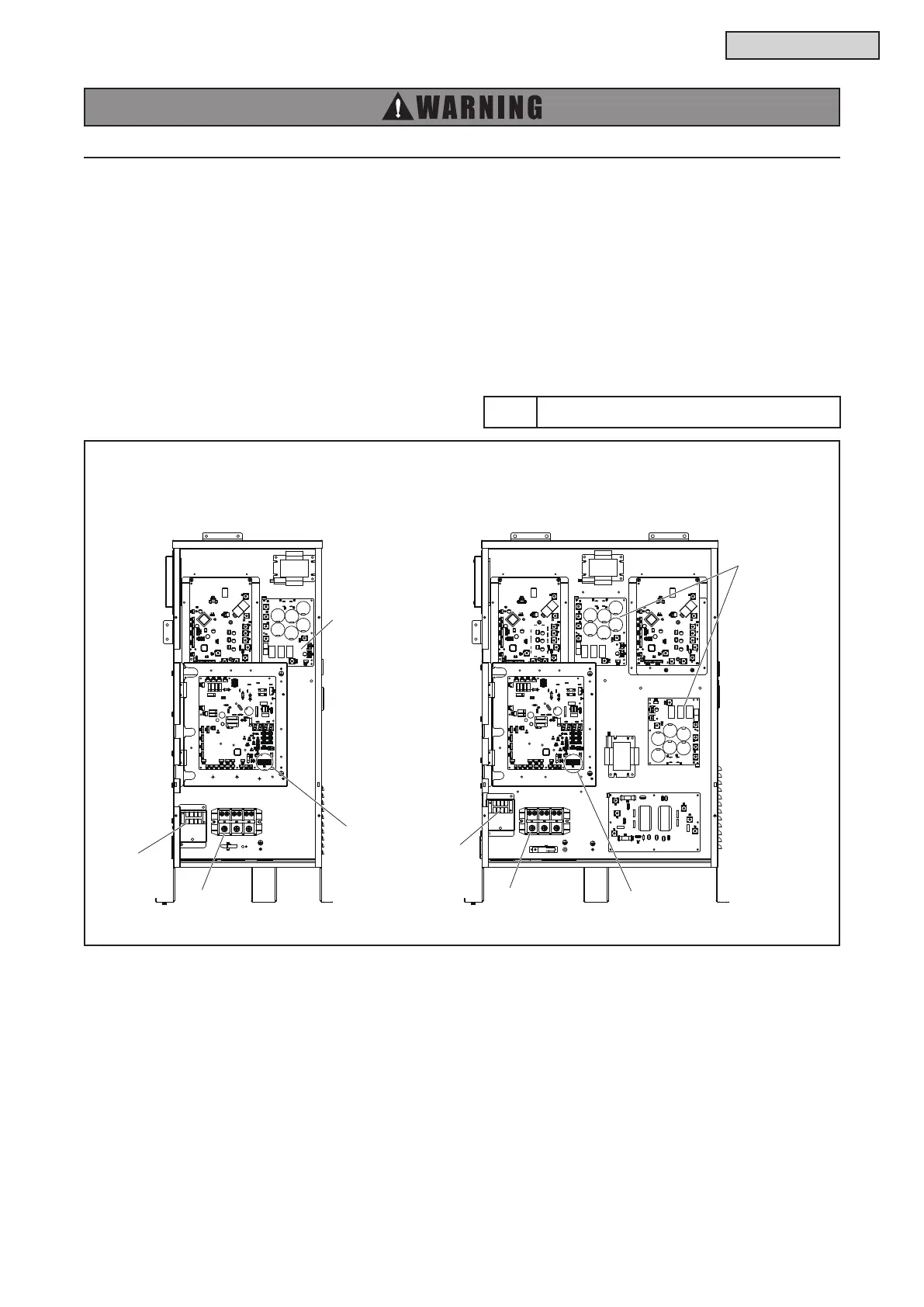
4.1.8.2 Removing Wiring and Disconnect Connectors
(1) Remove the wiring from the cable clamps at the left side of the electrical box.
(2) Remove the screws securing the power supply wiring (TB1), compressor wiring, transmission wiring
(TB2), external input/output signal wiring (TB3), and ground wiring.
(3) Disconnect the connectors for the solenoid valve, and crankcase heater.
(4) Disconnect the connectors for each thermistor, the electronic expansion valve, and pressure sensors
on the control PCB.
(5) Disconnect the connector for high pressure switch on the PCB.
(H,Y)VWH(P,R)072-216B32S: Main Power PCB
(H,Y)VWH(P,R)072-216B42S: Inverter PCB
TURN OFF all POWER supply switches.
Tool Phillips Screwdriver
(H,Y)VWH(P,R)072 - 120B32S (H,Y)VWH(P,R)144 - 216B32S
208/230V
TB2



 To Next Page