EasyManua.ls Logo

Johnson Controls HVWHP072B32S - Page 73

Johnson Controls HVWHP072B32S
300 pages
Print Icon
To Next Page IconTo Next Page
To Previous Page IconTo Previous Page
Loading...
SM-18006
3-53
TROUBLESHOOTING
1: When replacing or checking for the inverter part, make sure to perform the electric discharge work according to
Section 4.2.1.1
2
for208/230VtypeandSection4.2.1.2
2
for460Vtype“HighVoltageDischargeWorkfor
Replacing Parts”.
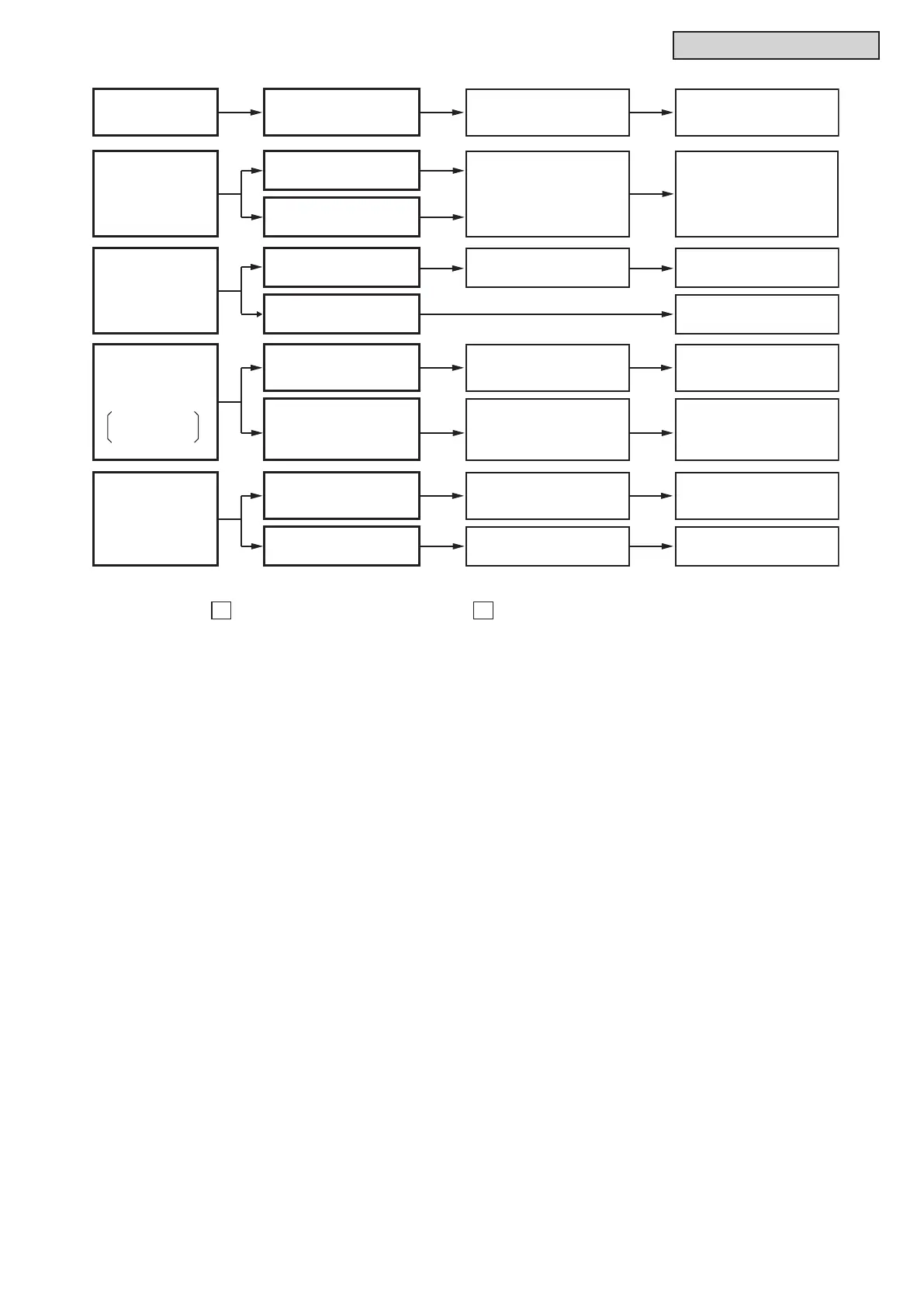
Cause Check Item
Action
(Turn OFF Main Switch)
Event
Check conduction.
Check for loosened
connection screws.
Replace or repair
wires, or tighten screws.
Check connection Nos.
Correctly connect wires.
Check connection.
Repair wiring
connection.
Replace PCB if faulty.
Replace noise filter and
inverter PCB.
Replace inverter PCB
and main power PCB
(208/230V Type only).
Between W.S. PCB
and Inverter PCB
Disconnect
Wires,
Locate Failure or
Incorrect
Connection
Check continuity of
wires.
Check for loose
connections screws.
Check wire location.
Replace or repair
wires, tighten screws
and/or correct wiring
location.
Power Supply Wiring
for Water Source Unit
Disconnect Wires
to PCB
Faulty PCB
Blown Power Fuse
Disconnect
Incoming Current Limit
Resistance
Check conduction of
power fuse and
inverter PCB.
Check resistance of
incoming current limit
resistance and
inverter PCB.
Disconnected Wires,
Contact Failure
Incorrect Wiring
Incorrect Wiring
Failure of
W.S. PCB and
Inverter PCB
Failure of
Electrical
Components
Power Fuse,
Resistance

Table of Contents