PictureWipe/Diss0lve
Combine tile Picture Wipe and Dissolve functions for a professional trdllsJtJon effect. There dre C)_Jcttlre
Wipe effects and I Dissolve effect. Select the Picture Wipe effect at the Fader/Wipe Menu (_-Z_ pg. _).
Select any one effect from i-_--]P, 1_'TP, I_lp, I_[p, I'_P, E_P and r_'lp of the Fader/Wipe Menu.
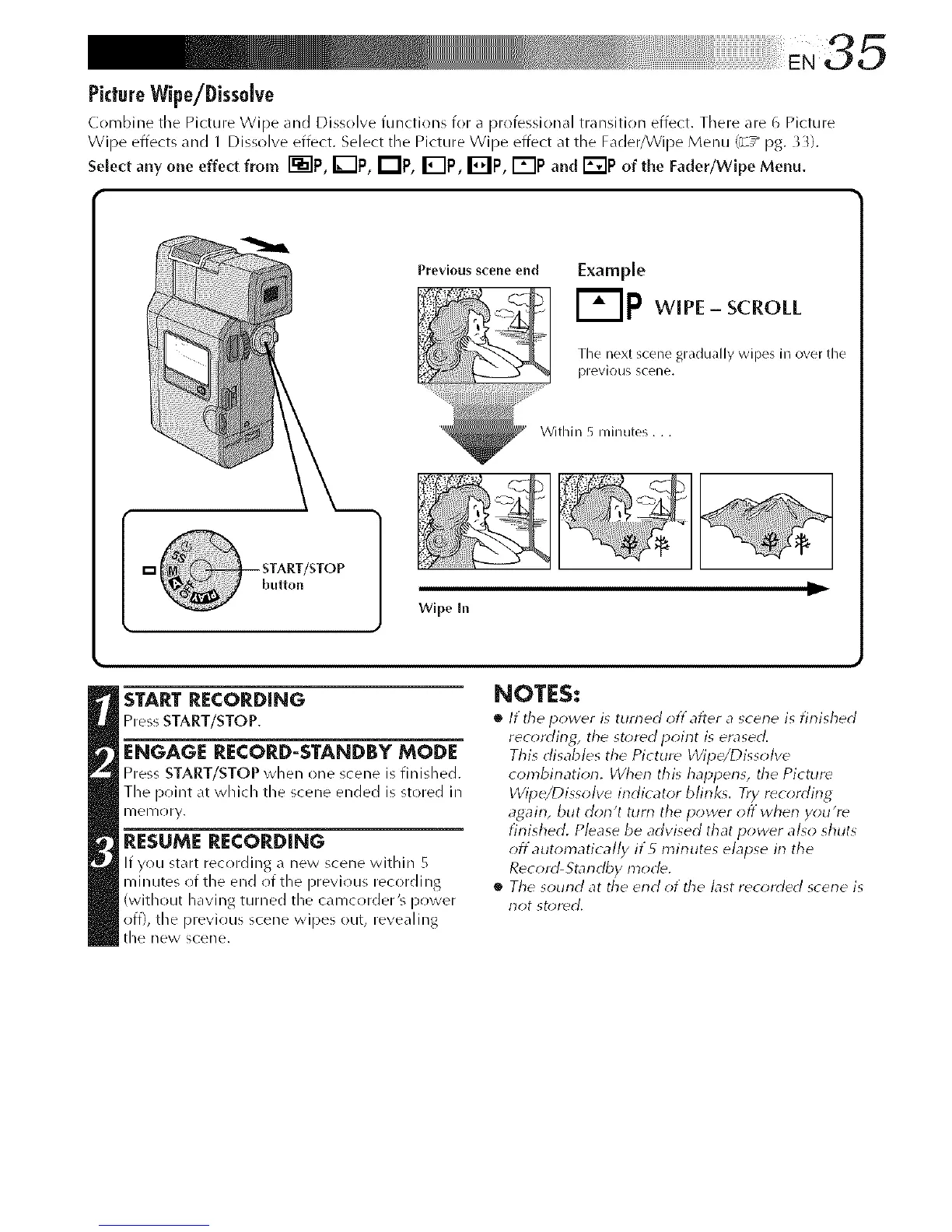
Previous so-erieend
ithin 5 rain utes...
Example
F-Ip w, E-scroll
I,_1/
Tile next scene gradually wipes in over tile
previous SCelle.
Wlpe In
D,
START RECORDING
Press START/STOP.
ENGAGE RECORD-STANDBY MODE
Pre% START/STOP when one scene is finished.
The point at which the scene ended is stored in
nlenloly.
RESUME RECORDING
If you start recording a new scene within 5
minutes (if the end (if the previous recording
(without having turned the camcorder's power
off), the previous scene wipes out, revealing
tile new scene.
NOTES:
• It tile power is turned off after a scene is finished
rec(_rding, the stored poirlt is erased.
This disables the Picture Wipe/Dissolve
combirlation, dherl this hal_pens, the Picturd
Wipe/Dissolve indicator blink_. Try rdcordirlg
agairl, but dorl't turn the power off wherl you're
finished. Please be advised that power also shuts
off automatica//y if5 minutes elapse in the
Record-Standby mode,
• The sound at the end of the bst rec_;rded scene is
not st,;red,



 To Next Page