[ADERANDWIPEMENU
MENU EFFECT
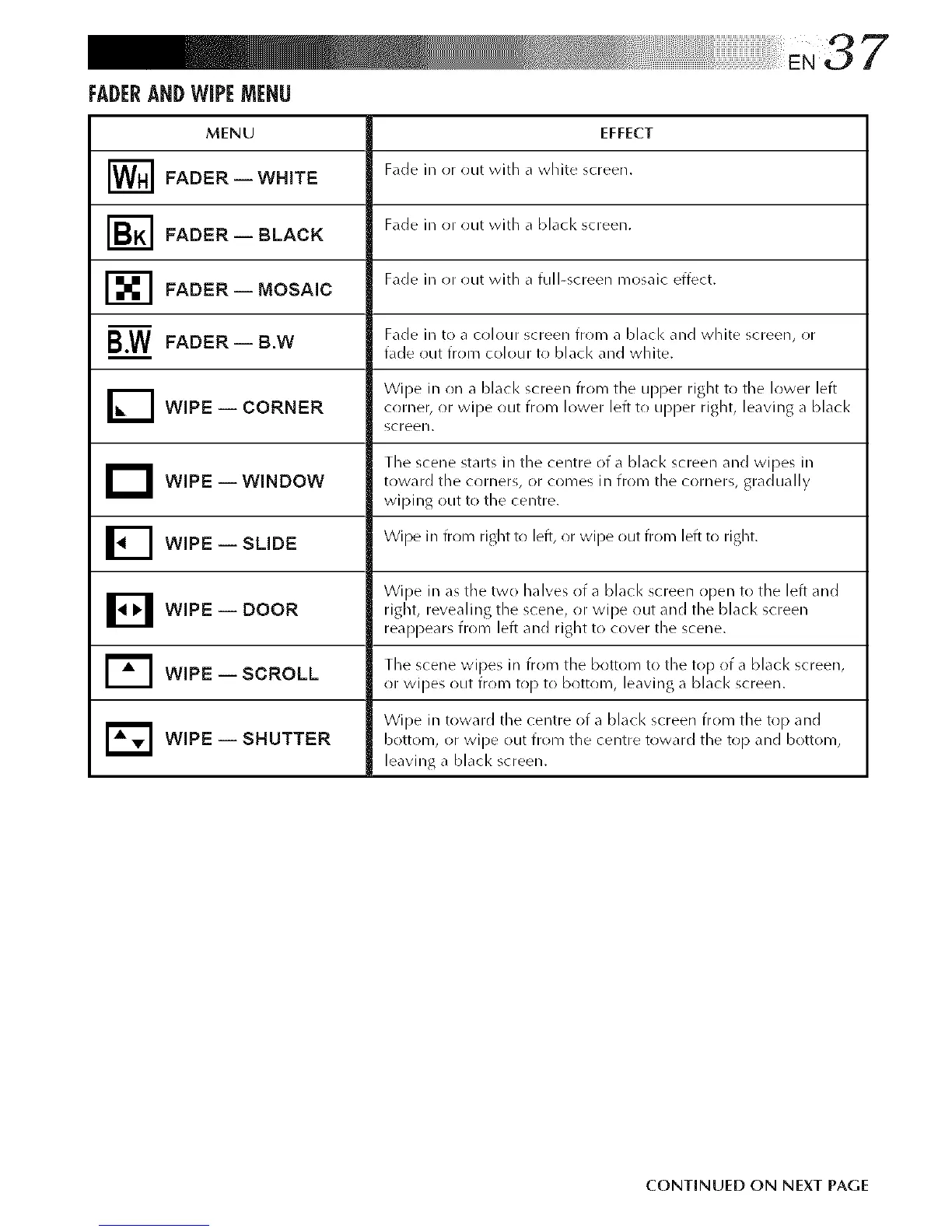
[_ Fade in or out widl a white screen.
FADER WHITEi
Fade in or out with a black screen.
FADER BLACK
Fade in or out with a full-screen mosaic effect.
FADER MOSAICi
B.W FADER -- B.W Fade ill to a colotlr screen from a bl,lcl< _lnd white screen, or
• __ , fade out from colour to black and white.
Wipe in on a black screen from the upper right to the lower leftWiPE -- CORNER corner, or wipe out from lower left to upper right, leaving a blacl<
screen.
The scene st_.ts irk the centre of _ black screen and wipes irk
D WiPE WINDOW toward the in from tile
gradually
J
corl)ers,
or conke_
corners,
wiping ()tit to the centre.
Wipe irk from right to left, or wipe out from left to right.
WIPE SLIDEi
Wipe ill as the two halves of a bLicl< screen open to tile left and
B -- right, revealing scene, or wipe screen
WIPE DOOR
tile
out
and tile blacl<
reappears from left and right to cover the scene.
[_l The scene wipes irk from the bk)ttom to the top of a blacl< screen,
WiPE -- SCROLL or wipes out from top to bottom, leaving a black screen.
Wipe in toward tile centre of a black screen from tile top and
r_ -- botton/, or wipe out centre top botton/,
WIPE SHUTTER from tile toward tile and
leaving a blacl< screen.
CONTINUED ON NEXT PAGE



 To Next Page