FADERAHDWIPEMEHLI(€onl.)
MENU EFFECT
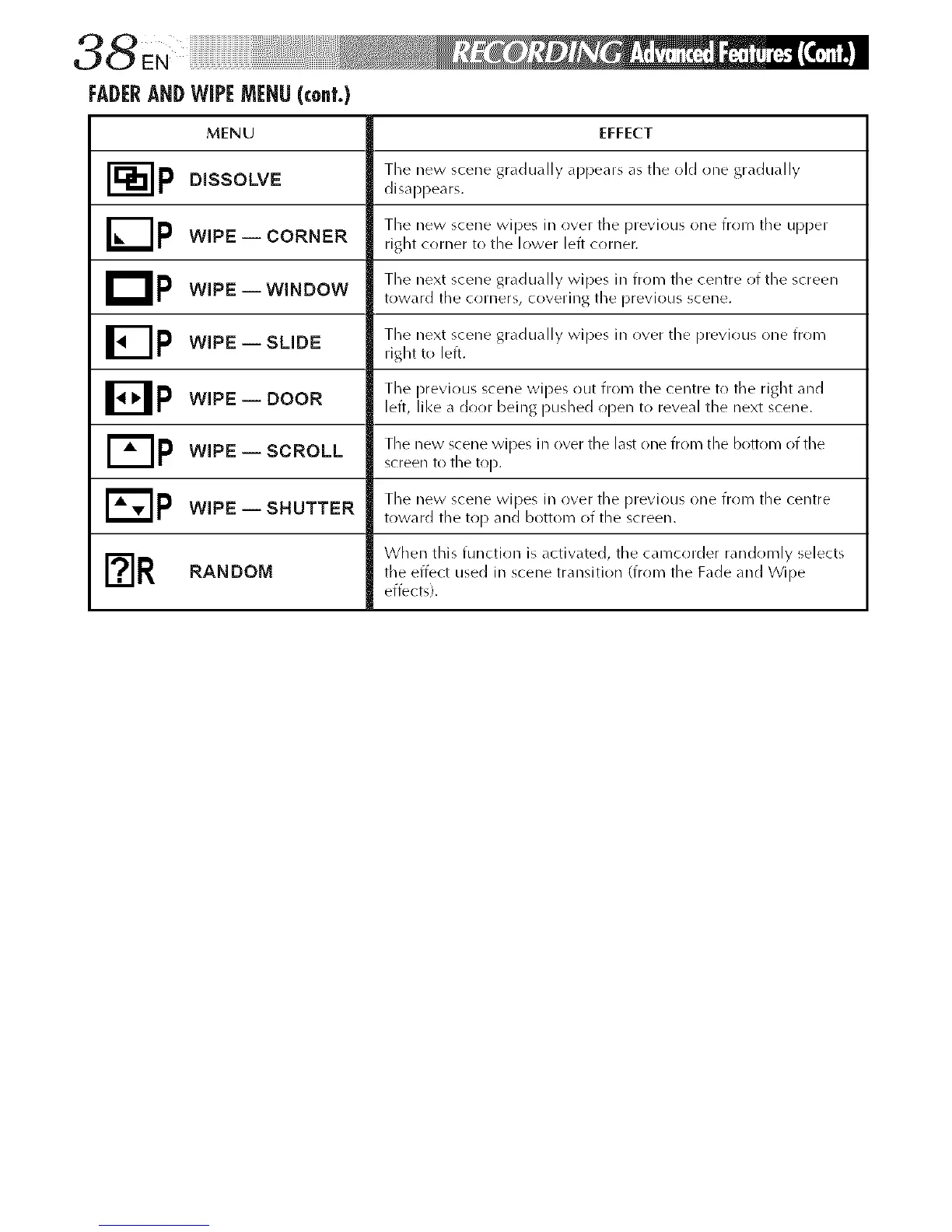
'_p Tile new scene gradually appears as tile old one gradually
DISSOLVE disappears.
'_p Tile new scene wipes in over tile previo/i5 one frrlm tile upper
WIPE i CORNER right cr)rner to tile lower left cr)rner.
D p The next scene gradually wipes in frr)m the centre of the screen
WIPE -- WINDOW toward the c()rners, covering the previous scene.
[]p WIPE i SLIDE Tile next scene gradually wipes in over tile previous one from
right to left.
B p The previr)us scene wipes out from the centre to the right and
WIPE i DOOR left, like a door being I)ushed open to reveal tile next scene.
WIPE i SCROLL The new scene wipes in over the last one from the boEom of the
screen to tile top.
E_p The new scene wipes in r)ver the previous one frr)m the centre
WIPE i SHUTTER toward the top and bottom of tile screen.
F_r When this function is activated, the camcorder randomly selectsRANDOM the effect used in scene transition (from the Fade and Wipe
effects).



 To Next Page