33 / 84
Remote control
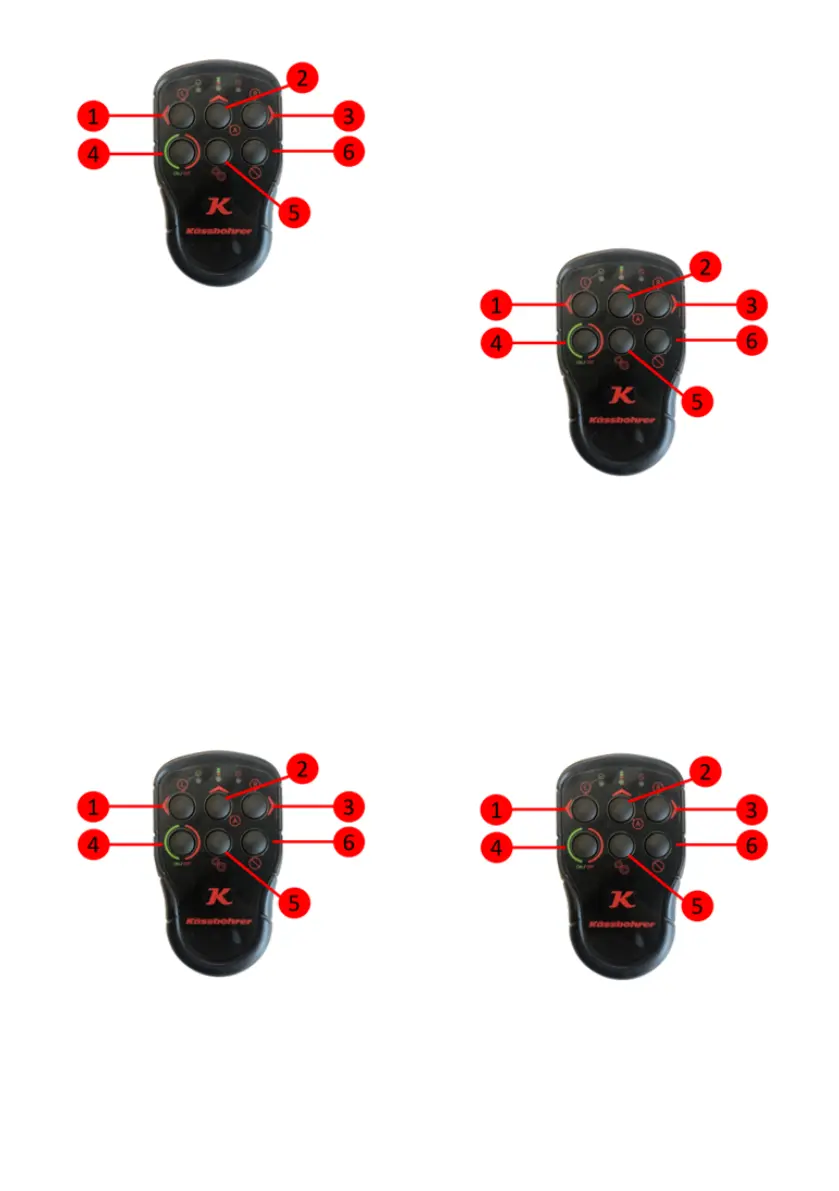
3. Make sure that the yellow alignment
arrows on the fifth wheel and steering
hub are matched and press the Auto (2)
button of the remote control once. Thus,
the angle values of the straight positions
of the fifth wheel and steering hub are re-
corded. When the recording is taken, the
yellow lamp lights continuously while the
red lamp continues to flash slowly (1
Hz).
4.Truck rotates 90 degrees to the right or
left.
5.Press the right (3) or left (1) button of
the remote control once. By pressing the
button, the right and left limit values of
the fifth wheel and steering hub are re-
corded. When the recording is received,
the yellow and red lamps start to light
continuously.
Remote control
6. All values saved up to this step are
temporary. In order to save these values
permanently, the Auto (2) and Set (5)
buttons of the remote control are
pressed simultaneously for 3 seconds.
All temporarily saved values are saved
permanently. In this case, the yellow and
red lamps will flash 3 times fast (2 Hz) si-
multaneously and the Angle Sensor Cali-
bration function will be automatically
exited.
Remote Control
7.At any step of the Angle Sensor Cali-
bration process, press and hold the Set
(5) button of the Remote Control for 3
seconds to cancel and terminate the cali-
bration process. Keeping the Set (5) but-
ton pressed will delete all temporary
records and automatically exit the Angle
Sensor Calibration function. In this case,
while the red lamp lights continuously,
the yellow lamp flashes 3 times fast (2
Hz).
Remote control


 To Next Page