26
Table of ContentsSetting UpWi-Fi StreamingUsing KEF Connect AppFAQ and Troubleshooting
8. Wi-Fi Streaming
8.1 Wireless Streaming Protocols
To stream audio to the speakers, your mobile device must be connected to
the same Wi-Fi network as the speakers. The speakers can be turned on from
standby mode through all wireless streaming protocols.
8.1.1 AirPlay 2
AirPlay 2 lets you share audio output from Apple devices to the speakers.
1. Start music or video playback on your iOS device.
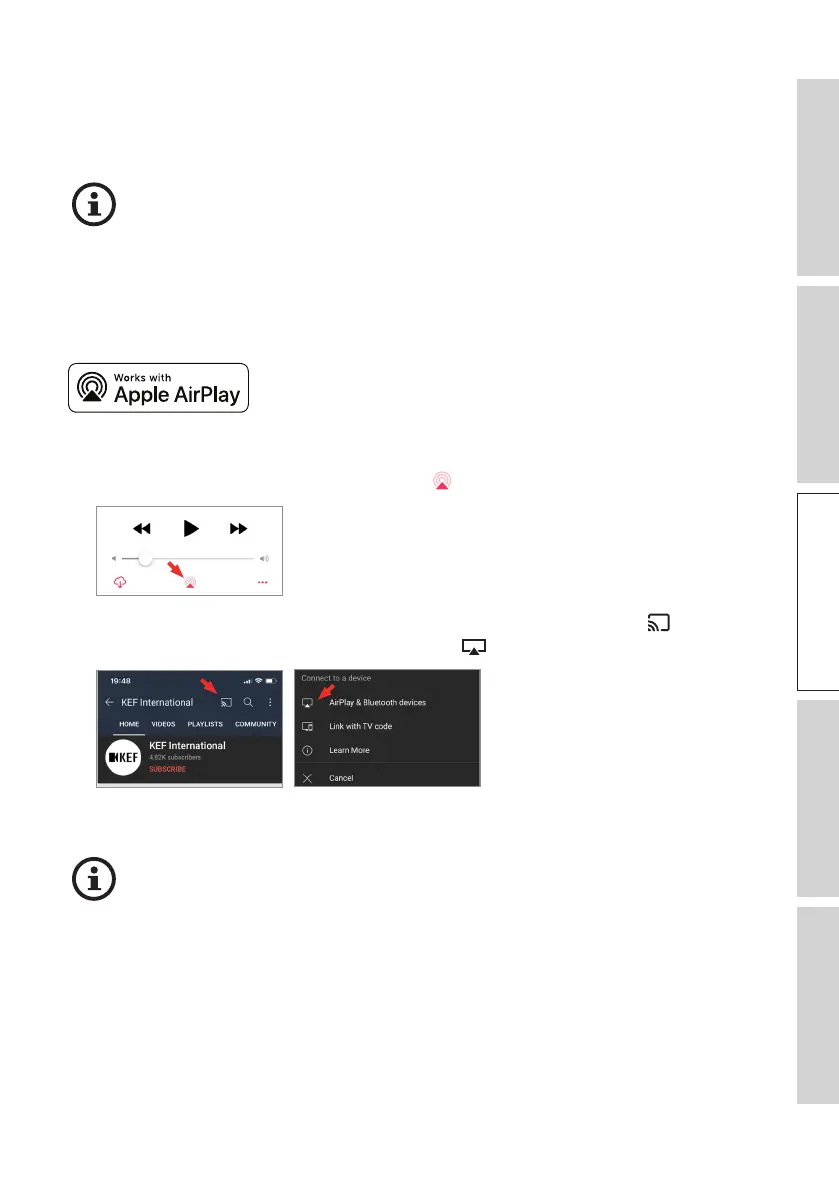
2. For music streaming, tap the AirPlay icon ( ) in the playback screen.
For audio streaming from the YouTube app, tap the connection icon ( ) in the
playback screen and then tap the AirPlay icon ( ).
3. Select “LS60 Wireless” (or the name you have created for the speakers) from the
selection menu to start streaming.
The availability for streaming depends on the app compatibility.



 To Next Page