30
Table of ContentsSetting UpWi-Fi StreamingUsing KEF Connect AppFAQ and Troubleshooting
8.1.4.2 QPlay
QQ Music is one of China’s most popular online music streaming services. QPlay lets
you stream music directly from the QQ Music App. The speakers are ready for the
QPlay feature.
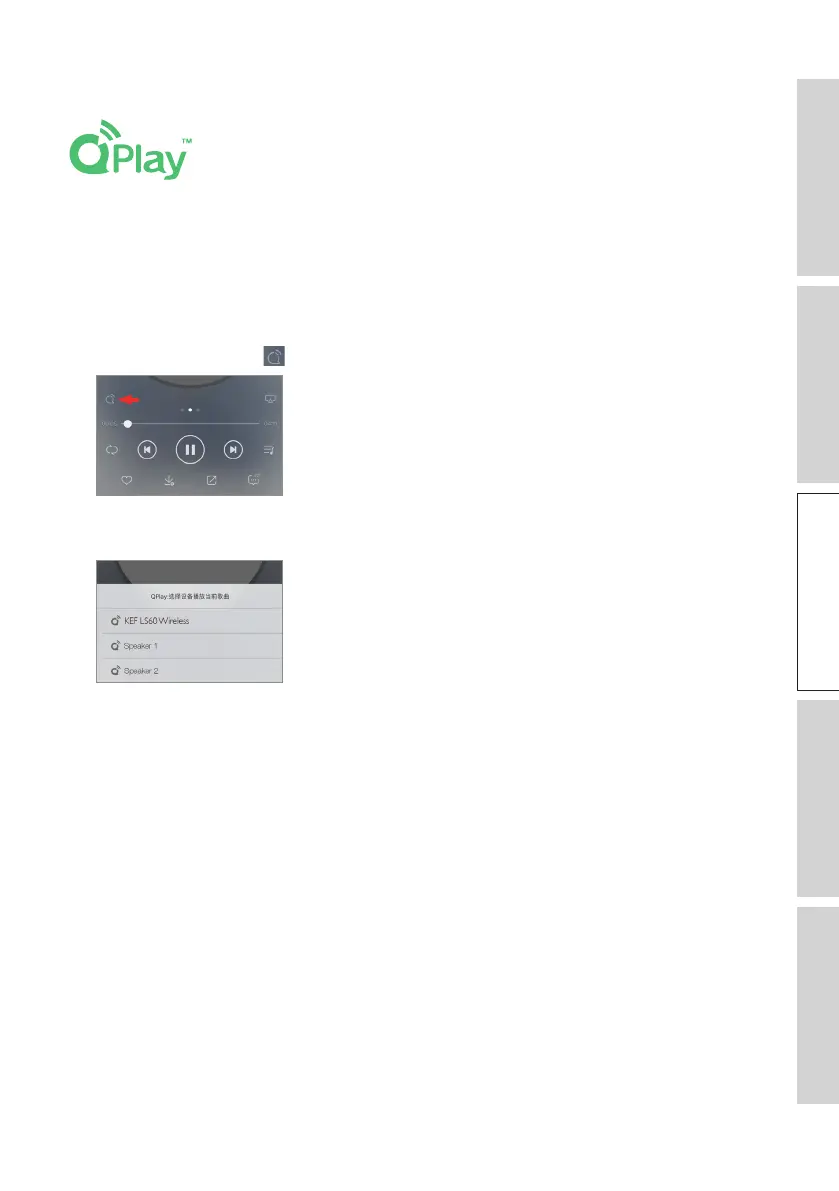
1. To stream music, launch the QQ Music App and enable QPlay in the settings.
2. Browse and play music.
3. Tap the QPlay icon ( ) on the playback screen.
4. Select “KEF LS60 Wireless” (or the name you have created for the speakers) from the
device list to start streaming.



 To Next Page