59
Table of ContentsSetting UpWi-Fi StreamingUsing KEF Connect AppFAQ and Troubleshooting
16.3.2.4 Playing Queue
Adding a track to the queue means the track will be played after the current playing
track. The queue is not permanent and cannot be saved.
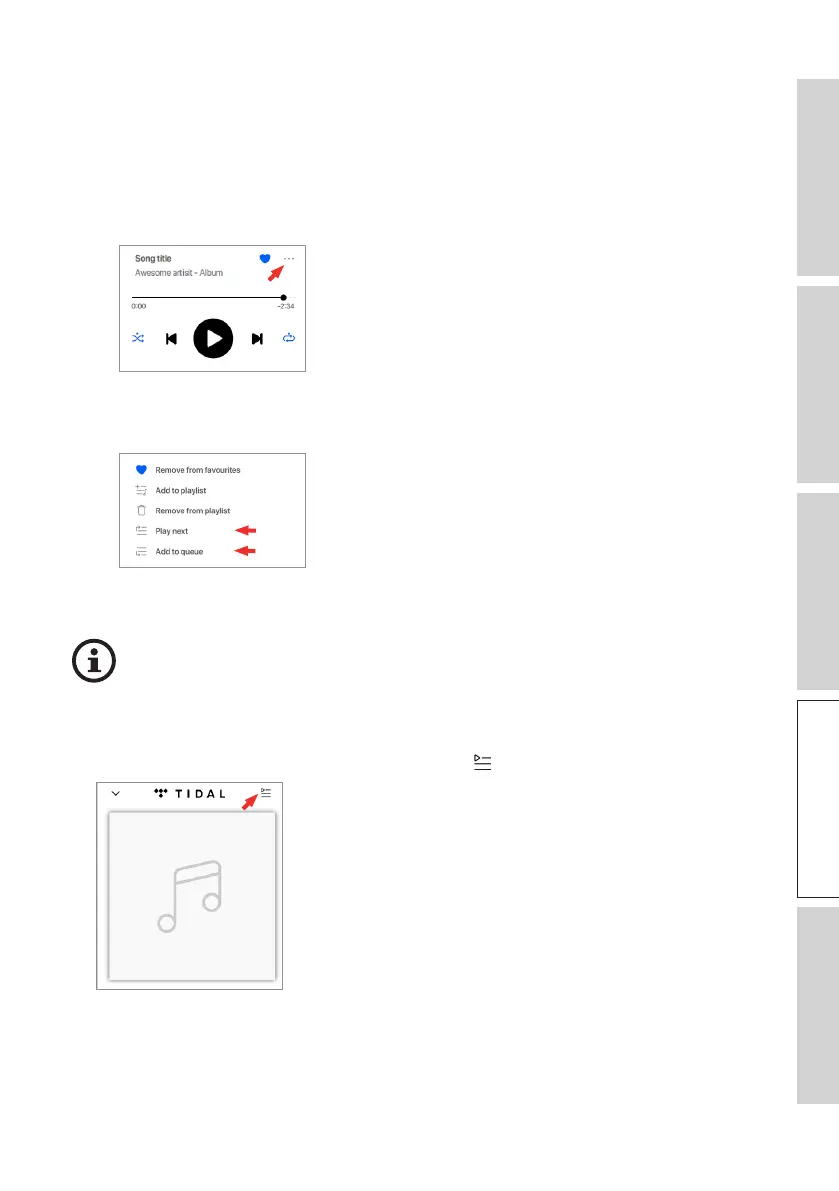
• Adding a Track to the Queue
1. From the playback screen, tap the option icon (
…
).
2. Select “Add to Queue” to add the track to the end of the Queue. Or select “Play
next” to add the track as the next song.
Depending on your selections, you can also add all tracks from an artist, all
tracks from an album, or all tracks from a playlist to the queue.
• Showing the Current Queue
From the playback screen, tap the queue icon ( ) at the top right.



 To Next Page